
Advanced AI video prompting: How to write cinematic, realistic prompts

Advanced AI video prompting techniques for cinematic realism, structure, and production-level control.

Charles Yeager 16min read 23 Feb 2026
Advanced AI video prompting

Realistic AI video does not come from the AI model alone. It also comes from the way you prompt it. That’s where advanced AI video prompting makes the difference. A short, generic prompt might yield something interesting, but it rarely produces footage ready for real-world projects. The difference between a clip that looks usable and one that looks artificial is usually found in how clearly you describe the scene and what is happening in it.

Basic prompts tend to describe what is in the frame. Production-level prompts, built through advanced AI video prompting, describe how it is filmed, how it moves, and how it feels. They include camera language, lighting cues, physical details, and motion that help the model understand how the scene should behave. Micro details add context for the scene. This is what turns a simple AI clip into something that looks realistic.

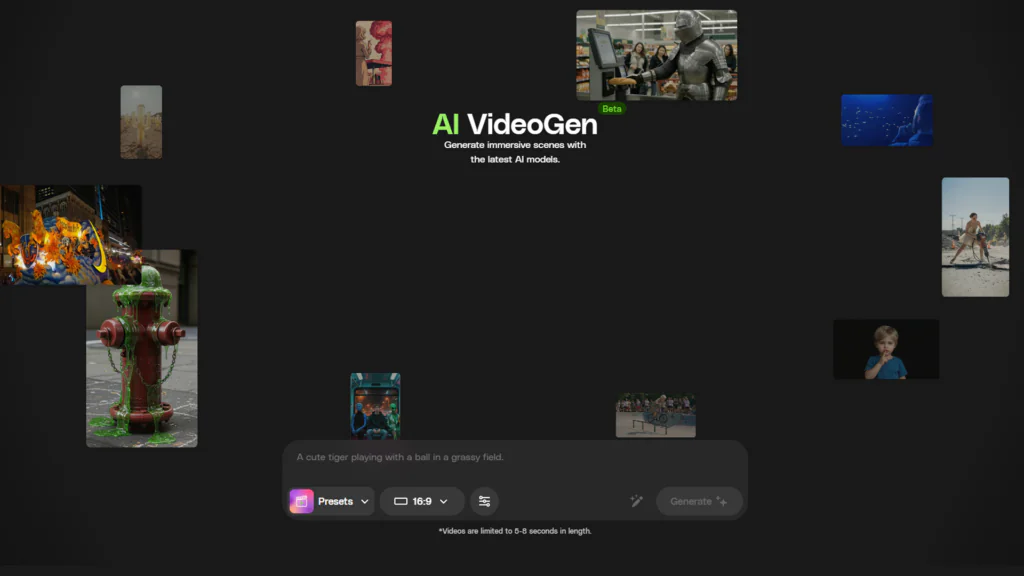
AI VideoGen interface showing diverse AI-generated video thumbnails, including a knight in a supermarket, a slime-covered fire hydrant, and a parade float. The central text reads 'AI VideoGen: Generate immersive scenes with the latest AI models,' with an input field for prompts and a 'Generate' button.
Explore the imaginative possibilities of AI VideoGen! From medieval knights in supermarkets to slime-covered fire hydrants, this beta tool generates immersive scenes with the latest AI models. What will you create?

Envato VideoGen makes this process even more powerful by giving you access to multiple advanced video models in one place, including Runway Gen 4.5, Kling 2.6, Google Veo 3.1, and Luma Ray3. Each model has its own strengths, and with the right prompts, you can generate everything from cinematic beauty shots to clean educational visuals and slice-of-life social media content. You can also use built-in VideoGen Presets to quickly apply optimized prompt structures and stylistic settings, helping you achieve more consistent, production-ready results with less trial and error.

In this guide, you will learn how to structure your prompts for better results, use advanced advanced AI video prompting techniques to boost realism, and apply these ideas through real-world examples across beauty, fashion, education, advertising, and cinematic video styles.

What makes a realistic video prompt?

A realistic AI video prompt goes beyond describing what appears on screen. The more intentional your prompt structure, the more natural and production ready your AI videos will feel.

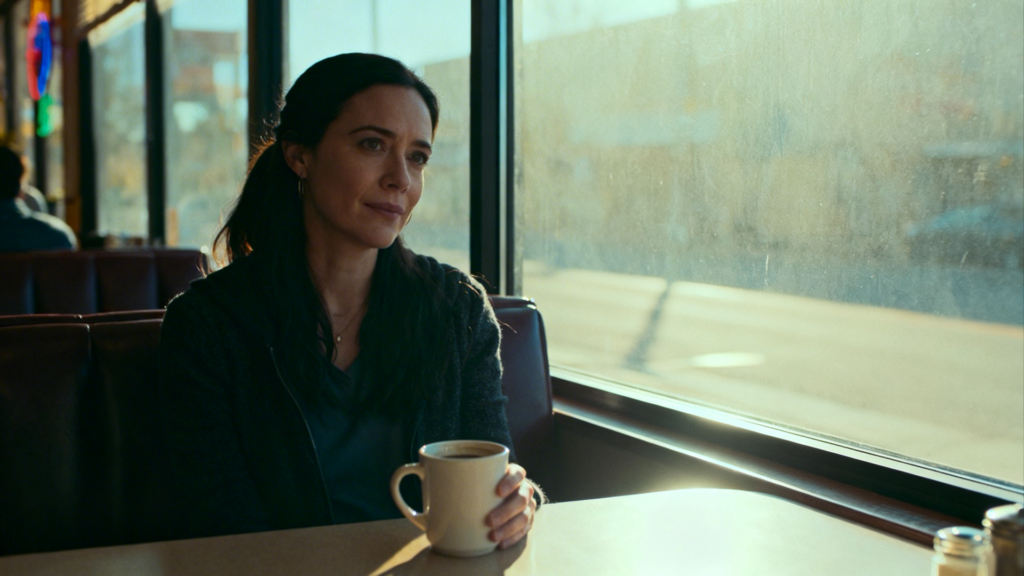
A woman with dark hair in a ponytail sits in a diner booth, holding a coffee mug, looking contemplatively out a sunlit window.
Lost in thought over a warm cup of coffee. A realistic AI video prompt goes beyond describing what appears on screen.

Precision vs creativity

Creativity is important, but precision is what drives realism. Many creators assume that cinematic results come from dramatic or artistic wording. In reality, realism comes from specificity.

Instead of writing “a beautiful woman in soft lighting”, try something like “a close-up of a beautiful woman standing near a backlit window, warm morning light wrapping around her face, soft shadows on one side.” The second version gives the model concrete physical information to work with.

Close-up portrait of a woman with dark hair, her face dramatically split by a strong beam of light and shadow, highlighting one eye.
Bathed in dramatic light and shadow, this portrait captures a moment of quiet intensity.

Specificity improves realism because AI video models simulate how the real world behaves. When you define lighting direction, camera distance, surface textures, or environmental details, you impose constraints on the model. Those constraints often lead to more believable results.

That said, you do not need to control every pixel. Leave room for the model to interpret small details. Focus on the core structure of the scene and let the system fill in secondary elements, like background textures or subtle environmental variation. A clear framework and advanced AI video prompting with some breathing room tends to produce the most natural-looking results.

The core components of advanced AI video prompting

Advanced AI video prompting usually includes the following elements. You do not always need every single one, but the more complex your scene, the more these components help you anchor realism.

SubjectAdd small physical details such as fabric moving in a breeze, subtle head turns, blinking, looking at the camera, and reflections changing as the camera moves. These micro cues increase believability.
Action or behaviorWho or what is in the scene? Be clear and grounded. For example, “a dermatologist in a clean white lab coat” is stronger than “a doctor.”
Camera movementWhat is happening? Realistic video depends on motion. Is the subject walking, using a product, explaining something, adjusting fabric, or looking at the camera?
LightingAnchor the scene in real light sources. Morning sunlight with harsh shadows, soft studio key light with a subtle rim light, overhead fluorescent classroom lighting. Lighting direction and quality dramatically affect realism.
Mood and aestheticThis shapes tone without replacing structure. Words like editorial, documentary, commercial, cinematic, minimal, low-budget, or naturalistic help guide the style.
Environment or settingWhere is this happening? A modern kitchen with marble countertops, a windy beach at golden hour, a cozy rustic log cabin with a fireplace. Specific environments ground the video.
Motion cuesWhere is this happening? A modern kitchen with marble countertops, a windy beach at golden hour, and a cozy rustic log cabin with a fireplace. Specific environments ground the video.
Audio (if supported by the model)Mention ambient sound or dialogue tone. Such as: soft room tone, distant traffic noise, or a calm voice explaining the product. Audio grounding can reinforce realism.

The biggest mistakes to avoid

Even powerful AI video models struggle when prompts are unclear or overloaded.

  • Overloading the prompt with too many ideas. Trying to combine five styles, three camera angles, and multiple conflicting actions in one short clip often results in visual confusion. Focus on one strong concept at a time. Render each as a separate clip, then edit them together in post.
  • Mixing lighting or time-of-day cues. Do not describe both golden sunset light and harsh midday overhead lighting in the same scene. Conflicting cues can create unnatural shadows or inconsistent color.
  • Forgetting camera movement. If you do not specify camera behavior, the model may default to generic motion or subtle drift. Even adding a “locked off tripod shot” can dramatically improve realism.
  • Relying only on visual style references. Saying “in the style of a luxury commercial” is not enough. Style references help, but they do not replace concrete physical details. Always combine style direction with subject, motion, lighting, and environment. You are the director of this AI scene.

When you treat your prompt like a production brief instead of a simple idea, the realism of your AI video improves significantly!

Advanced AI video prompting techniques

Once you understand the basic structure of a strong prompt, you can push the realism even further with a few advanced techniques. This is where advanced AI video prompting truly elevates your results. These refinements are often what separate a stereotypical AI clip from something that feels intentional, cinematic, and convincingly real.

A man with dark hair and a serious expression stands in a dimly lit city alley at night, with neon signs and storefront lights in the background.
A man with a pensive expression stands in a neon-lit urban alleyway at night, surrounded by the quiet glow of city lights.

1. Use camera language like a filmmaker

One of the fastest ways to improve realism is to think like a cinematographer. Instead of letting the camera float generically, describe how it moves.

Use terms like dolly in, slow push-in, handheld tracking shot, drone aerial, macro close-up, or slow pan from left to right. These phrases tell the model how the viewer experiences the scene.

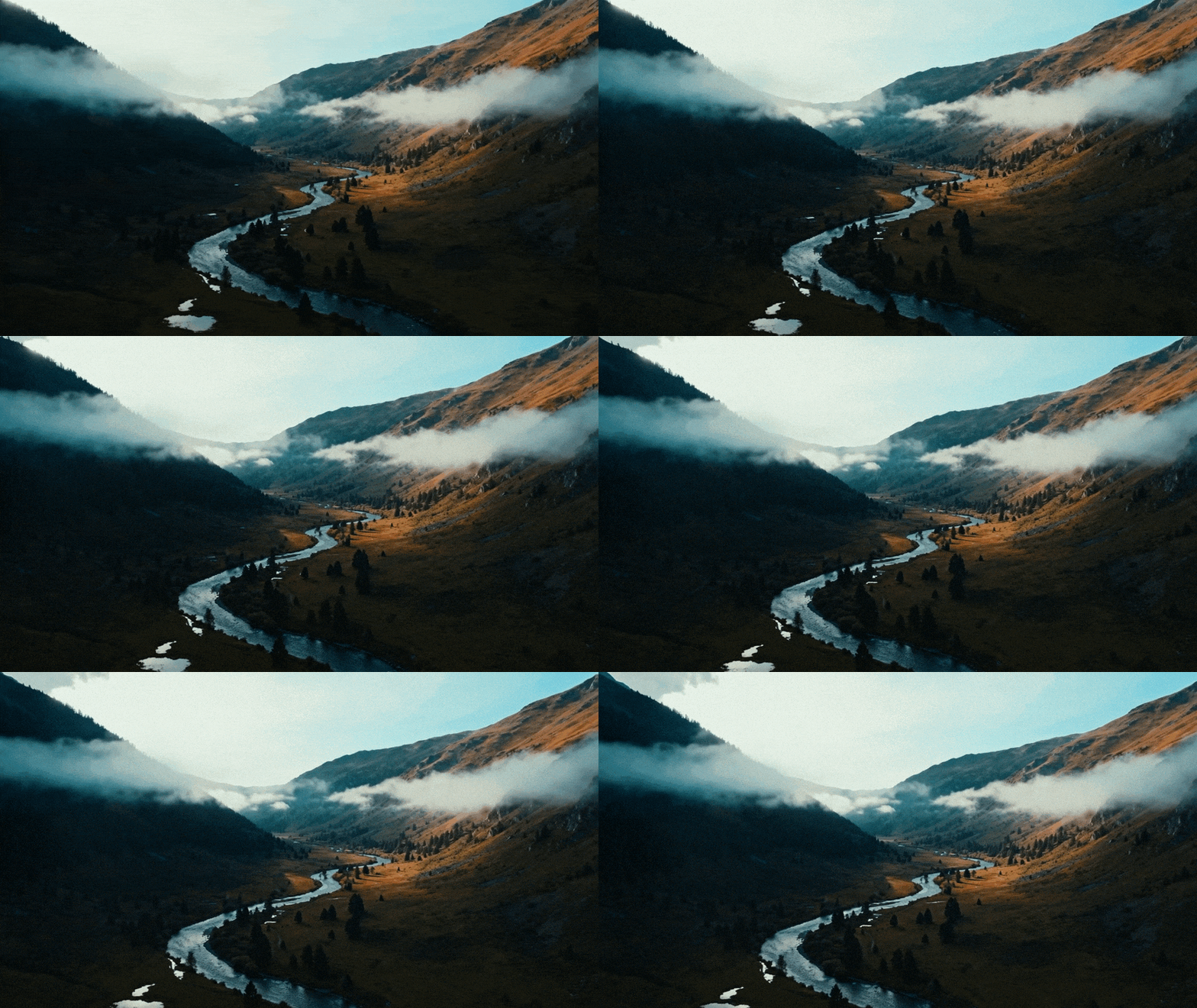
Aerial view of a winding river flowing through a misty mountain valley. One mountain slope is dark and shadowed, while the other is brightly lit by the sun, revealing warm earthy tones.
A drone aerial of a moody mountain valley. Slow-rotating cinematic establishing shot.

For example, “a drone shot of a valley” is static and generic.
“A drone aerial of a moody mountain valley. Slow-rotating cinematic establishing shot.” immediately adds dimensionality.

Camera language enhances depth by introducing perspective shifts. It creates parallax, foreground/background separation, and intentional framing. Even a simple locked-off tripod shot adds structure and prevents unwanted drifting.

2. Describe physical motion instead of emotion

AI video models respond better to observable behavior than abstract emotion. Compare these two prompts:

“She feels happy while walking through the park.”

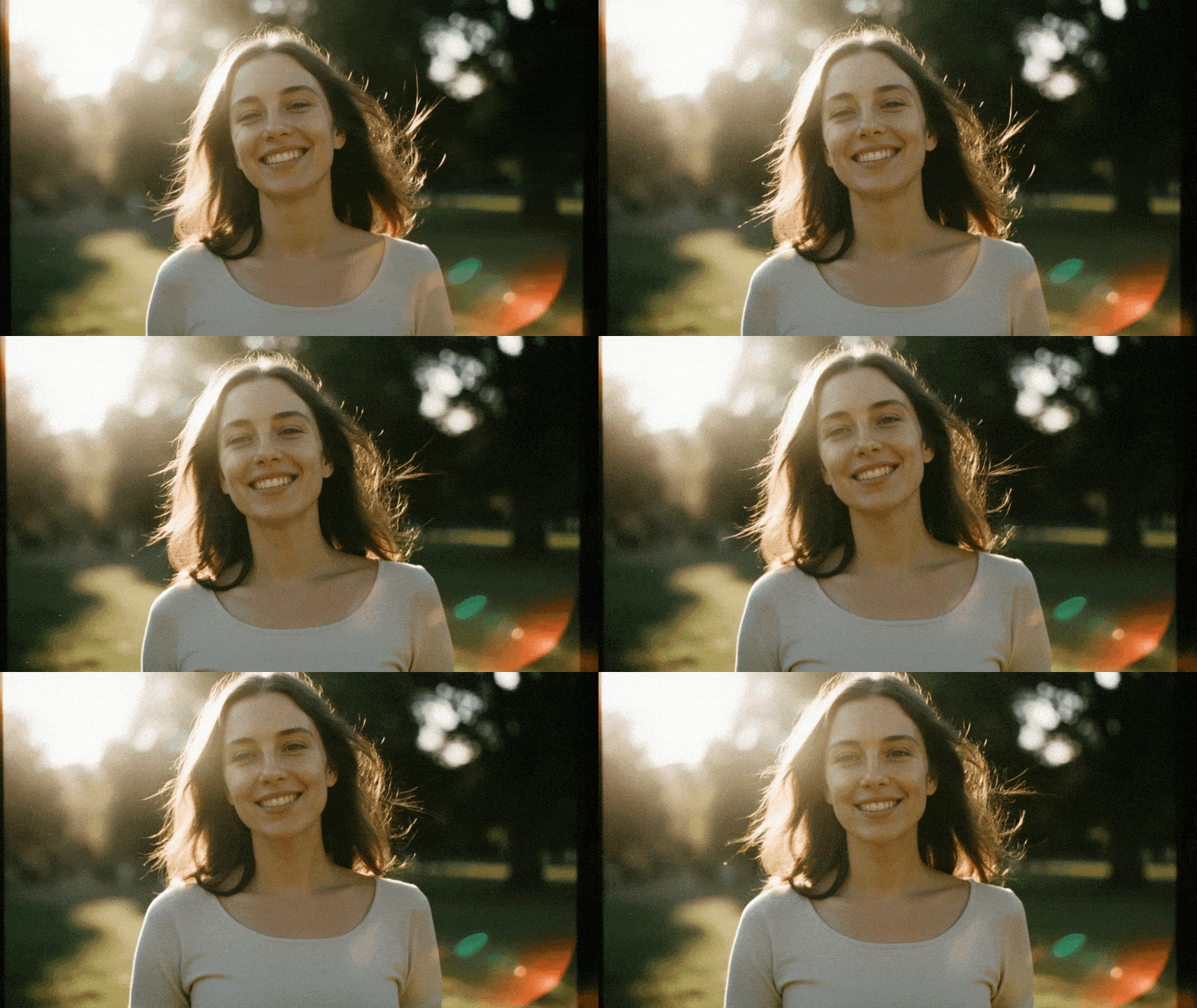
“She walks through the park with relaxed shoulders, a soft smile, and light hair movement in a gentle breeze.”

The second version describes physical cues the model can visualize. Emotion is expressed through posture, facial expressions, and environmental interaction rather than through abstract language.

A young woman with long brown hair smiles brightly, backlit by warm sunlight in an outdoor setting.
She walks through the park with relaxed shoulders, a soft smile, and light hair movement in a gentle breeze.

3. Anchor lighting with real-world sources

Lighting is one of the strongest anchors of realism in AI-generated video. Instead of saying “soft cinematic lighting,” specify the source.

Try phrases like these:

  • “Backlit window with warm morning sunlight.”
  • “Practical table lamps casting warm glow.”
  • “Golden hour directional light from camera right.”
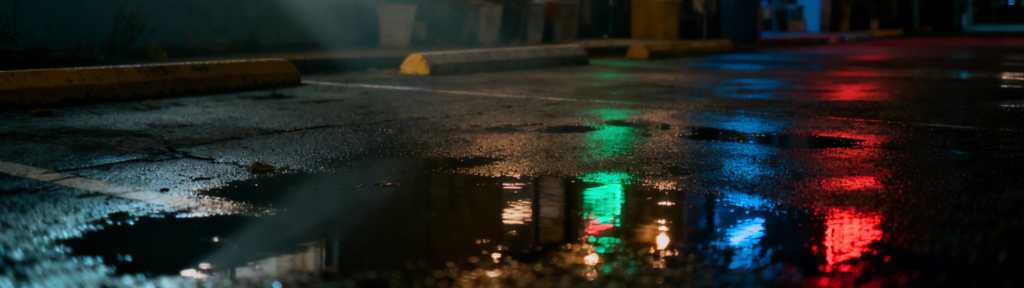
  • “Neon reflections bouncing off wet pavement.”

Real-world light sources create believable shadow direction and natural contrast. They also help the model maintain consistency across video frames. The more grounded your light description, the more “real” your result will feel.

Low-angle shot of a wet asphalt street or parking lot at night, with puddles reflecting vibrant red, green, and blue city lights. Yellow parking blocks are visible in the background.
Neon reflections bouncing off wet pavement.

4. Reference real materials and physics

Realism improves dramatically when you mention how materials move and behave.

Instead of saying “a model in a flowing dress”, try “a silk dress that ripples naturally as she turns.”

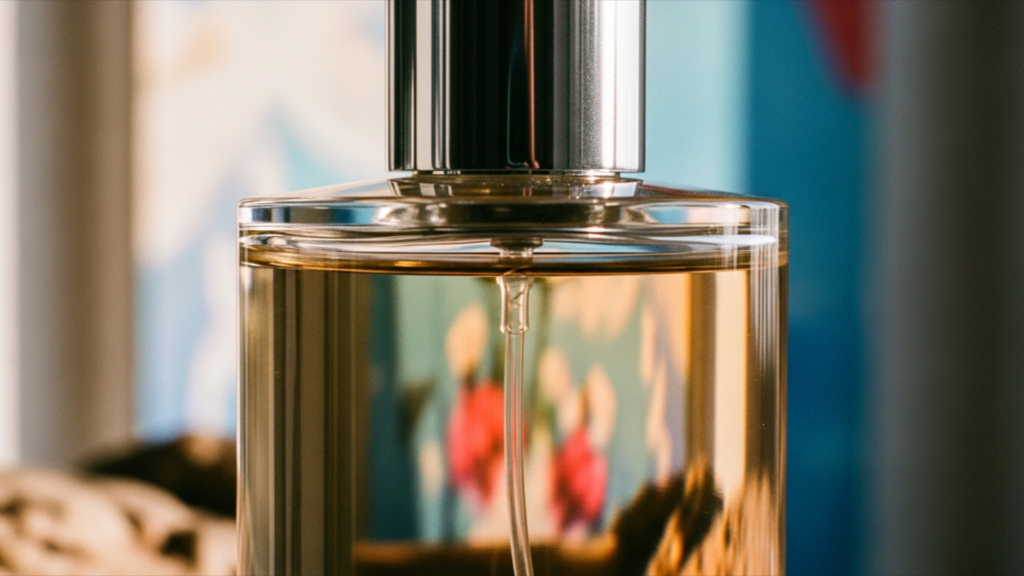
Instead of “a glossy product”, try “a glass bottle with realistic reflections and subtle light refractions.”

Mention texture, fabric movement, product reflections, drifting smoke, floating dust particles, or soft background fog. These physical details help the model simulate believable motion and light interaction.

Close-up of a clear glass perfume bottle filled with golden-amber liquid and topped with a silver cap. A dip tube is visible inside. The background is a soft blur of blue, red, and beige colors.
A glass bottle with realistic reflections and subtle light refractions.

5. Add micro actions

Small movements make a scene feel alive. Add subtle smirks, pauses between speech, fingers adjusting fabric, a gentle head tilt, or natural breathing motion. In the environment, include moving leaves, shifting shadows, steam rising from a cup, or curtains swaying near a window.

These small details prevent stiffness and reduce that artificial look and feeling. When combined with real-world camera language and lighting, all of these details add up and elevate the production value of your AI video clips!

Prompt templates for realistic results

As we’ve mentioned, if you want consistent, realistic AI video, structure matters. This is a core principle of advanced AI video prompting. Instead of writing loose, one-sentence ideas, use a repeatable framework that mirrors how a real production is planned, with defined camera movement, lighting, subject action, and environmental detail.

Here is a simple template you can reuse across projects:

Subject + Action + Camera movement + Lighting + Environment + Mood + Material and physics cues + Style reference optional

This structure keeps your prompts focused, cinematic, and grounded in physical detail.

Example using the full structure:

“A professional makeup artist applying foundation with a soft brush in slow, deliberate strokes, macro close up with a slow push in, warm golden hour light from a large window, minimalist white bathroom setting, clean and luxurious mood, visible natural skin texture and soft powder particles in the air, high end beauty commercial style.”

A person with closed eyes having makeup applied to their cheek with a soft brush, against a dreamy blue background with floating petal-like shapes.
Use a prompt template for more realistic video results.

This prompt feels grounded because all major production elements are defined.

How to adapt this structure to different projects

  • Beauty and fashion: emphasize skin texture, fabric movement, and gloss or sheen in materials. Camera motion is often slow and elegant.
  • Educational content: simplify. Use stable framing, neutral lighting, and clear action tied directly to explanation. Avoid overly dramatic camera movement.
  • Advertising: focus on product reflections, brand-aligned lighting and colors, and controlled camera moves, like smooth dolly shots.
  • Cinematic storytelling: lean into environmental detail, practical light sources, layered foreground and background elements, and subtle character motion.
  • Social media content: keep prompts concise and action-focused. Specify vertical framing, if needed, and describe quick, yet natural motion.

The key is not to change the structure, but to adjust the emphasis. Once you internalize this framework, writing realistic AI video prompts becomes faster, more intentional, and far more effective.

Advanced example prompts

Now let’s put these techniques into action through the lens of advanced AI video prompting. Below are advanced, real-world example prompts across different industries and styles. Each one demonstrates how structured, production-level prompting, grounded in camera language, lighting, and motion, creates more realistic and professional AI video results.

Example 1: A hero beauty ad

Close-up of a woman's face with radiant skin, dramatic eyelashes, glossy pink lips, and a shimmering pink blush, wearing a gold teardrop earring. Blurred lights and flowers are in the background.
A hero beauty ad with radiant beauty with a luminous glow and captivating eyes. ✨

Goals: High realism, glossy, visible skin texture, slow-motion elegance

Full prompt: “A beauty ad video with music and voice. The camera slowly orbits around a person, focusing on their face as they model a new makeup look. Ambient music plays, and then a narrator says, ‘Unleash Your True Color’ in a beauty ad voice tone. The model slightly smiles.”

Why it works: This AI ad prompt clearly defines camera movement, subject focus, and audio, which gives the model strong structural guidance. The slow orbit creates depth, while the subtle smile and voiceover help the scene feel polished and human.

Variations: You can shift this prompt toward a macro beauty look by emphasizing skin texture and soft lighting. For color cosmetics, focus the camera on the lips or eyes. For fragrance campaigns, transition the orbit to a hero shot of the bottle with realistic reflections.

Example 2: A fashion campaign

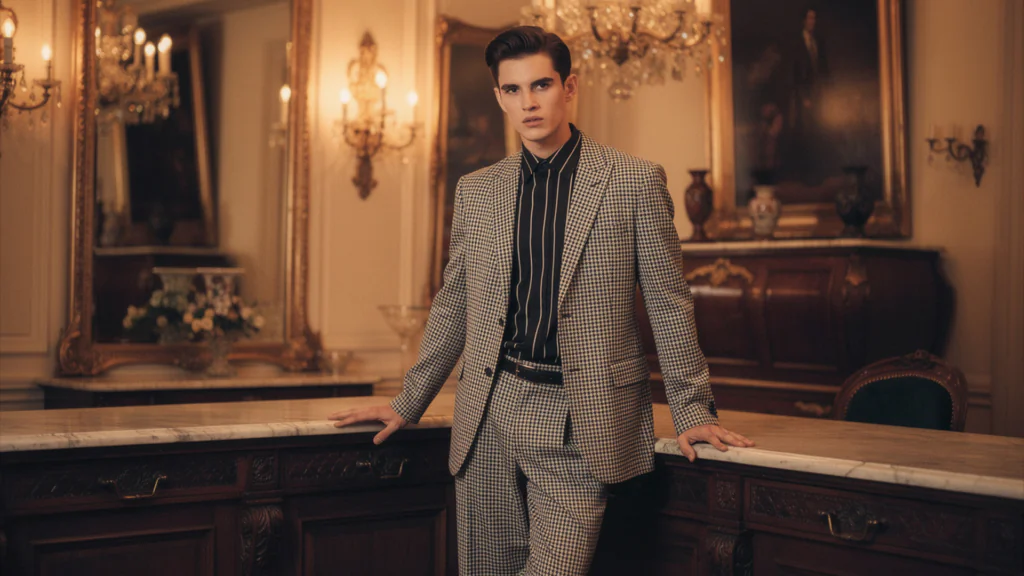
A young man in a houndstooth suit stands in a luxurious room, leaning on a marble counter. He wears a striped shirt and looks directly at the viewer.
A fashion campaign with effortless elegance in a classic houndstooth suit.

Goals: Movement, fabric realism, confident eye contact, editorial aesthetic

Full prompt: “Fashion ad video with music and voice-over. A relaxed male model slowly raises his head, making direct eye contact with the camera. The camera focuses on the model’s eyes, slowly pushing in. The voice-over speaks ‘Every look, your legacy’ in a calm, fresh male voice.”

Why it works: This prompt defines subtle character movement and a clear camera push in, which adds intimacy and intention. Direct eye contact combined with voice-over creates a strong editorial campaign feel that mirrors real fashion advertising.

Variations: You can adapt this for a runway feel by adding directional stage lighting and moving fabric detail. For streetwear, place the model outdoors with natural wind and handheld camera motion. For a studio luxury look, introduce strobe lighting and sharper contrast.

Example 3: Educational content

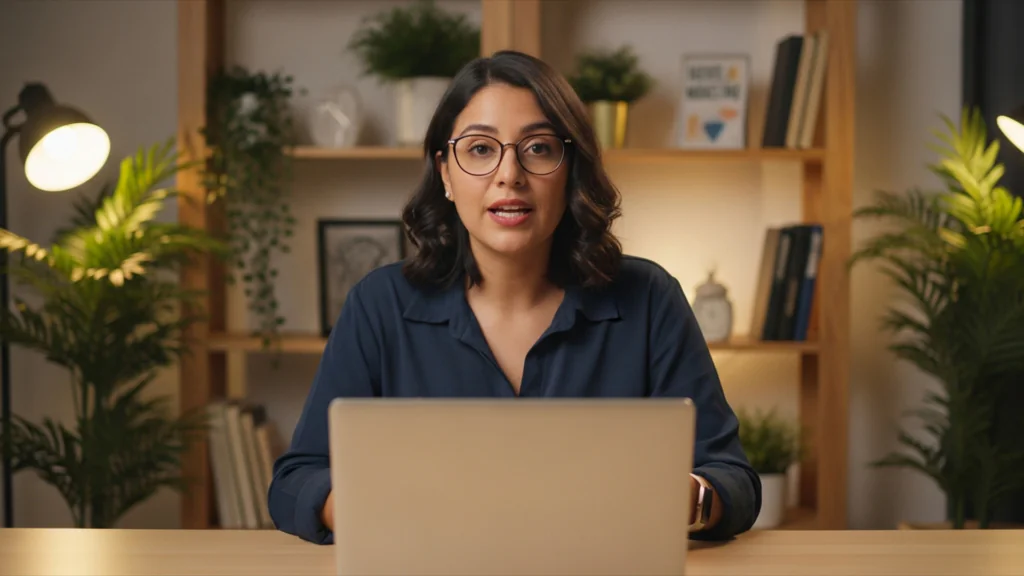
A woman with dark hair and glasses sits at a desk with an open laptop, looking directly at the camera. A wooden bookshelf with plants and books is in the warm-lit background.
This type of professional setup is perfect for educational content creation.

Goals: Clarity, stable framing, natural delivery, instructional tone

Full prompt: “A 30-year-old brunette woman speaking to the camera. She’s sitting at a light wooden desk with a laptop. She speaks, ‘Hi, I’m Maria. This is your first lesson for our social media marketing course. Let’s get started!’”

Why it works: This prompt keeps the scene simple and focused, which is ideal for educational content. Direct address to the camera and clear dialogue create a natural teaching format that mirrors real online courses.

Variations: You can enhance realism by adding soft window lighting and a locked-off tripod shot. For a science demo, place her in a classroom or lab environment. For a more dynamic lesson, include subtle hand gestures or light animated graphics appearing beside her.

Example 4: TV ad with animated and human elements

A cute, fluffy, anthropomorphic rabbit in a denim jacket pushes a shopping cart filled with fresh vegetables in a grocery store produce aisle.
Animated bunny in a realistic grocery store, all set with a healthy haul! 🥕

Goals: Hybrid realism, character personality, smooth motion, brand-friendly tone

Full prompt: “A 3D bunny character pushing a shopping cart in the aisles of a supermarket, looking around as he speaks, ‘Okay, the objective is simple: Carrots. But how many? Enough for the week I guess.’ The environment feels like a real grocery store with natural overhead lighting and subtle background shopper movement.”

Why it works: This prompt grounds the animated character in a realistic environment, helping blend fantasy with live-action physics. Dialogue and clear physical action keep the scene dynamic and make the character feel present in a believable world.

Variations: You can increase realism by adding handheld camera movement and reflections from the wheels on the polished floor. For a more branded product ad, have the bunny stop at a specific display with a gentle push in shot. For a playful PSA tone, exaggerate facial expressions while keeping the supermarket lighting natural and consistent.

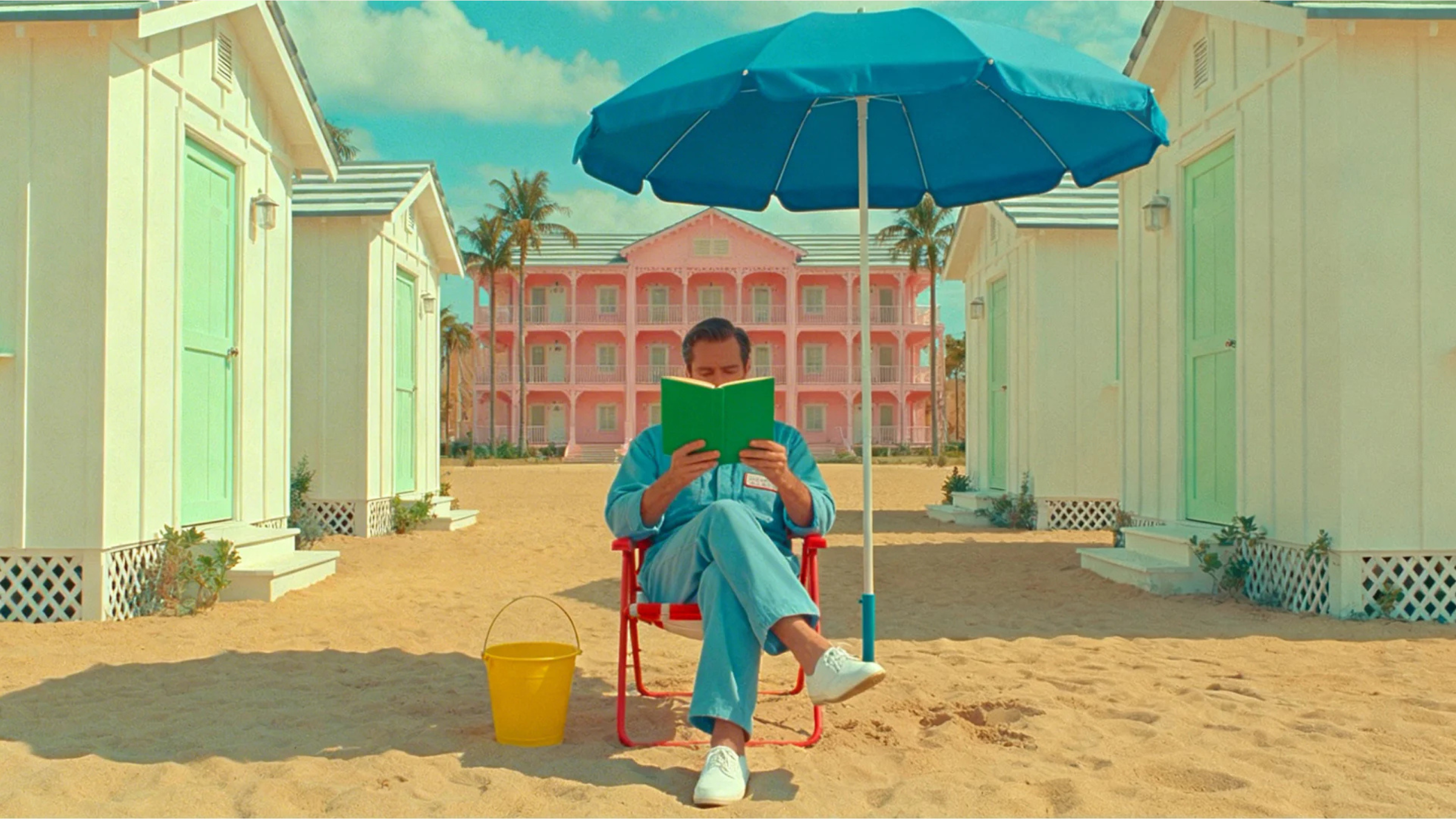
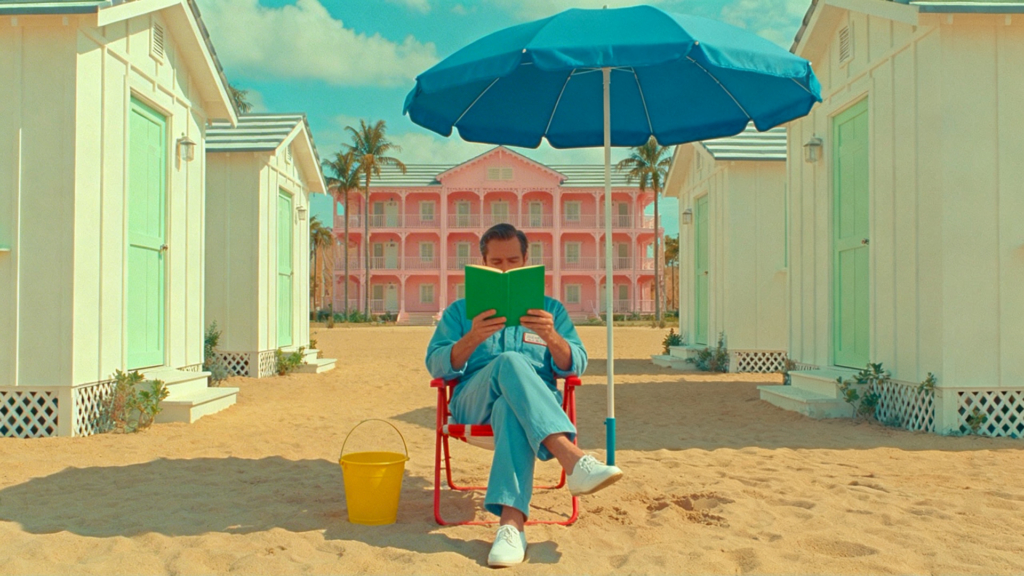
Example 5: Wes Anderson style short

A man in a blue jumpsuit reads a green book under a blue umbrella on a sandy beach. He sits in a red chair. White beach huts with mint green doors flank him, and a large pink hotel stands in the background under a blue sky.
Lost in a good book amidst a pastel paradise. This perfectly symmetrical scene feels straight out of a Wes Anderson film.

Goals: Symmetry, pastel palette, precise camera motion, quirky stillness

Full prompt: “Elegant, bittersweet, fast-paced chamber waltz with a ticking, precise rhythm and soaring strings melody plays as the camera slowly tilts up to a blue sky with a few clouds on a sunny day. A man reads a book, maintaining the same pose. Wes Anderson style. Pastel colors.”

Why it works: This prompt combines controlled camera motion, specific music direction, and restrained character behavior to create stylized precision. The pastel palette and symmetrical stillness reinforce the distinct, composed aesthetic associated with this visual style.

Variations: You can enhance symmetry by specifying a centered wide shot with perfectly balanced framing. For a stop motion feel, add slightly exaggerated, deliberate character movements. For a more dynamic version, introduce a sudden whip pan while maintaining pastel production design.

Troubleshooting your prompts

Even strong prompts can produce results that still feel slightly artificial. This is where advanced AI video prompting becomes especially valuable. The good news is that most realism issues come from a few common causes, and with the right structural adjustments, clarifying camera movement, lighting direction, or physical detail, you can quickly bring your AI video closer to a natural, production-ready result.

Why does your video look AI-generated?

Hands often look unnatural when the motion is too complex. Jitter usually happens when the scene lacks clear camera instructions. Camera drift appears when movement is not defined. Strange physics show up when materials or motion are not grounded in real behavior. Plastic textures often result from missing lighting or surface detail.

How to fix it quickly

Adjust the lighting first. Clear light direction instantly improves depth. Add physical references such as fabric movement, reflections, or natural breathing motion. Reduce complexity if too many elements compete in the frame. Finally, add one strong environmental anchor such as a backlit window or practical lamp to ground the scene.

Close-up of golden-brown, coarse woven fabric draped in soft folds, illuminated by warm, directional light that highlights its texture and creates shadows.
Add physical references and clear light direction.

General tips and tricks

One of the most effective AI video workflows in advanced AI video prompting is to generate a still image first, then turn that image into a video. If you like the look and feel of the image, it becomes a strong visual anchor for your video prompt and sets the foundation for consistent realism.

Before generating motion, carefully review the image. Look closely at hands, lighting direction, surface textures, and background detail. Make adjustments with ImageGen until the frame feels physically believable and visually balanced. Starting with a refined image not only saves time, but also leads to more controlled, realistic video results once motion is introduced.

Advanced AI video prompting FAQs

Getting started: Advanced AI video prompting

Prompting is quickly becoming a core creative skill, and advanced AI video prompting is at the forefront of that shift. The difference between average and stunning AI video often comes down to a few precise words about the camera, lighting, and motion. Small, intentional prompt adjustments can produce dramatic gains in realism and overall production quality.

Now it is your turn! Try out VideoGen, test these structures, refine your wording, and use the examples in this guide as templates. Envato is continually adding new editing features to VideoGen. The more you experiment, the more cinematic and realistic your AI video will become!

Related Posts