
Best graphic design software in 2026: 12 tools for every designer
Discover the best graphic design software for every workflow. Compare Photoshop, Illustrator, Figma, Blender, Canva, Affinity, and more to find your ideal tool.
Envato: Get every type of asset for any type of project, and access to AI tools. Start now
Ready to master the art of AI video generation?
Do you have a vision for a video? Maybe it’s a dreamy product shot, a social clip that’ll actually stop thumbs, or something completely bonkers that would cost a fortune to film IRL. AI video generation tools like Envato VideoGen make these visions possible, transforming text and image prompts into actual video content.
The best part? Envato VideoGen is tool-agnostic. This means it taps into the best and latest models available, like Google Veo 3 and MiniMax Hailuo 02, so you can focus on creating, not comparing models.
It’s incredible to think that this kind of tech is now considered “normal” — generating video seemed like magic just a few years ago. And it’s not just video. Generative AI in 3D is evolving just as quickly, making entire creative pipelines more accessible than ever.
But just like with any tool, you need to know how to use it — no matter how magic it seems.
There’s a massive difference between typing “make video please” and getting back some sort of cursed mishmash of uncanny valley crossed with something your cousin could’ve filmed on their phone versus crafting prompts that generate exactly what you imagined (and sometimes even better than you could’ve ever dreamed of).
The gap between “yep, that’s AI alright” and “holy cow, how’d you make that?” comes down to understanding how to communicate your vision effectively.
In this guide, we’ll break down everything you need to know about writing AI video prompts and AI ad prompts that deliver results. Whether you’re a seasoned filmmaker exploring AI tools or a designer venturing into motion for the first time, you’ll learn how to translate your creative vision into prompts that actually work. Think of it as learning a new dialect of the visual language you already speak.
If you’re familiar with AI image generation, you’re already halfway there. But video adds layers of complexity that can trip up even experienced prompters.
Unlike still images that capture a single moment, video unfolds over time. Your prompts need to choreograph movement, pacing, camera work, and most recently, sound — all while maintaining coherence from start to finish. It’s the difference between describing a photograph and directing a scene.
Think about it: when you prompt for an image, you’re describing what something looks like. When you prompt for video, you’re describing how it moves, how it changes, how the camera responds, and how all these elements work together to create an experience.
This complexity is exactly what makes AI video so powerful (and so damn cool!!!). You’re not limited by physics, budgets, or logistics. Want a paper boat sailing across a teacup? A 360-degree rotation through a neon-lit cityscape? A talking frog made entirely of Nutella? It’s all possible, young grasshopper — if you know how to ask for it.
Let’s walk through creating your first AI video with VideoGen, understanding each step along the way.
Head to labs.envato.com/video-gen. This is where the magic happens.

Before you start typing away, let’s talk about the controls that’ll shape your video:
Aspect ratio options (bottom left):
Audio toggle:
Hot tip: Think about where your video will live before you start. Nothing worse than creating a masterpiece in 16:9 and then remembering you needed it for Instagram Stories.
Just keep in mind that if using audio, videos will be 16:9.
For the perfect prompt, think like a director. Use precise and specific language to guide VideoGen toward your vision.
Here’s the TL;DR breakdown of a strong prompt structure:
Define the overall quality and aesthetic of your shot.
Example: “High-fidelity, hyperrealistic”
Clearly state what the main subject is and what it’s doing, adding vivid descriptive details and dynamic actions.
Example: “A majestic cheetah in full sprint, muscles rippling under its coat, dust kicking up from its powerful strides”
Describe the environment, setting, and any key background elements to build atmosphere and context.
Example: “across a vast, sun-drenched golden savanna at dawn, with distant acacia trees”
Specify the light sources, their quality (e.g., hard, soft, volumetric), and the desired mood or atmosphere.
Example: “Soft, warm golden light illuminates its powerful stride, creating long, dynamic shadows”
Let’s see this in action:
Basic prompt: “Cheetah running” (You’ll get… a cheetah. Running. Somewhere.)
Director-level prompt: “High-fidelity 4K video, hyperrealistic of a majestic cheetah in full sprint, muscles rippling under its coat, dust kicking up from its powerful strides across a vast, sun-drenched golden savanna at dawn, with distant acacia trees. Soft, warm golden light illuminates its powerful stride, creating long, dynamic shadows. Captured with a high-speed tracking shot from a low angle, emphasizing speed and power, shallow depth of field..”
After hitting that generate button, you’ll get an 8-second video — your prompt brought to life.
Your first result might nail it, or it might need some tweaking. That’s totally normal and part of the creative process in general. You think Martin Scorsese films one take, says “absolute cinema”, and goes home?
If it’s not quite right, don’t just regenerate and hope for the best — refine your prompt based on what you see:
The beauty is in the iteration. Each generation teaches you something about how VideoGen interprets your words, and you get better at speaking its language.
Here’s where VideoGen flexes. Toggle that audio button on, and suddenly you’re not just making videos — you’re crafting complete audio-visual experiences. The catch? You need to know how to prompt for it (more on that later).
If you’re planning to regularly create sound-rich content, having a music subscription can give you access to a huge library of tracks and streamline your workflow even further.
Understanding these building blocks will help you craft prompts that consistently deliver professional results.
Style sets the foundation for your entire video. It influences everything from color grading to camera movement. Be specific about the aesthetic you’re after:
| Style | Characteristics | Use for |
| Cinematic | Wide aspect ratio, dramatic lighting, smooth camera moves | Film trailers, dramatic content |
| Documentary | Natural lighting, handheld movement, observational | Educational content, authentic moments |
| Commercial | Clean, bright, polished, dynamic transitions | Product videos, advertisements |
| Artistic | Experimental angles, unique color grading, abstract elements | Creative projects, music videos |
| Social media | Vertical format, quick cuts, eye-catching visuals | Reels, TikToks, Stories |
Here’s an example: “Documentary-style handheld footage following a chef preparing pasta, natural kitchen lighting, intimate close-ups of hands working with dough, warm and authentic feeling”
While you’re not directly controlling a camera, describing movement in your prompts helps VideoGen create more dynamic shots. Here are the key movements that translate well:
Essential camera moves to include in prompts:
Example prompt using camera movement: “Slow push-in on street musician’s face, starting with wide shot of bridge setting, ending in close-up capturing their expression”
The key is being specific about what the camera should do, even if you’re not manually controlling it.
Your setting grounds the video in reality (or fantasy). Layer in details that make environments feel lived-in and authentic:
Here’s an example: “Cozy bookshop interior on rainy afternoon, warm lamplight illuminating dust particles in the air, packed wooden shelves creating narrow aisles, old leather chairs in reading nook, rain visible through foggy windows”
When including people or characters, specificity brings them to life:
Vague: “person walking” (Could be anyone, anywhere, doing whatever)
Better: “elderly man in tweed jacket walking slowly through autumn park” (Now we’re painting a picture!)
Oscar-worthy: “elderly man in worn tweed jacket walking with slight limp through autumn park, fallen leaves crunching underfoot, he pauses to watch children playing, small smile crossing his weathered face” (Absolute cinema)
Lighting shapes mood more than almost any other element:
| Lighting Type | Mood | Example Use |
| Golden hour | Warm, nostalgic | Romantic scenes, memories |
| Blue hour | Mysterious, calm | Cityscapes, contemplative moments |
| High key | Bright, optimistic | Comedy, commercial content |
| Low key | Dramatic, serious | Thriller, noir scenes |
| Backlighting | Ethereal, dramatic | Silhouettes, dream sequences |
| Practical lights | Realistic, atmospheric | Night scenes, interiors |
Even if adding sound in post, including audio cues helps establish rhythm and mood:
Here’s an example: “Busy farmers market on Saturday morning, vendors calling out prices, cash registers chiming, underlying folk guitar busker performance, general crowd chatter and laughter”
Ready to see what VideoGen can actually do? Here are real prompts we’ve tested, organized by style and use case. Each one follows a template you can adapt for your projects:
Template: [Visual style] + [Food subject] + [Cooking action] + [Kitchen environment] + [Dramatic lighting] + [Sensory details]
Example: “A hyperrealistic photograph, shot on a 35mm camera, capturing the dramatic moment a burger patty sizzles on a flat-top grill in a professional kitchen. Licking flames and subtle plumes of smoke rise around the patty, illuminated by the warm, direct light emanating from the grill itself, creating strong contrasts and an intense focal point. Nearby, rows of golden-brown burger buns toast gently. The shot emphasizes the raw, visceral textures of the cooking meat and the greasy sheen of the grill surface. A moderate depth of field allows for some background elements of the kitchen to be discernible, maintaining the authentic, energetic, and grounded-in-reality atmosphere.”
Template: [Visual style] + [Subject description] + [Subtle action] + [Location] + [Lighting mood] + [Camera movement]
Example: “Edgy video, raw, dynamic street portraiture of a person with distinctive urban fashion leaning against a graffiti-covered wall, subtly shifting their weight, radiating cool confidence, on a narrow, art-filled side street in an bustling urban district, with faint sounds of distant city life. Overcast but bright sky provides soft, diffused natural light, emphasizing texture and detail, creating a moody yet vibrant ambiance. Captured with a slow, subtle crane shot that gently descends to eye-level, revealing the subject and their immediate environment, using a wide lens for immersive feel, minimal motion.”
Template: [Quality & style] + [Subject] + [Dynamic action] + [Natural setting] + [Natural lighting] + [Energetic camera work]
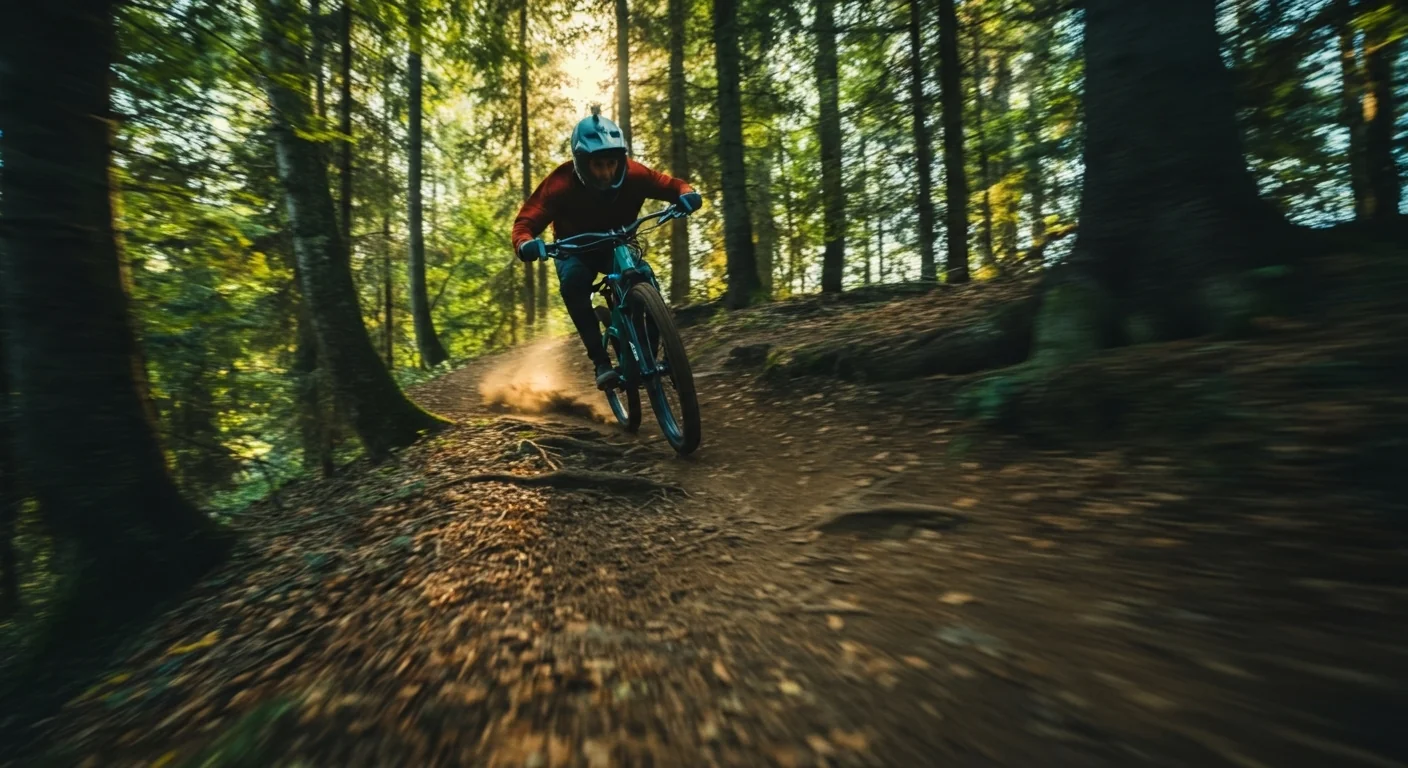
Example: “High-fidelity video, hyperrealistic, authentic documentary style of a skilled mountain biker descending a rugged forest trail, kicking up dirt and leaves, body fluidly shifting with the terrain. The scene is a dense, sun-dappled forest with towering trees and exposed roots, under a clear morning sky. Bright, contrasting sunlight filters through the canopy, creating dynamic light patterns on the trail and emphasizing the intense energy and motion. Captured with a fast, low-angle handheld tracking shot, keeping the biker in sharp focus, conveying exhilarating speed and immersive action.”
Template: [Style] + [Character details] + [Focused action] + [Work environment] + [Dramatic lighting] + [Intimate framing]
Example: “Edgy video, raw, dynamic portraiture of a modern farmer with tattooed arms, intensely focused on repairing complex machinery, grease smudged on their face, radiating a cool, quiet determination. The scene is a dimly lit, functional farm workshop, with tools neatly hung on pegboards and shafts of bright light cutting through dusty windows. Strong, directional artificial lights cast deep, contrasting shadows, highlighting the human effort and creating a gritty, authentic atmosphere. Captured with a tight, static close-up on their hands, emphasizing precision and contained energy, with a shallow depth of field.”
Once you’ve mastered the basics, these techniques will elevate your videos:
Control the rhythm of your video:
Perfect for social media: “Coffee cup on table, steam rising continuously, seamless loop where steam pattern repeats perfectly, hypnotic and meditative.”
Blend realistic and fantastical elements: “It’s a Regular city street, but all the cars are made of origami paper. Otherwise, the paper cars are photorealistic, casting real shadows and reflections.”
Remember that audio toggle we mentioned? When you flip it on, you’re not just adding sound — you’re unlocking Veo 3’s ability to create videos where audio and visuals are born together, perfectly synchronized. But here’s the thing: prompting for audio requires its own special approach.
When you prompt for video-only, you’re the cinematographer. When you add audio, you become the whole production crew — cinematographer, sound designer, and composer all at once. The AI needs to understand what you want to see, how it should sound, and how those two elements dance together.
Think of audio in layers:
1. Ambient/Environmental sounds
These ground your video in reality (or surreality):
2. Music/Soundtrack
This sets the emotional tone:
If you need help generating soundtrack ideas, you can use AI music prompts to explore emotional themes, genres, or instrumentation before adding them into your video prompts.
3. Specific sound effects
These punctuate key moments:
4. Voice/Dialogue
Yes, you can even add speech:
Sync moments: Be specific about when sounds happen: “Thunder crack exactly when the lightning strikes”
Audio transitions: Guide how sounds evolve: “City noise fading to peaceful forest ambiance over 5 seconds”
Emotional audio arcs: Let sound tell a story: “Music starts melancholic, building to hopeful as sun breaks through clouds”
Diegetic vs. non-diegetic: Decide if sounds exist in the scene or as overlay:
Learn from these frequent mistakes to nail advanced AI video prompting:
Problem: “Make a cool video”
Solution: Define specific elements — subject, setting, mood, movement
Problem: “Calm action scene”
Solution: Choose a primary mood and adjust other elements to support it
Problem: Describing only what happens, not how it’s shot
Solution: Always include camera position and movement
Problem: Prompt changes drastically mid-description
Solution: Maintain consistent style, lighting, and pacing throughout
You now have everything you need to create compelling AI videos with VideoGen! Technical knowledge is important, yes, but remember—the best results come from experimentation and developing your own style.
Start with one of the templates in this guide. Generate a video. Then ask yourself: What worked? What didn’t? How can I push this further?
The beauty of AI video generation is that you can try ideas that traditionally would be impossible or insanely expensive to film. A floating teacup in space? A time-lapse of seasons changing in seconds? A product shot from inside a drop of water? It’s all possible, baby!
Your only limit is your imagination, and now you know how to translate that imagination into effective prompts.
Ready to start creating? Head to VideoGen and put these techniques into practice. Remember, every great video begins with a single prompt. What will yours be?
Envato subscribers get 30 video generations per month. Learn more about VideoGen.
Discover the best graphic design software for every workflow. Compare Photoshop, Illustrator, Figma, Blender, Canva, Affinity, and more to find your ideal tool.

Learn how to add LUTs in Final Cut Pro, from importing .CUBE files to adjusting intensity and combining with colour correction for better video grading results.

Learn how to use LUTs with RAW footage for accurate colour grading. A step-by-step guide to applying LUTs, preserving dynamic range, and achieving cinematic video results.

Every month, we're rounding up our favourite TikTok trends: the sounds, hooks, and concepts that are going viral right now. We'll break down the formats, show you examples, and give you practical ways to adapt them to your niche.

