

Movie typography in 2026: why does it suddenly look so good?
Explore movie typography trends shaping 2026, from bold film fonts to cinematic branding, with inspiring examples and practical tips for creating impactful, screen-ready typography.
Envato: Get every type of asset for any type of project, and access to AI tools. Start now
Making t-shirt mockups just got a whole lot easier. See how to create perfect mockups in minutes.
If you’re running an apparel ecommerce store, you know that first impressions are everything. The product photo is your chance to hook a shopper and make them click “Add to Cart.” But let’s face it, creating perfect mockups can be a headache. Between finding the right model, dealing with lighting, and then tweaking everything to perfection, it can feel like a never-ending juggling act. And don’t even get us started on the costs of photoshoots!
Enter MockupGen, your new best friend in the world of AI-generated t-shirt mockups. With AI-powered magic, MockupGen takes the guesswork out of the process, allowing you to create realistic, on-brand mockups in a snap. No more spending hours fiddling with templates or dealing with the limitations of traditional mockup workflows. Whether you’re just starting your shop or scaling up, MockupGen’s got you covered, so you can spend less time editing and more time growing your business.
Ready to dive in? Let’s talk about why mockups matter, the frustrations of old-school workflows, and how MockupGen’s AI t-shirt mockup generator is bringing a whole new level of ease and realism to your designs.
When creating an AI t-shirt mockup, an AI-powered tool like MockupGen is a game-changer. Here’s how you can level up your mockup game:
With these powerful features, an AI t-shirt mockup generator opens up a world of possibilities for your apparel e-commerce business. Who knew mockups could be this fun and efficient?
OK, let’s get into the details of creating an AI t-shirt mockup. It’s so easy and quick to get professional results with MockupGen’s powerful, intuitive features.
First, of course, you’ll need a t-shirt design to work with. If you already have one, then just export it as a clean PNG file and skip to the next step.
If not, check out our guide to AI t-shirt design. We show you how to use GraphicsGen to create stunning T-shirt designs, then refine or upscale them with ImageEdit.
Or why not start with a ready-made t-shirt design template from Envato and simply customize it?
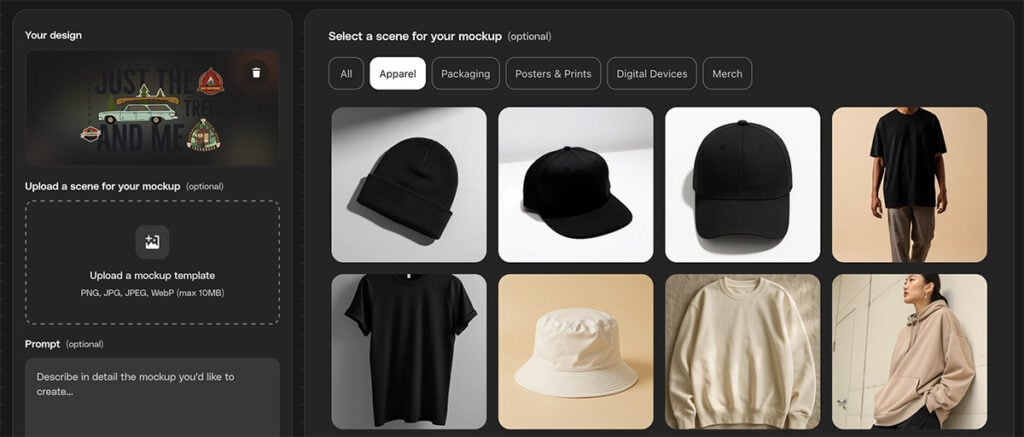
Now for the fun part. Fire up MockupGen and upload your design. For this demonstration, we’ll use a retro camping illustration from Envato.
When you’ve uploaded your design, you’ll see a selection of mockups you can apply it to. You can refine by category (in this case, we’ll choose Apparel) and simply click on one you like.

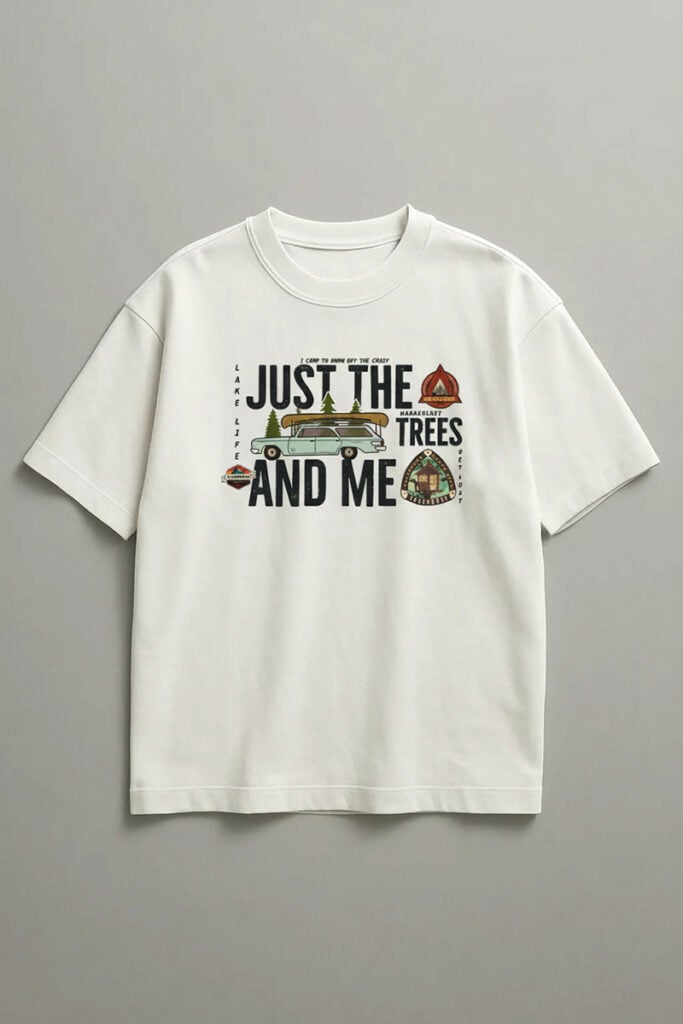
Let’s start with a simple white t-shirt. Select it and click Generate mockup. Voila! The AI t-shirt mockup generator integrates your design with the t-shirt to create a realistic mockup.

If that works for you, then job done! If not, you have plenty more options. You can upload a photo you already have, and MockupGen will drop the logo into it, creating an AI logo mockup. Don’t have one? Choose from the thousands of t-shirt mockups on Envato.
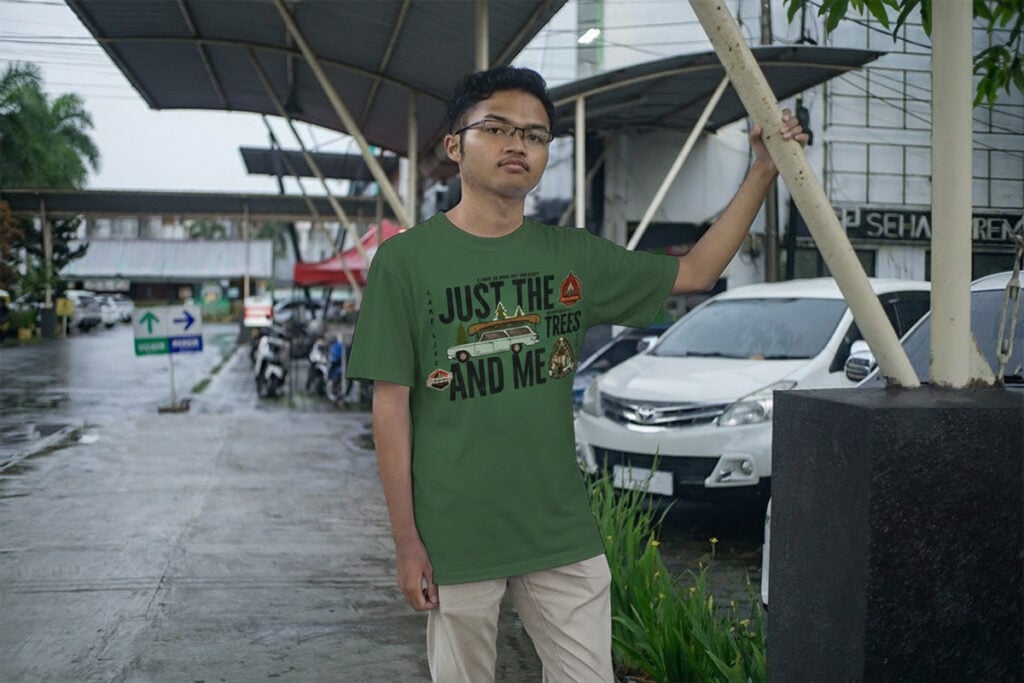
For example, here’s how our design looks on this t-shirt mockup by Envato author el_chambers.

Or why not simply type in a description of the scene you want, and let MockupGen do its thing? Here’s a prompt you could use:
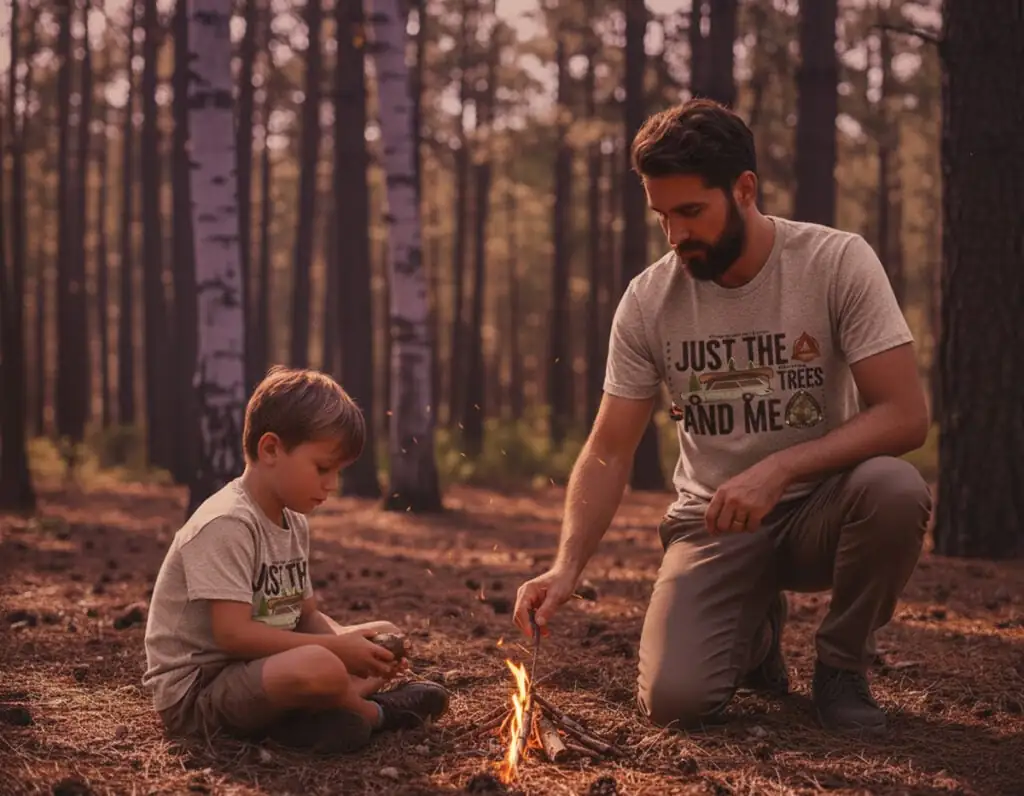
“Put the design on the front of gray t-shirts being worn by a father and son out in the forest building a campfire.”
And here’s what it produces:

As you can see, the AI t-shirt mockup generator handles all the folds, shadows, and perspective for you, so you don’t have to worry about any of that. Instead, you can focus on what you want to communicate. This camping scene is perfect for our “Just the trees and me” t-shirt design, but what would your perfect scene look like? What are the key themes of your design, and what kind of scene would your target audience respond to? Spend your time figuring that out, instead of noodling around with smart objects and opacity levels in Photoshop.
The best part about using AI for a t-shirt mockup is that you can refine the results as much as you want. If you don’t like something, just type in a simple prompt and generate a new variation. For example, what if you want to remove the smoke in the campfire scene we just generated? You could spend hours doing that in Photoshop, but in MockupGen, you just type:
“Remove the smoke.”

You can also change the lighting, shirt colors, and more.
“Make it dusk.”

“Make the kid’s shirt light blue.”

As you can see, it’s very simple to create multiple variations of your AI-generated t-shirt mockup, so that you can show your customers different colors and sizes and help them imagine the shirt in different scenarios. Building a set of images for an online marketplace has never been easier.
When you generate an image, you’ll see a small download icon in the bottom-right corner. Just click that, and you get a high-quality PNG image ready to upload to Etsy, Shopify, Amazon, TikTok Shop , or wherever you plan to sell your tees. You can download as many variations as you want, so don’t hold back. Give yourself as many options as you can.
And that’s how to make t-shirt mockups with AI. Simple, right?
Although MockupGen already offers so much flexibility, you can take things even further by linking it up with other Envato tools. Take advantage of the new Envato experience, which brings you a whole suite of AI tools and creative assets that you can use in a single creative workflow.
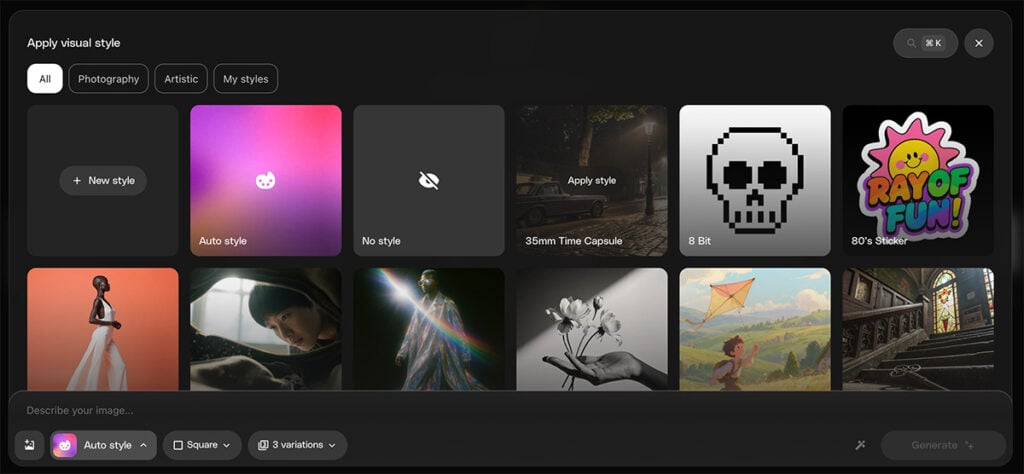
Create custom lifestyle backgrounds with ImageGen , for example. You get even more options to get your image just the way you want it, like pre-built image styles.

Let’s choose the 35mm Time Capsule style with the following prompt:
“Father and son on a camping trip wearing blank t-shirts”
We get a new variation, with space for our logo on their backs, and all the scratches and lens flares you’d expect from an image shot with an old 35mm film camera.

Like the image, but hate the tent? No problem! Switch to ImageEdit, choose Erase, then brush over the tent area and type “tent” in the box to make it clear what you want to get rid of.

In a few seconds, the tent disappears, and ImageEdit helpfully fills in the background for you.

Prefer a different image altogether? Browse Envato’s photo collection and download the one you want.
Creating mockups that actually drive sales isn’t just about slapping a design on a shirt and calling it a day. It’s about crafting visuals that captivate and convince. Here’s how to make sure your t-shirt mockups go from “meh” to must-have.
Buyers want to see every angle before they click “Buy Now.” A single front-facing shot just won’t cut it. Use the AI t-shirt mockup generator and ImageEdit Angles to show your designs from the front, side, and even at a slight angle, giving customers a full picture of what they’re buying. Bonus points for showing how the design fits on different body types!
Whether you’re going for a sleek, minimalist vibe or a warm, laid-back look, your mockups should match your brand’s vibe. Soft, diffused lighting might work for a calm, earthy brand, while bright, high-contrast lighting could suit a bold, edgy streetwear line.
Don’t just stick to one background style; test both lifestyle and studio shots. Lifestyle backgrounds (think: city streets, coffee shops, or nature scenes) help potential buyers imagine wearing your t-shirt in real-life settings. On the other hand, studio shots (clean, neutral backdrops) allow your design to take center stage. Find the balance that works best for your brand.
This might seem obvious, but it’s worth repeating: make sure your artwork is clear and easy to read at any size. When viewed on a small screen, a blurry or cluttered design can turn customers away faster than you can say “Add to Cart.” Keep it sharp, bold, and high-resolution to ensure your design pops, even on the tiniest thumbnails.
By following these tips, you’ll create AI t-shirt mockups that sell. In the competitive world of e-commerce, the visual appeal of your products can make all the difference. Let your AI product mockup do the heavy lifting!
Yes. If you’ve got a specific blank T-shirt image you want to use, you can easily upload it to MockupGen. The platform lets you personalize your mockups, giving you the flexibility to use your own photos and integrate your designs seamlessly.
Absolutely! MockupGen uses advanced AI to generate realistic mockups, including models wearing your T-shirts. Whether you want a casual vibe or a more styled, editorial look, the AI can create lifelike representations of your designs on models, saving you time and money on photoshoots.
For the sharpest, most professional-looking results, we recommend uploading high-resolution PNG files. JPGs are also fine, but they can lose some quality due to compression, so PNG is your best bet for top-tier mockups.
In the fast-paced world of apparel ecommerce, creating professional, high-converting mockups shouldn’t slow you down. That’s where MockupGen steps in. With its AI-powered capabilities, you can produce stunning, realistic AI t-shirt mockups in no time, without the hassle or expense of traditional photoshoots. From visualizing designs across different shirt styles to experimenting with custom backgrounds and lighting, this AI t-shirt mockup generator helps you create polished, eye-catching images that sell.
Whether you’re a startup or a seasoned seller, MockupGen takes the guesswork out of mockups, allowing you to focus on what matters most: growing your brand. So why spend hours on design tweaks when you can generate high-converting mockups with just a few clicks? Use MockupGen to give your apparel business a serious edge.
Explore movie typography trends shaping 2026, from bold film fonts to cinematic branding, with inspiring examples and practical tips for creating impactful, screen-ready typography.
Explore the bold botanical design trend shaping 2026, from lush patterns and floral design to branding, interiors, and nature-inspired creative projects rooted in biophilic aesthetics.
Learn what font Disney uses, why it’s not downloadable, and discover Disney-style font alternatives to recreate that iconic, playful branding style in your own designs.
Explore PowerPoint templates with professionally designed layouts to create polished, modern, and visually cohesive presentations.