


Envato MCP Server: A new way to search Envato via your LLM of choice
Envato MCP server connects AI assistants to the Envato library, enabling real-time, structured asset search directly inside tools like ChatGPT, Claude, and Gemini.
Envato: Get every type of asset for any type of project, and access to AI tools. Start now
This article explores AI vs stock images, comparing their strengths in customization, realism, speed, and commercial use to help creatives choose the right visual workflow for each project.
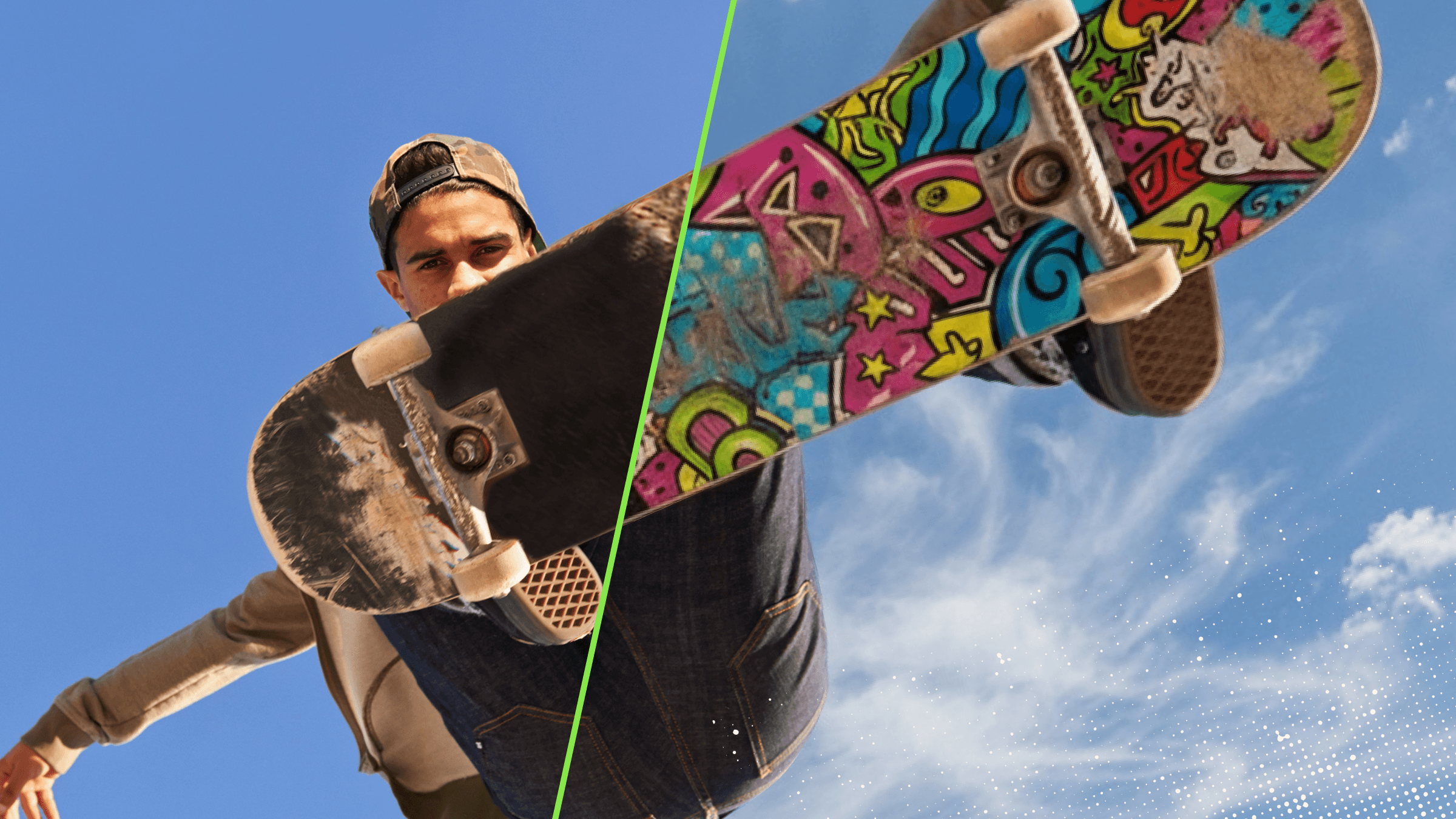
If you need visuals for a campaign, website, blog post, or client project, you have more options than ever. You can search a stock library, generate a custom visual with AI, or combine both in the same workflow.
That raises a common question: when comparing AI vs stock images, which option is better? For many creative teams, the real question isn’t just creativity, it’s which option is safer, faster, and more predictable for commercial projects.
The answer depends on what you need: Gen AI images are useful for speed, customization, and creative experimentation. Stock images are often better for realism, consistency, and ready-to-use quality. In many cases, the smartest choice is not AI or stock images alone. It is knowing when to use each, and when to use both together.
In this guide, we’ll explain the difference between generative AI vs stock images, compare the pros and cons of each, and show how Envato helps creatives work more flexibly by combining AI image generation, AI editing, and stock images in one creative experience.
If you want the short answer:
Envato supports that hybrid approach especially well. You can create visuals with AI and start with a stock image, editing it within the Envato experience. That makes it easier to move from discovery to customization without switching tools.
| Best for | AI images | Stock images |
| Custom concepts | Yes | Sometimes |
| Realistic photography | Sometimes | Yes |
| Fast experimentation | Yes | Limited |
| Ready-to-publish visuals | Sometimes | Yes |
| Editing flexibility | High | Moderate to high with editing |
| Commercial predictability | Varies by use case | Stronger and more familiar |
A simple way to think about AI images vs stock images:
Stock images are professionally created visuals that are available in curated libraries and can be licensed for use in creative projects.
They are commonly used for:

The biggest advantage of stock images is predictability. You can review the exact image before using it, assess its quality immediately, and choose something polished, realistic, and ready to publish.
AI-generated images are visuals created with artificial intelligence from text prompts, reference images, or editing instructions. Instead of selecting a pre-existing photo, you describe what you want, and the tool generates an image based on that request.
For example, you might create:

AI tools can also help with editing. Depending on the workflow, you may be able to expand an image, remove objects, adjust details, or transform the style of an existing visual.
This is where Envato’s ImageGen and ImageEdit can be especially useful. It supports both creation and refinement, helping teams move faster from idea to final visual.
Should you use AI or stock images? The core difference is simple: Gen AI images create something new, and stock images give you access to something already made.
That distinction affects everything else, from customization and realism to speed and workflow confidence.
| Feature | AI-generated images | Stock images |
| Source | Generated from prompts or edits | Selected from an existing library |
| Customization | High | Limited to what exists, unless edited |
| Realism | Can vary | Usually high and predictable |
| Creative control | Strong | Moderate |
| Speed to explore ideas | Very fast | Fast if the right asset exists |
| Speed to final asset | Sometimes fast, sometimes iterative | Often fast for ready-to-use needs |
| Workflow style | Generative and experimental | Search-based and asset-driven |
This is why stock images vs AI images is not really a question of which format is better overall. It is a question of which one suits the project.
AI images are strong when you need speed, originality, and flexibility. But they also come with trade-offs.

| AI image pros | Why it matters |
| High customization | You can shape the style, subject, mood, and composition more precisely than with a pre-existing image. |
| Fast ideation | AI helps you test multiple visual directions quickly, which is useful for brainstorming and campaign development. |
| Easy variation at scale | You can create multiple options for different formats, channels, or audiences without having to restart from scratch. |
| Useful for niche concepts | AI can produce visuals that would be difficult to find in a stock library. |
| Strong editing potential | AI tools can help refine, extend, or transform visuals during the creative process. |
| AI image cons | Why it matters |
| Output quality can vary | Some results look polished immediately, while others require multiple prompt refinements. |
| Realism is not always reliable | Fine details like hands, text, anatomy, and product accuracy may still need close review. |
| Commercial use needs more review | Teams often need to be more deliberate about evaluating outputs before using them professionally. |
| Prompting takes practice | Good results depend on clear instructions and iteration. |
| Consistency can be harder to maintain | Repeating a very specific look across multiple assets may take extra effort. |
Stock images remain essential because they solve a different set of problems extremely well.

| Stock image pros | Why it matters |
| High and predictable quality | Stock images are usually professionally produced and ready to use. |
| Strong realism | Stock performs especially well when you need believable people, environments, and real-world scenarios. |
| Easy to review before use | You can assess the exact image before choosing it. |
| Reliable for production workflows | Stock fits familiar review, approval, and publishing processes. |
| Fast for polished results | If the right image exists, stock can be the quickest path to a finished asset. |
| Stock image cons | Why it matters |
| Limited customization | You are choosing from what already exists, which can make exact-match results harder to find. |
| Can feel generic | Some visual styles are widely used and may feel less distinctive. |
| Search time can add up | Niche or highly specific briefs may require more searching. |
| Less flexible without editing | Major changes usually require additional editing tools or a different image. |
| Availability shapes the outcome | The final result depends on the library, not just your imagination. |
Stock images are often the better fit when you need:

Examples include:
If your goal is trust, realism, and fast access to a polished image, stock is often the stronger option. That is why many teams still ask when to use stock images even as AI tools become more common.
AI images are usually the better fit when you need:
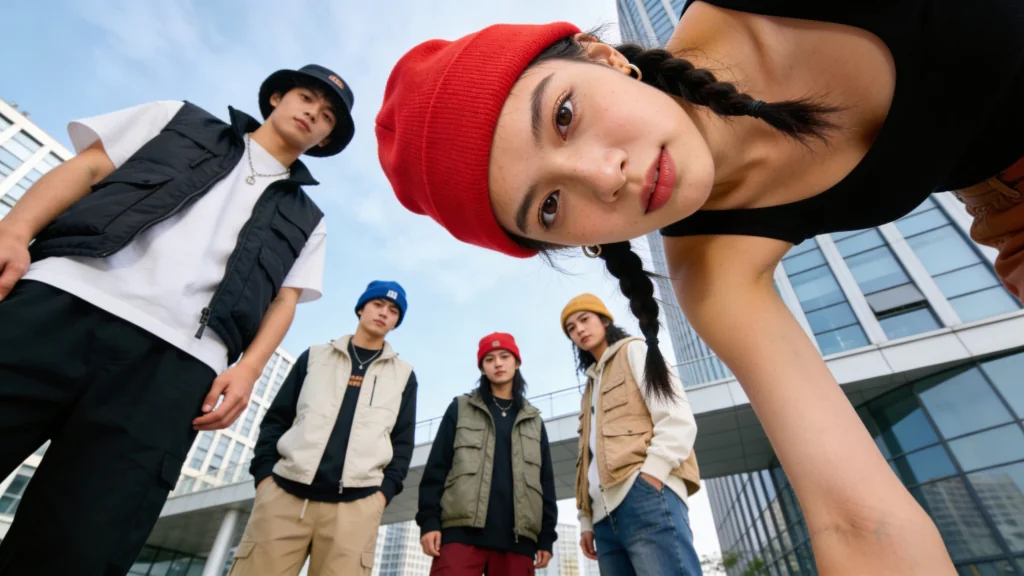
Examples include:
If your goal is speed, originality, or creative experimentation, AI can be a strong choice. This is often where AI-generated images vs stock images becomes a practical decision: AI helps when the image you need does not already exist.
When creatives compare AI vs stock images, they’re usually deciding between two creative workflows. And in commercial work, the biggest factors are not just speed and originality; they’re also clarity, consistency, and confidence.
Stock images usually offer the more predictable path. They come from established asset libraries, and at Envato, every stock asset download is now automatically licensed for commercial use by default. There’s no manual project assignment required, and the same simplified licensing system now applies across stock asset types.
AI-generated images offer greater flexibility, but they often require more careful review before use in professional settings. That is especially true for brand-sensitive, client-facing, or high-visibility projects where consistency and risk tolerance matter more.
And there’s an important distinction: Envato’s AI tool outputs are covered by separate AI Product Terms, which include additional restrictions. So for commercial use, the decision is not just about realism versus customization; it is also about choosing the workflow that gives you the right level of creative freedom and licensing clarity for the job.
For many teams, the best answer isn’t AI or stock, but a hybrid workflow.
That might look like this:
This is where Envato has a real advantage. You can start with a stock image and edit it in the same experience, creating a smoother path from discovery to customization. That means stock and AI do not have to feel like separate workflows.
For example, a creative might:
This kind of workflow combines the realism of stock with the flexibility of AI, which is often exactly what modern creative teams need.
The Envato AI image generator and editor are valuable not only for creating images from scratch but also for supporting a broader creative workflow.
Here’s how it can help:

Some concepts are too specific, abstract, or unusual to source easily. AI helps fill that gap.
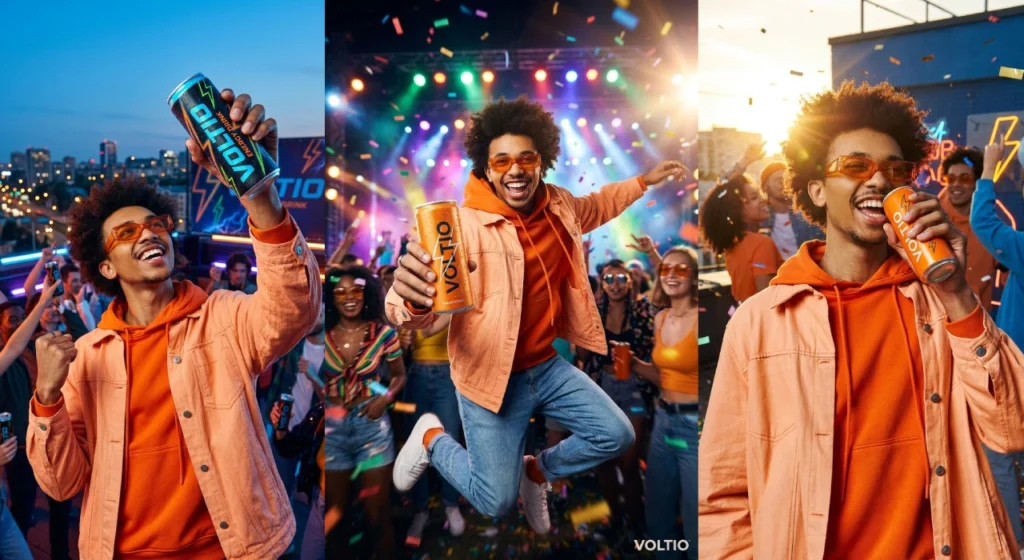
AI generation makes it easier to test styles, moods, and creative approaches before settling on one.
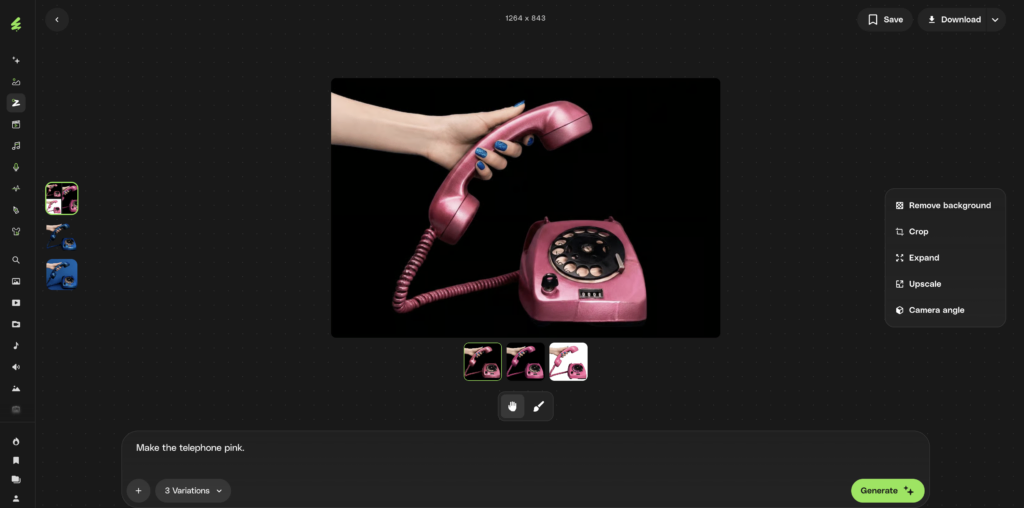
This is one of the most practical advantages. If you find a stock image that is close to what you need, you can edit that stock image right in the same experience instead of treating stock and AI as separate steps.
You can use AI tools to make changes, adjustments, and creative refinements without restarting the process from scratch.
Instead of choosing one rigid path, Envato supports a more adaptive approach that includes stock images, AI image generation, and AI-powered editing together.
For example, you can use Envato’s AI image generator to create a striking high-fashion visual like this by prompting for a model in an architectural concrete setting, dramatic editorial pose, sculptural black-and-white styling, and cinematic lighting.
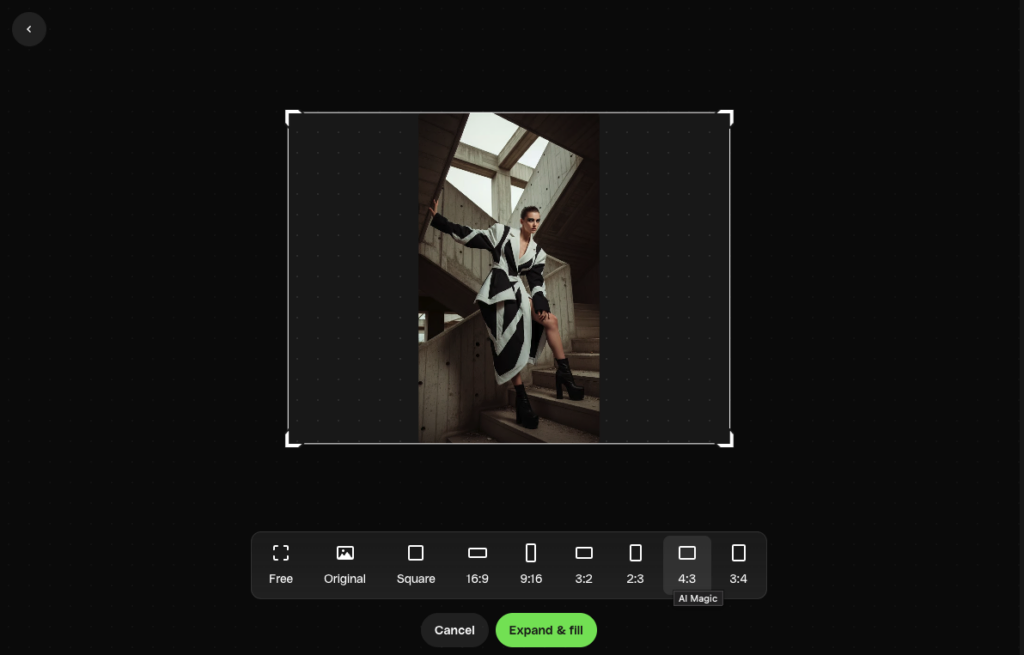
Once you have a strong base image, Envato’s AI image editor can help you expand the composition, refine details, and generate multiple variations from the same concept; whether you want to widen the frame, adjust the mood, explore alternate poses, or create different fashion-forward versions for a campaign, lookbook, or social assets

Are AI-generated images better than stock for commercial projects? Ask yourself these five questions:
The comparison between AI vs stock images is not really about which one wins. It is about which one fits the job.
AI images are powerful for customization, rapid ideation, and creative experimentation. Stock images remain essential for realism, reliability, and polished visual quality. And increasingly, the smartest creative workflow includes both.
That is why platforms that support stock and AI together are so useful. With Envato, you can discover a stock image, edit it in the same experience, and build on it with AI-powered creation and refinement. That makes it easier to move faster without giving up control or quality.
If you want a more flexible way to create visuals, the best option is often not choosing between stock and AI. It is using both where they work best.
Not always. AI is better for customization, experimentation, and creating unique concepts. Stock images are often better for realism, polished quality, and ready-to-use visuals.
Sometimes, but it depends on the workflow. AI can reduce the time spent finding or creating a concept, while stock can reduce the time needed to get to a polished final image.
Stock images are often easier to evaluate in commercial workflows because they come from established libraries and familiar asset licensing models. AI images may need closer review depending on how they are used.
Use AI when you need something highly specific, hard to find, stylized, or fast to iterate on. That is often the clearest answer to when to use AI images in a creative workflow.
Envato MCP server connects AI assistants to the Envato library, enabling real-time, structured asset search directly inside tools like ChatGPT, Claude, and Gemini.

Envato vs Envato Market comparison covering pricing, licensing, features, and workflows to help creatives choose between subscription access or pay-per-item assets.

Discover how Envato GraphicsGen helps creatives with this AI graphics generator guide for icons, vectors, illustrations, and more.

Learn how to create a YouTube intro fast using AI tools, templates, and After Effects. Build visuals, add music, and refine a clean, branded opener.

