AI sound generator guide: How to create sound effects with AI
Discover how Envato's AI sound generator creates custom sound effects from text prompts so creators can skip library searches and edit faster.
Envato: Get every type of asset for any type of project, and access to AI tools. Start now
From the Michelin Man to Duo the Owl, a brand’s mascot is typically either cherished, tolerated, or fondly despised. When executed well, mascots can be a cheeky and memorable way for a brand to interact with its audience, and in some cases, represent a company for decades.
But what makes a good mascot, and when should one be used? Throughout this short tutorial on how to design a mascot, we explore the process of creating a brand mascot, including how to concept, design, and animate a one‑of‑a‑kind character using an AI‑assisted workflow.
TL;DR: A good mascot solves a specific problem for the audience, clarifying what a brand offers, adding warmth to a dry product, or building recognition. Start with purpose, sketch a distinct silhouette and personality, then generate variations and expressions with Envato’s AI image generator and AI image editor. Rig for animation in After Effects (Duik or Limber), and reach for Envato’s AI video generator for short, expressive movement clips. Wrap the whole thing in a style guide so the mascot stays consistent across every touchpoint.
The first step in how to design a mascot is defining its purpose. A strong mascot should solve a specific problem for the audience, whether that’s making it easier to recognise what a brand offers, as seen with the Michelin Man, or adding personality and approachability to a complex or typically boring product, like Duo the Owl or GEICO’s Gecko.
There are countless problems a mascot can help solve, and identifying this purpose should be the starting point for defining its physicality and personality.
In this How to Design a Mascot tutorial, we will create a mascot for a local library. Let’s imagine the library has been underused by the community for some time. To generate excitement and better promote its services, the library decides to introduce a funny, approachable mascot.

Once the purpose is clear, the next phase of how to design a mascot is exploring visual direction. As with any strong character, the mascot’s physical form should be immediately recognisable and readable at a glance.
Mascots are often animals or objects, though they can also take the form of abstract shapes or people. In this case, we want to opt for something that is obviously educational and representative of the work a library does, namely, sharing knowledge. A pencil could be an interesting form to explore here.
The most important part of the concepting phase is personality. A mascot is almost always fun, cheeky, or entertaining, but at the very least, it should feel friendly and approachable.
The pencil’s personality could be an exaggerated caricature of a stereotypical librarian: helpful, passionate, and slightly overworked.
Thumbnail sketches are an excellent starting point. Focusing on bold, recognisable shapes, expressive poses, and memorable accessories will help define the AI character design workflow early on. Sketching several poses can also help convey the mascot’s range of moods and emotions.
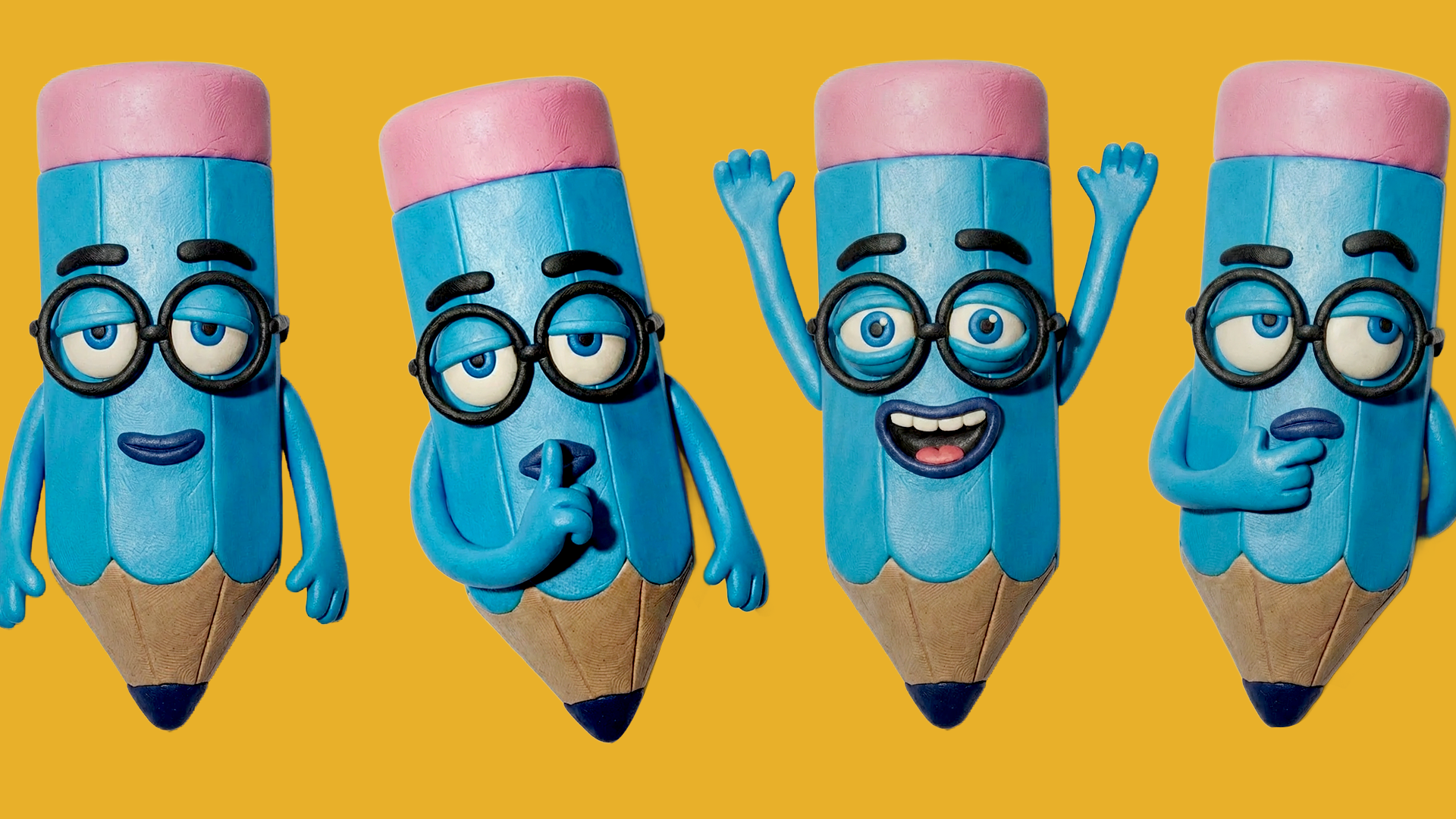
With a slightly bland expression and oversized glasses, our pencil character begins to take shape!

A key part of modern workflows for how to design a mascot is choosing the right production tools. Mascots can be illustrated traditionally, modelled in 3D, or developed using AI-powered tools that allow for faster exploration and iteration, especially during the early design phase.
One approach is to take the initial sketch and input it into Envato’s GraphicsGen, a tool designed specifically for producing graphic assets. There, you can experiment with a variety of commercially safe styles or create custom styles based on your own work, adjusting prompts until you achieve a suitable design.
This output can serve as a starting point for further refinement in software such as Photoshop or as inspiration for redesigning the character from scratch. AI tools are particularly useful during the research and development stage, as they enable rapid iteration and, in some cases, near-final designs.
For our librarian pencil, let’s make him look like a stop-motion clay character. To save some money on clay, let’s use ImageGen to create his form.
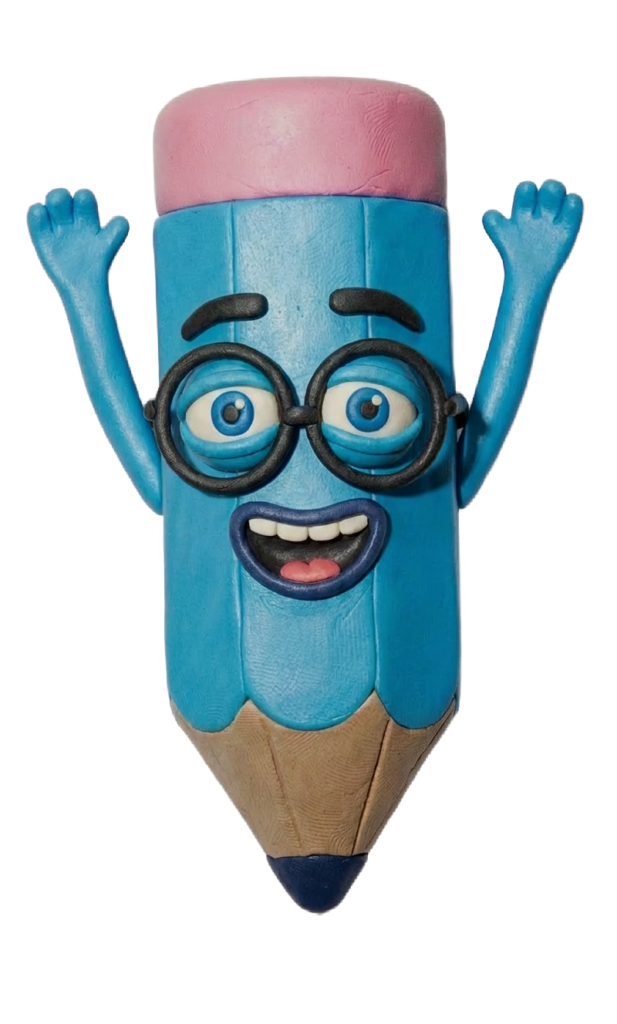
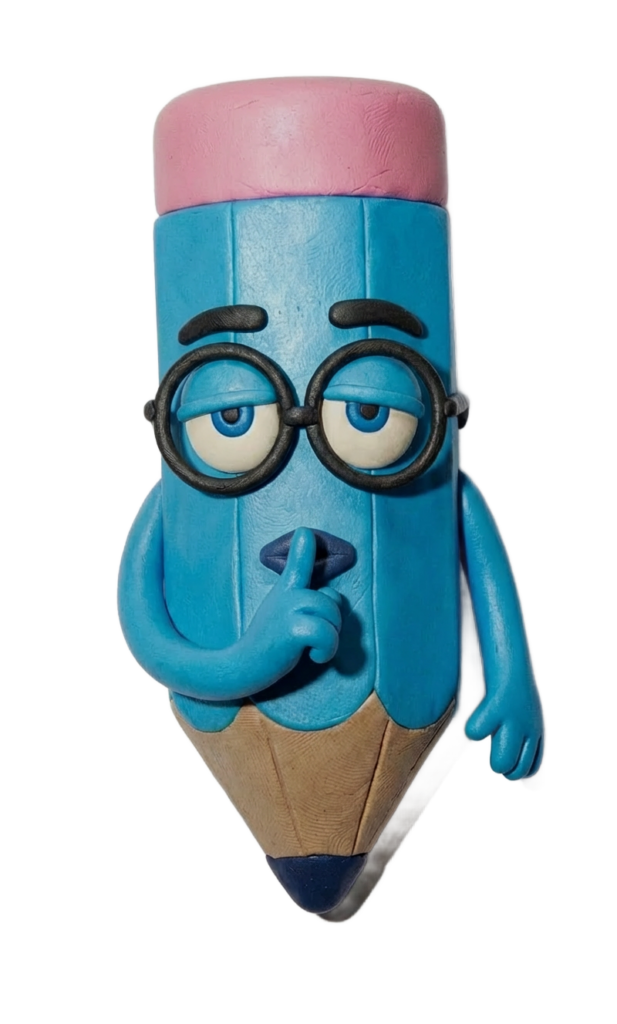
Now we need to give our mascot a few expressions and poses so we have some states to animate him through. ImageEdit, featuring Nano Banana, enables this process to be both efficient and create an AI consistent character.
By importing an image of the character’s neutral pose into ImageEdit, we can prompt various expressions and poses, such as happy, thoughtful, or grumpy expressions. Different arm and hand shapes can also be generated, and more advanced outputs, such as a 360‑degree character turn, can be created for use in complex rigs.
ImageEdit maintains consistent proportions, sizing, and details, resulting in a reliable character sheet that can be seamlessly imported into After Effects.
Because a mascot needs to be consistent across a brand, it is best practice to create a simple, reusable rig that can be saved and reused for future asset creation.
From this point, the workflow closely resembles a traditional animation pipeline. Generated assets are brought into Photoshop, where you can cut out interchangeable elements such as arms and facial expressions. Label these clearly and then import them into After Effects as a layered file.
Within After Effects, rigging tools such as Duik or Limber can be used to build the character rig. For simpler characters, basic parenting and puppet pinning techniques may be sufficient.
For particularly complex movements, Envato AI Video Generator can be a useful alternative. AI Video Generator animations are best suited to short, snappy moments. These generated clips can be imported into After Effects and refined using effects such as Time Remapping and Posterize Time to ensure visual consistency with the rigged animation.
The integration of a mascot into a brand ecosystem largely depends on its personality and intended purpose. Some mascots serve as the primary face of a brand, such as Duo the Owl, while others appear only in specific moments, like Clippy.
Creating a simple style and usage guide helps clarify these decisions. A basic mascot guide might include:
With these foundations in place and these tips for fixing common graphics generation issues, the sky is the limit! A well‑designed mascot can seamlessly move between digital and physical spaces, appearing across websites, social media, printed materials (including AI pattern design), and even physical brand activations.
It helps! But no, with a good idea and a careful eye, Envato Image Gen and Graphics Gen are powerful tools for designing with commercially safe styles. Try starting with a simple sketch of your own.
No! But the process of illustration is changing. There will always be a need for traditional illustrators, as well as demand for unique personal styles; however, AI tools do make illustration more accessible.
Yes! You can generate start and end frames in ImageGen, and then use AI Video Generator to animate your character. It’s preferable to be able to post-edit those videos for more flexibility, and to string them together, so a program like After Effects, Premiere, Cavalry, or DaVinci can be useful there.
As many as you like! Depending on the character’s personality and the required use. Maybe they are super happy all the time, so they only have a couple of smiley expressions– or maybe they are complex and require a whole range.
Yes! ImageEdit includes Nano Banana, which is remarkably effective at maintaining consistency across variations.
If using After Effects to animate, Illustrator, Photoshop, or PNG files work best.
A strong style guide, combined with the use of Envato’s AI Image Editor, ensures consistency in your mascot’s design. Keep an editable master file of your mascot that includes all its poses and expressions for future use, so you don’t need to generate or draw more.
Yes! All work created in Envato’s AI Image Generator or AI Graphics Generator is free for commercial use.
Discover how Envato's AI sound generator creates custom sound effects from text prompts so creators can skip library searches and edit faster.

We tested 9 AI image generators on identical artistic prompts (same style-transfer task, same day) to see which one actually paints like an artist.
AI isn't making full movies yet; it's reshaping VFX, editing, and dubbing. Here's where it helps filmmakers today, and where it doesn't.
A practical, step-by-step guide to making a short AI film — from script and shot lists to character consistency, voice, sound, editing, cost, and legal rules.

