Envato MCP Server: A new way to search Envato via your LLM of choice
Envato MCP server connects AI assistants to the Envato library, enabling real-time, structured asset search directly inside tools like ChatGPT, Claude, and Gemini.
Envato: Get every type of asset for any type of project, and access to AI tools. Start now
Create an AI YouTube channel using a repeatable workflow for faster, consistent video production.
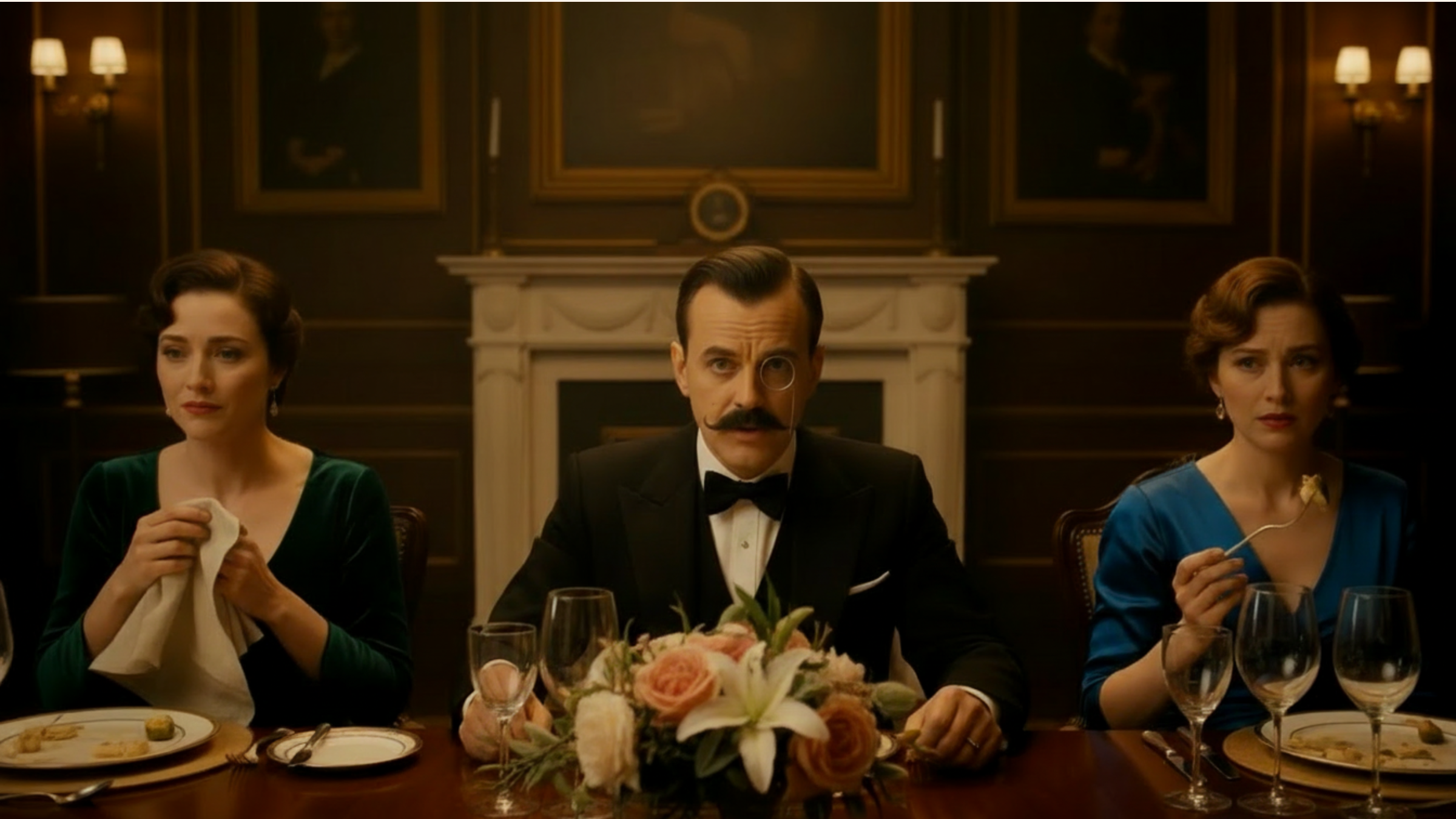
As creatives, we often chase the thrill of invention — the spark that turns a concept into a living, breathing experience. For me, that thrill recently came in the form of Royston Smythe, a fictional 1940s-style British announcer who never ages, reporting on today’s absurdities as if World War II were still raging.
But creating Royston – and his YouTube channel – wasn’t just about writing witty lines and dressing a studio set in retro flair. It was about using AI as a creative partner to explore voice, timing, persona, and world-building in ways that would have been far more laborious a few years ago. Here’s how AI shaped the project and, in the process, transformed the way I approach storytelling.
To create an AI YouTube channel, build a repeatable workflow using AI tools for scripting, visuals, video generation, and sound — then refine with traditional editing tools.
Building an AI YouTube channel isn’t just about generating clips — it’s about creating a repeatable system.
My workflow looked like this:
Once this system is in place, you can create content consistently, which is what makes a channel work.
Royston Smythe is more than a persona — he’s a lens. A voice from another era interpreting the present with wit, structure, and just a hint of disdain.
The creative challenge wasn’t imagining him; it was maintaining consistency across multiple short-form videos. Voice, tone, visual identity, and pacing all needed to align.
This is where AI, and specifically Envato’s ecosystem, shifted from being a novelty to becoming a creative partner.
Before this project, my experience with AI tools was minimal. What stood out immediately was how Envato’s AI tools removed friction across the entire pipeline, allowing me to move between disciplines without breaking momentum.
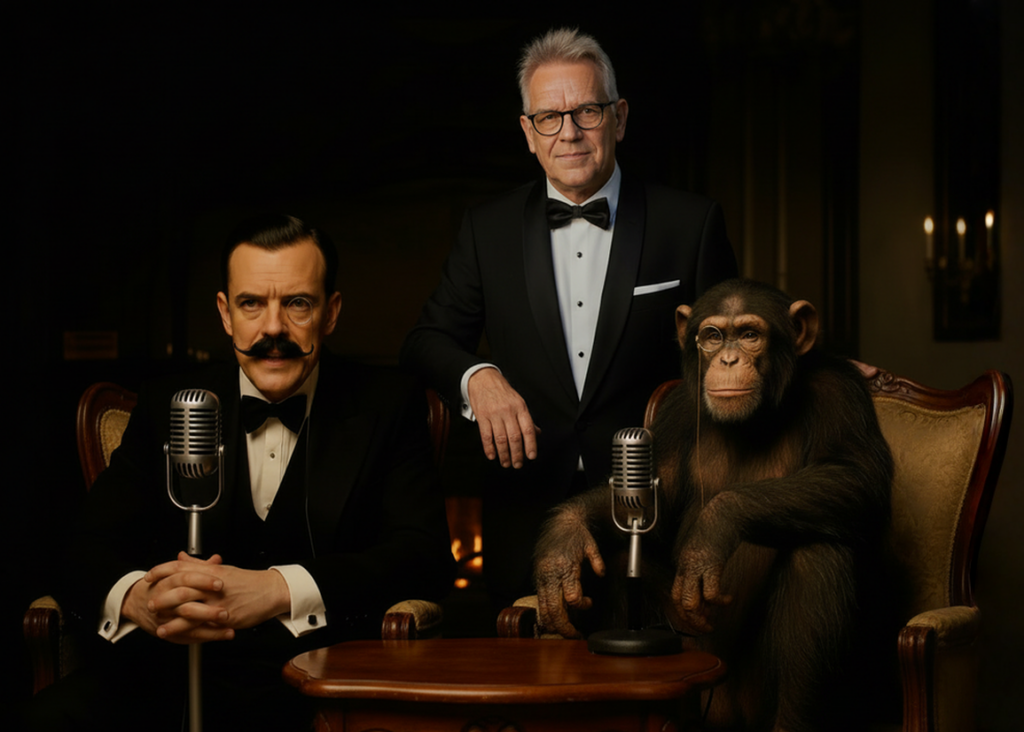
I had this idea that he would still be announcing the news from a wartime bunker under London, surrounded by sandbags and using a vintage microphone. He would have a monocle and a handlebar mustache. I found an image of a silver microphone online to assist the AI.
I fed ChatGPT proposed satire scripts and ideas. The AI helped me refine and condense my words, sometimes giving me great comedic one-liners, and helped me explore how a 1940s announcer might react to modern headlines, from airline chaos in the Middle East to social media scandals, while maintaining his signature charm.
Creating Royston’s world required more than a single image — it needed consistency across angles, expressions, and scenarios.
Using ImageEdit (powered by Nano Banana), I could:
This turned what would traditionally be a design bottleneck into a fluid process of iteration.
One of the biggest advantages of using Envato was the ability to move directly from image to motion.
With AI Video Generator, I could:
Not every generation worked — but the key difference was speed. Testing ideas became part of the process, not a constraint.
Royston’s voice was recorded manually, but Envato’s tools supported everything around it:
Combined with creative assets, this approach to sound design allowed me to build a fully immersive soundscape without sourcing assets across multiple platforms.
While AI handled generation and iteration, traditional tools still played a role:
What Envato enabled was a connected workflow, where AI outputs could be refined and integrated seamlessly rather than rebuilt.

In traditional production, testing multiple ideas is expensive. With Envato’s AI tools, it became effortless.
I could:
Most ideas didn’t make the final cut, but discovering that was fast and cost-effective. Occasionally, the AI produced something better than I had imagined.
That shift — from cautious planning to creative exploration — is where the real value lies.
One of the lessons I’ve learned in documentary and narrative production is that audiences respond not just to characters, but to the world those characters inhabit.
For Royston, that meant building a visual and audio environment evocative of a BBC studio in wartime London:
Envato’s AI image generator played a key role here, too. I used it to generate alternative visual mockups and storyboard ideas, simulating different camera angles and set layouts.
For a story beat, for example, a comedic image of someone under attack from a seagull, I would use the image generator, and one option is to immediately create a video, adding a few words to the prompt to describe the action. Words I use frequently are: cinematic, handheld, slow zoom-in and hold, drone-type shot…
Even with advanced AI tools, creating Royston wasn’t without hurdles.
Royston’s monocle frequently creates character consistency issues. The AI is often convinced he is wearing glasses and creates a pair! I have to frequently add lines to the prompt, such as “no one is wearing eyeglasses.” Other times, the AI creates a glasses-type frame from the monocle to his ear. I guess its memory banks for monocles are somewhat limited. It would sometimes place the monocle on the wrong eye.
Distance is another problem. If you start with a very wide shot in which the character is small in frame, his facial characteristics may not match. I’ve sometimes tried to reverse engineer the issues by starting tight on him and then pulling out to a wide, with the intention of reversing the video in the edit. Sometimes it works, but it’s hit-or-miss. A work in progress.
Royston’s charm lies in his imperfections — the slight hesitation, the subtle emphasis, the whimsical tone. AI helps simulate these, but it cannot replace intuition. The magic happens when AI output is infused with human timing, emotion, and creative risk-taking. However, sometimes an AI “mistake” can actually be usable for Royston’s world. The metal eyeglasses-style arm attached to his monocle, for example. In certain circumstances, it can be Royston’s unique way of ensuring his monocle doesn’t fall off during adventurous activities. Despite these challenges, one of the biggest surprises in working with AI has been how much freedom it gives the creative process.
One unexpected benefit of working with AI tools has been the freedom to experiment. In traditional production, trying multiple visual concepts or comedic ideas can quickly become expensive and time-consuming. With AI, experimentation becomes part of the creative process rather than a luxury.
For Royston Smythe, that meant trying different visual gags, alternate camera angles, and unexpected scenarios — from flying tiny airplanes to attending the Rio Carnival — without the logistical hurdles of a conventional shoot. Many ideas didn’t work, but the cost of discovering that was minimal, and occasionally the AI would produce something surprising that was better than what I had imagined.
That freedom to explore has become one of the most valuable aspects of working with AI-assisted tools.
From my experience with Royston Smythe, AI doesn’t replace creativity — it amplifies it. Here are some takeaways for other designers, writers, and video creators:
After months of development, Royston is now my main creative focus. His first segments have been produced, and the response has been encouraging: viewers enjoy the nostalgia, the wit, and the absurdity of a 1940s man interpreting the 2020s.
What started as an experiment with AI has become a fully realized, multidimensional project — a character, a visual world, and a storytelling engine all rolled into one. For me, it’s proof that AI, when thoughtfully applied, doesn’t dilute artistry. It enables it, opening doors that traditional methods might never reach.
Many of the story-related video segments I create are generated by AI using Envato’s AI tools. I will also use Envato’s stock video, plus their excellent range of maps and graphics.
If you’re wondering how to create an AI YouTube channel, the answer isn’t just tools — it’s workflow.
Don’t think of AI as a shortcut — think of it as a collaborator.
With the right tools and approach, you can move faster, experiment more freely, and bring ideas to life that might otherwise stay on the page.
For Royston, that meant building a character, a world, and a storytelling engine.
For you, it might be something completely different.
Envato MCP server connects AI assistants to the Envato library, enabling real-time, structured asset search directly inside tools like ChatGPT, Claude, and Gemini.

Discover what filmmaker Desire Lacap is obsessed with right now, from favourite films and music to creative habits and editing shortcuts.

A good mockup is often the only thing between a scroll-past and a sale. Here's how to use print on demand mockups to present your designs — across t-shirts, posters, mugs, and more — and build credible listings before you've printed a single item.

Learn how to create AI product photography with Envato Shortcuts. Generate commercial-ready product scenes, backgrounds, and concepts in minutes.

