
How to edit with AI using Envato stock photos
Learn how to edit with AI on Envato stock photos, customizing images instantly by removing objects, changing backgrounds, and creating polished visuals without leaving the platform.
Envato: Get every type of asset for any type of project, and access to AI tools. Start now
Envato vs Artlist compared across pricing, features, licensing, and workflows for creatives.
When comparing Envato vs Artlist, the right choice comes down to your workflow and the type of content you create. Envato is an all-in-one creative asset toolkit that offers everything from stock assets to templates and AI tools. Artlist, on the other hand, focuses on high-quality video and audio resources — both stock and AI-powered — built for fast, professional production.
In this guide, we break down Envato vs Artlist pricing, licensing, features, and use cases so you can clearly see how they compare. By the end, you’ll understand which platform best fits your creative process and supports the kind of projects you produce.
The core difference between Envato and Artlist is scope.
Here’s a side-by-side comparison of Envato vs Artlist across the areas that matter most:
| Features | Envato | Artlist |
| Pricing model | Tiered subscription (Core, Plus, Ultimate) with unlimited stock downloads; AI limits scale by plan. | Modular subscriptions (music, footage, AI tools) or bundled via Artlist Max. |
| AI tools | Built-in AI for image, video, music, voice, graphics, mockups. | Built-in AI for image, video, music, and voice. |
| Asset types | Broadest range: video, audio, templates, graphics, fonts, 3D. | Curated: music, SFX, footage, templates, plugins, AI outputs. |
| Best for | Multi-disciplinary creatives who need variety and flexibility. | Video creators who prioritize cinematic audio and footage. |
| Workflow | Mix stock + AI with editing capabilities across tools. | AI-first workflow with integrated creation in Artlist Studio. |
| Licensing | Lifetime license per download (project-based). | Universal license covering global distribution. |
| AI asset output rights | Commercial use allowed. | Full rights to AI-generated content. |
| Team/Enterprise options | Team and enterprise plans available. | Team and enterprise options available. |
| Typical use cases | Branding, marketing, web, video, design. | Filmmaking, YouTube, commercials, storytelling. |
Envato uses a tiered subscription model that bundles creative stock assets and AI tools together.
Key advantages:
Artlist uses a modular pricing structure, letting you choose specific services.
Key differences vs Envato:
Envato is built for end-to-end creative workflows, supporting design, video, branding, web, and AI generation in one place. It’s ideal for creators who need flexibility across formats.
Artlist is optimized for video storytelling, with a strong focus on music, sound effects, and cinematic footage. It’s designed for filmmakers and content creators who prioritize production quality.
Envato suits users who need a versatile, all-in-one creative toolkit that supports diverse production needs at scale.
Artlist is ideal for users who prioritize a video-first workflow with strong emphasis on sound, music, and cinematic visuals.
Choose Envato if:
Envato is the better fit when your workflow spans many creative disciplines and formats, and you want maximum variety under a single plan.
Choose Artlist if:
Artlist is ideal for creators who prioritize a video-first, storytelling-driven workflow with premium audio-visual assets and straightforward usage rights.
Envato is better than Artlist if you need a wide range of creative assets, including graphics, templates, fonts, and AI tools in one subscription. Artlist is better if you focus primarily on video production and need high-quality music and cinematic footage.
Yes. Many creatives use Envato for templates and graphics, and Artlist for music and footage.
The main difference between Envato and Artlist is scope. Envato is an all-in-one creative ecosystem with diverse asset types, while Artlist is a video-focused platform specializing in music, sound effects, and footage.
Yes, Envato is a strong option for video creators, especially those who also need templates, graphics, and additional assets. However, for purely cinematic music and footage, Artlist may offer more specialized quality.
Both platforms offer strong licensing, but in different ways. Envato provides lifetime licensing per downloaded asset, while Artlist offers a universal license that covers use across platforms with fewer restrictions.
Yes. Artlist is widely used for its high-quality music, footage, and simple licensing.
Envato is more cost-effective for multiple asset types, while Artlist is efficient for focused video/audio use.
Envato is often more cost-effective if you need multiple asset types because it offers unlimited downloads in one subscription. Artlist can be cheaper if you only need specific resources like music or footage.
Yes, Envato includes a large library of music tracks and sound effects as part of its subscription, along with video, graphics, templates, and other creative assets.
Envato is generally better for agencies because it offers a wider range of assets for different types of projects. Artlist is better suited for agencies focused heavily on video production.
The Envato vs Artlist decision ultimately comes down to how you create.
Envato stands out for its scale and versatility, offering a complete toolkit for multi-disciplinary creative work. Artlist excels in focused, high-quality resources for video creators who prioritize storytelling and production value.
Bottom line: Envato is the better fit when your workflow spans many creative disciplines and formats, and you want maximum variety under a single plan. Artlist is ideal for creators who prioritize a video-first, storytelling-driven workflow with premium audio-visual assets and straightforward usage rights.
Compare Envato vs Artlist pricing, licensing, features, and assets. Find the best platform for
video creators, designers, and creative teams.
Learn how to edit with AI on Envato stock photos, customizing images instantly by removing objects, changing backgrounds, and creating polished visuals without leaving the platform.

Discover how Envato's AI sound generator creates custom sound effects from text prompts so creators can skip library searches and edit faster.
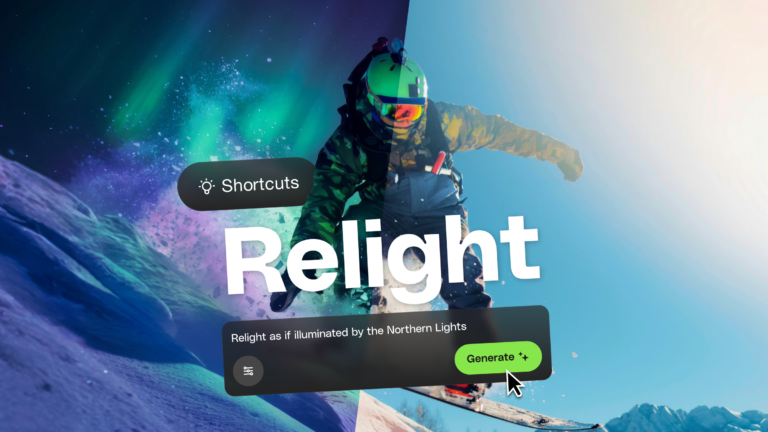
Learn how AI photo relighting works in Envato Shortcuts. Change lighting, mood, and shadows in seconds with guided AI workflows.

Discover how sonic branding AI tools help you create unique brand sounds, from audio logos to UI effects, and build a consistent, memorable sonic identity across platforms.

