


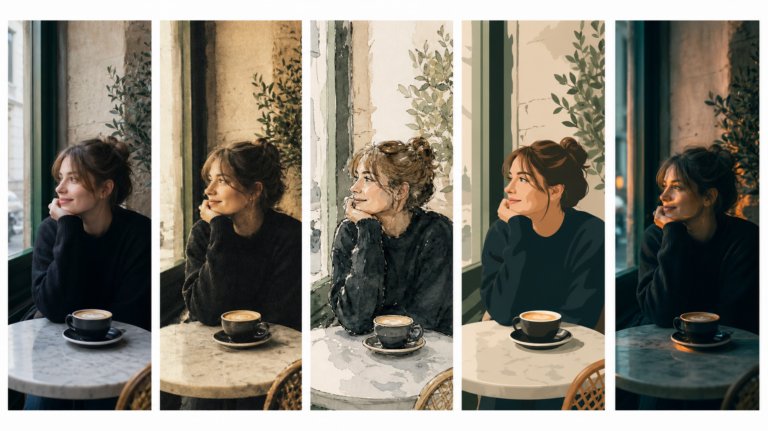
The best AI tools for image recreation
AI image recreation covers style transfer, reference-based generation, variations, and scene recreation. This guide compares the tools that handle each workflow for professional creative work.
Envato: Get every type of asset for any type of project, and access to AI tools. Start now
Learn how to create an ad with AI using Envato.
Creating a polished brand ad used to require a full production team: camera operators, editors, sound designers, and hours of post-production. Today, you can create an ad with AI at a fraction of the budget using the right tools.
Envato’s generative AI tools let you generate images, edit visuals, create cinematic video, and add music and sound effects, all from a single platform. In this tutorial, you’ll learn how to turn a simple prompt into a complete brand video ad using Envato’s AI tools and creative assets.
Generate (AI image generator) → Refine (AI image editor) → Animate (AI video generator) → Design & brand (Templates) → Publish-ready polish (AI sound generator)
Depending on the number of scenes and revisions, this process can take minutes instead of days.
Creating an ad with AI means using artificial intelligence tools to generate the core visual, video, and audio elements of an advertisement. Instead of manually shooting footage or designing graphics from scratch, you guide AI systems using descriptive prompts.
Modern AI tools can:
Platforms like Envato streamline this workflow by offering AI tools plus unlimited creative assets such as templates, fonts, music tracks, and graphics.
Creating ads with AI is faster and more flexible than ever. Here’s a simple step-by-step workflow to help you go from idea to finished ad with clarity and speed.
The first step in creating an AI ad is establishing the visual concept.
Out AI image generator lets you generate high-quality images from prompts. Instead of searching endlessly for references, you can describe your desired scene and instantly generate visuals that match your brand style.
For example, the prompt below defines the style, subject, and environment:
Wide low-angle shot. A black male model jumping high in the air on a skateboard. He is tall with broad shoulders, has short hair, and is dressed in a blue short sleeved shirt over a white t-shirt. Both shirt and t-shirt are tucked in to blue pants and he is wearing white sneakers. Behind him we see a few large concrete buildings dappled with sunlight, as well as a blue sky. Shot on an Arri Alexa.
This prompt includes several important creative elements:
These details help the AI generate images that feel like real commercial photography rather than generic AI art.
Once you generate initial visuals, you can refine them using ImageEdit with Nano Banana.
ImageEdit lets you refine and polish AI-generated imagery to make it feel cohesive and brand-ready. This step is crucial for ad production because consistency matters.
Typical edits include:
For example, you might refine this fashion-style prompt:
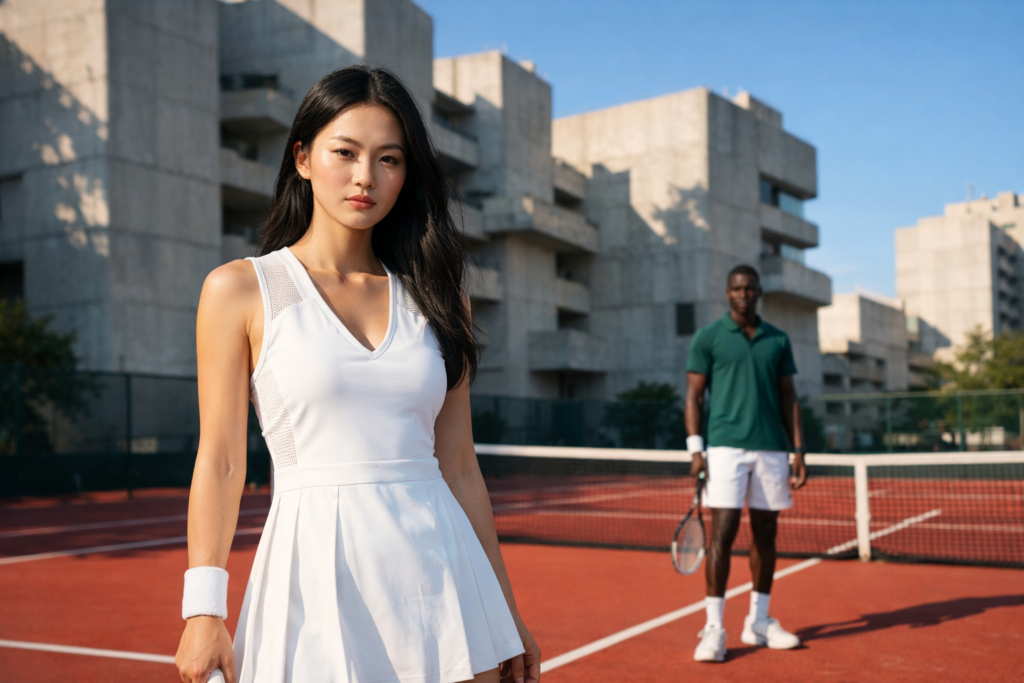
Wide shot of an Asian female model in the foreground and a black male model in the background on a red tennis court, behind them we see a few large concrete buildings dappled with sunlight, as well as a blue sky.
The styling details elevate the concept into something more editorial:
These small touches make the scene feel like a high-end fashion campaign, not just a generated image.
Once your visuals are ready, you can animate them using AI Video Generator.
AI Video Generator transforms still images into dynamic cinematic shots. A particularly powerful feature is the first-frame/last-frame animation system, which lets you control motion direction.
For example, you might generate a dramatic close-up like this:
Extreme low angle close up with of an Asian model crouching in the camera foreground, looking at camera, behind her we see a few large concrete buildings dappled with sunlight behind, as well as a blue sky.
This shot works well because it mimics real fashion cinematography:
Using these prompts, you can generate multiple clips and sequence them into a dynamic ad.
Great ads rarely rely on a single shot. Instead, they combine several visual moments.
The images you generate in ImageGen become the base assets for ImageEdit, where you ensure consistency across all frames before animating them in AI Video Generator. This consistency is critical because AI Video Generator will amplify any visual mismatches once motion is introduced.
Here are examples of additional prompts used in the ad sequence.
Extreme low angles close up. A Latina female bends over the camera. She is wearing long blue shorts, a blue crop button up shirt. Her dark hair is styled into a high ponytail. Accessories include silver hoop earrings, and a light silver choker. In the background we see blue sky. Shot on an Arri Alexa.
Top down shot of female feet walking on a sun dappled concrete sidewalk. They are wearing white sneakers and a blue tracksuit. Shot on an Arri Alexa.
Ultra wide angle tracking profile shot from across the street on a bright sunny day: a white male model strides down an empty concrete sidewalk, with sun dappled concrete buildings and blue sky behind him.
The framing inspiration comes from filmmakers like Wes Anderson, in which subjects appear at a perfect 90-degree angle in the frame.
Combining different shot types (close-ups, wide shots, and movement shots) creates the visual rhythm that ads need.
Once you have your generated clips, you can elevate the production using Envato’s video template library.
For example, these cinematic intro templates can add branding and motion graphics to your ad:
Templates save a huge amount of time because they provide:
Instead of designing these elements manually, you simply drop your footage into the template.
Beyond video and imagery, strong ads rely on cohesive branding elements.
Envato’s graphics generator lets you quickly generate supporting assets such as:
This step ensures your ad feels complete and brand-consistent across all formats.
For example, you can generate:
No ad is complete without sound.
Music establishes mood, pacing, and emotional tone. In this example, a hip-hop track from Envato’s music library was used as the base soundtrack.
Then SoundGen added atmospheric elements to enhance immersion:
Layering these elements transforms a silent visual sequence into a fully produced commercial-style ad.
One of the biggest advantages of using Envato to create an ad with AI is how seamlessly everything connects. Instead of jumping between disconnected tools, Envato offers a unified workflow where assets, styles, and edits carry over from one stage to the next. You can generate visuals, refine them, animate scenes, and add sound; all without exporting or re-importing files.
This continuity not only saves time but also ensures consistent creative direction, since elements like color, styling, and composition remain aligned across every step. The result is a smoother production process and a more cohesive, professional final ad.
Include camera information such as:
These details help AI produce more cinematic visuals.
Include elements like:
Environmental cues add realism.
Fashion details often determine whether an ad feels premium or generic.
AI is transforming how ads are made.
If you want to create an ad with AI faster, Envato’s integrated tools make it easier to generate visuals, build video sequences, and finish with polished sound and branding. From concept to campaign-ready content, the entire workflow can be handled in a single, streamlined creative process.
Yes. Modern AI tools can generate images, animate video clips, and create music. When combined with templates and editing tools, they can produce complete advertisements.
A simple ad can be created in under an hour, depending on the number of scenes and edits required.
The best AI tool depends on your workflow, but an ideal solution combines image generation, editing, video creation, and sound design in one place.
AI works especially well for:
Start by generating strong visuals, then animate them into scenes, add branding, and finish with music and sound design.
Yes, AI can help create short-form video ads for platforms like Instagram, TikTok, and YouTube by generating visuals, motion, and sound elements.
https://earnwithdigital.online/learn/wp-admin/post.php?post=97509&action=edithttps://www.youtube.com/watch?v=iwD3AWPn2Co
AI image recreation covers style transfer, reference-based generation, variations, and scene recreation. This guide compares the tools that handle each workflow for professional creative work.
Discover how Envato's AI sound generator creates custom sound effects from text prompts so creators can skip library searches and edit faster.

We tested 9 AI image generators on identical artistic prompts (same style-transfer task, same day) to see which one actually paints like an artist.
AI isn't making full movies yet; it's reshaping VFX, editing, and dubbing. Here's where it helps filmmakers today, and where it doesn't.

