
How to edit with AI using Envato stock photos
Learn how to edit with AI on Envato stock photos, customizing images instantly by removing objects, changing backgrounds, and creating polished visuals without leaving the platform.
Envato: Get every type of asset for any type of project, and access to AI tools. Start now
Explore the top AI icon generators of 2026, including their capabilities, output quality, and practical applications.

Finding the perfect icon used to feel like scrolling through an endless emoji keyboard. But not anymore. AI icon generators have completely reshaped that experience. Artificial intelligence has revolutionized the way designers create icons and UI assets. Tasks that once required hours of sketching, vector tracing, and fine-tuning can now be completed in seconds. Yet, while many AI tools promise instant results, too often they prioritize novelty over the essentials of professional design: control, precision, and scalability.
For system-level designers, icons are far more than decorative visuals; they’re critical components of a cohesive design language. Consistent style, scalable vector output, and secure licensing remain non-negotiable for production-ready workflows. The rise of AI icon generators has made speed accessible to everyone, but only a handful truly meet the standards required for professional interface systems.
This article examines the top AI icon generators of 2026, assessing their capabilities, output quality, and practical applications. It also demonstrates why the AI icon generator, part of Envato’s GraphicsGen AI tool, stands out, delivering a combination of creativity, consistency, and professional reliability that modern design teams demand.

AI icon generators are design tools that automatically create vector-based icons from text or image prompts, using artificial intelligence to interpret creative intent and translate it into scalable, editable graphics.
Unlike general image generators, which often produce raster illustrations with complex textures or inconsistent styles, AI icon generators focus on simplicity, scalability, and visual consistency, qualities essential for interface and brand design. You can use these tools across UI and UX projects, mobile applications, web dashboards, branding systems, and presentation design for AI icon design.
By automating the icon creation process, AI icon generators accelerate creative workflows, enabling designers to maintain cohesive design systems across multiple platforms and touchpoints.
An effective AI icon generator needs to deliver precision, consistency, and seamless integration into A truly capable AI icon generator should combine technical accuracy with creative flexibility, producing icons that align perfectly with modern design systems and integrate effortlessly into existing tools.


Envato’s AI icon maker (GraphicsGen) has quickly established itself as the benchmark for professional-grade icon generation in 2026. Built on Envato’s extensive design ecosystem, it bridges the gap between AI convenience and creative control, delivering icons that are not only visually consistent but also production-ready. Let’s take a look at some of the standout features it offers:
In short, the Envato AI Icon Maker focuses on reliability, vector precision, and licensing clarity, making it a trusted choice for designers, agencies, and product teams worldwide looking for AI icon generators.

The AI icon generator market is crowded, but not all tools are created equal. Many focus on novelty or one-off visuals, producing striking individual icons but falling short in meeting the demands of professional workflows. Designers building UI libraries, app interfaces, or brand systems require consistency, scalability, and production-ready outputs; qualities that one-off AI icon generators often overlook.
Envato AI Icon Maker addresses this gap. Its platform supports cohesive icon sets that align with design systems, offering exportable SVG files, multiple color variants, and grouped sets for easy integration. By combining speed with professional-grade control, Envato empowers creatives to generate icons that are not only visually polished but also fully scalable and ready for real-world deployment.
Here’s a comparison table of five major AI icon generators, weighing their key capabilities against what professionals care about.
| Feature | Envato AI Icon Maker (via GraphicsGen) | Iconify AI | Illustroke | Icons8 AI | Designify |
| Vector output (SVG/AI) & clean paths | Yes — supports SVG exports and “vector‑style” icons for scalable use. | Limited — Focuses more on simplified app icon outputs and image processing rather than generating full vector icon systems. | Yes — explicitly supports vector (SVG) illustrations from text prompts. | Yes/Partial — Offers SVG/PNG export for icons and series in consistent styles. | Moderate to low — more creative/stylised illustration focus, less on uniform icon families. |
| Consistency & grid alignment (icon family support) | Some supports series creation and export format choices, but full grouped icon‑family export details are less emphasized. | Moderate — fast prototyping focus, less evidence of large icon‑family grid alignment. | Strong — emphasises system‑ready icons, consistent style, and scalable sets. | Moderate — supports “series of consistent icons in unique styles”. | Low — geared for simplicity and non‑designers; less emphasis on full icon system consistency. |
| Prompt flexibility (text, image, emoji) | Good — supports prompts & reference images, variety of styles. | Good — supports text input, multiple styles & colors. | Good — text‑to‑vector prompt system, style options. | Simplified pricing, but may not offer unlimited professional‑system scale usage; primarily for quick, non‑designer use. | Basic to moderate — more simplified workflow; image input and simple adjustments rather than complex prompt systems. |
| Professional export options (color variants, grouped sets) | Yes — delivers aliased formats, colour palettes, grouped sets, full production‑ready exports. | Limited — focuses more on individual icon outputs rather than grouped system exports. | Limited — prioritises illustration generation; group‑export for icon families less emphasised. | Good — supports text descriptions, style selection, and variant generation. | Minimal — made for simplicity; advanced export features such as colour variant families or grouped sets may be limited. |
| Commercial licence clarity | Yes — backed by Envato’s commercial licensing ecosystem; clear rights for production use. | Yes/Partial — Ownership claimed, but less commentary on full commercial‑system licensing for brand systems. | Yes/Partial — Vector output, but less detail seen on full commercial licence framework for icons as system sets. | Yes — Emphasises “safe for commercial use”, consistent style packs, and design integration. | Limited — Designed for non‑designers; licensing may be simpler but less geared for large brand systems and workflow‑level commercial use. |
| Pricing model (unlimited or predictable) | Simplified pricing, but may not offer unlimited professional‑system scale usage; primarily for quick, non‑designer use. | Credit‑based pricing per icon generation; predictable but not unlimited. | Token/credit‑based model as per vendor; variable limits. | Subscription/asset‑library based; integrated into broader design toolkit. | Simplified pricing, but may not offer unlimited professional‑system scale usage; primarily for quick non‑designer use. |

AI icon generators have quickly become integral to modern design workflows, providing speed, consistency, and flexibility across multiple creative disciplines. Rather than replacing designers, these tools amplify their efficiency by streamlining repetitive tasks while maintaining brand and stylistic control. From app interfaces to marketing visuals, AI-generated icons help teams move from concept to completion faster, while maintaining a cohesive, production-ready visual language.
For designers and teams seeking reliable, production-ready icons that fit into real-world workflows, Envato provides the ideal balance of creativity, control, and efficiency in 2026.
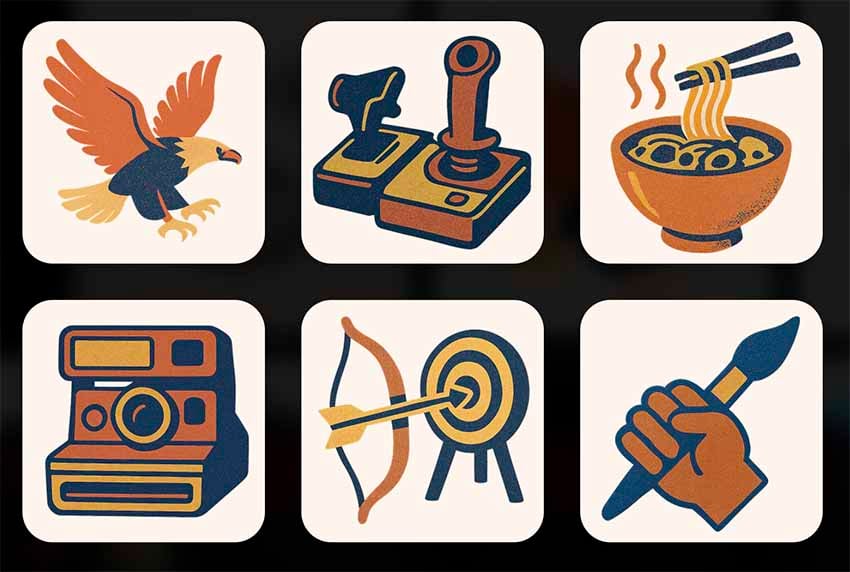
One of Envato GraphicsGen’s strongest advantages is its commitment to licensing clarity and creative reliability. Every icon generated is fully covered by Envato’s commercial license, giving designers and agencies the confidence to use assets safely across apps, websites, and brand materials. There are no hidden credit charges or reuse restrictions, ensuring predictable, professional-grade access for ongoing projects.
By providing clear legal rights and unlimited usage, Envato empowers creatives to focus on design and workflow rather than worrying about copyright compliance—offering true peace of mind for both individual professionals and collaborative teams.
It combines AI-powered generation with curated designer styles and full commercial rights.
Yes, it’s part of the Envato subscription.
Absolutely, all assets are licensed for client and commercial projects.
Yes, several AI icon generators integrate with Figma directly or support SVG export for seamless import. Some tools offer plugins that let you generate and edit icons without leaving Figma, while others provide clean SVG downloads that drop straight into your design system. For system-level designers, the key factor isn’t just integration, but vector precision and grid alignment. As long as the output is true SVG with clean paths, you can refine and scale icons easily inside Figma.
Yes, AI can generate app icons for iOS and Android, but you’ll need to format them to meet platform guidelines. Most AI icon tools produce scalable vector files that can be exported at required sizes. However, iOS and Android each have specific corner radius, padding, and resolution standards. After generating your icon concept, export it in the correct dimensions and test it against official developer guidelines. AI handles creative direction quickly, but final optimization ensures compliance and polish.
Yes, outputs are SVG files compatible with Illustrator, Figma, and Sketch.
Yes, Envato’s style presets ensure uniform proportions, stroke weights, and color logic.
The best free AI icon generator depends on your needs, but tools with a free tier or trial are ideal for testing quality and vector output. Some platforms offer limited free generations or trial credits so you can evaluate style consistency and export options before subscribing. If you’re building production-ready icon systems, look for tools that provide true SVG exports and clear licensing terms, even in their free versions. Free plans are great for experimentation, but professional workflows often benefit from subscription-based tools with unlimited or predictable usage.
To create consistent icon sets with AI, use the same style preset, grid structure, and prompt framework across every generation. Start by defining stroke width, corner radius, and visual weight. Use one style reference or preset for the entire set to maintain uniform proportions. Generate icons in batches and refine them together rather than individually. Finally, align all outputs to the same grid and test them side by side. AI accelerates creation, but consistency still requires deliberate system thinking.
Many AI icon generators and AI icon design tools promise speed, but often at the cost of control, consistency, or licensing clarity. Envato GraphicsGen’s AI icon maker changes the game, delivering unlimited, fully editable, and commercially safe icons that integrate seamlessly with templates, fonts, and UI kits. Designers can scale projects more efficiently, maintain brand cohesion, and execute ideas with greater confidence. In 2026, creating professional-grade, system-ready icons isn’t just faster—it’s smarter, more reliable, and fully under your control.
With Envato AI Icon Maker, you can build consistent, professional-grade design systems at the speed of your imagination. Try Envato AI Icon Maker today, included with your Envato subscription.
Learn how to edit with AI on Envato stock photos, customizing images instantly by removing objects, changing backgrounds, and creating polished visuals without leaving the platform.

Explore the tennis aesthetic trend for 2026, from preppy style and color palettes to branding and design ideas inspired by tennis culture, fashion, and modern creative projects.

Fourteen World Cup shirts that still matter, from Brazil 1954 to Cameroon's banned vest. The design thinking behind the kits that lasted, and what they all have in common.

Canary yellow explained: meaning, hex code, color psychology and design ideas. Learn how to use this bold yellow in branding, UI and 2026 creative projects.

