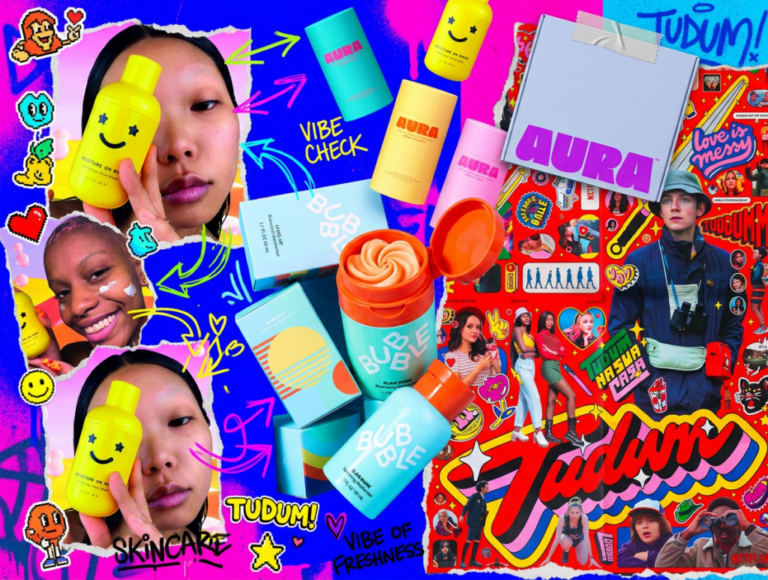


Movie typography in 2026: why does it suddenly look so good?
Explore movie typography trends shaping 2026, from bold film fonts to cinematic branding, with inspiring examples and practical tips for creating impactful, screen-ready typography.
Envato: Get every type of asset for any type of project, and access to AI tools. Start now
Discover the 8 leading icon design trends for 2026.
Icons matter more than ever in design. Small but mighty, these tiny symbols take center stage on apps and dashboards, indicating actions, brand recognition, and much more. Major shifts in UX design and web design have arguably made icons more powerful and versatile than logos, which is why it pays to think small.
In this 2026 icon design trends report, we examine some of the most significant emerging trends, from plush 3D icons that enhance the tactility of mobile apps to variable icons that introduce interactive animation into digital design. We’ll cover aesthetic directions to explore, real-world examples from leading brands, plus pro tips, including how to generate icons with AI.
Icon design is fundamentally about delivering the greatest aesthetic impact and usability in a super small space. They’re often one of the most underrated design tools in a brand’s arsenal, but don’t be fooled by their small stature. They really do pack a punch.
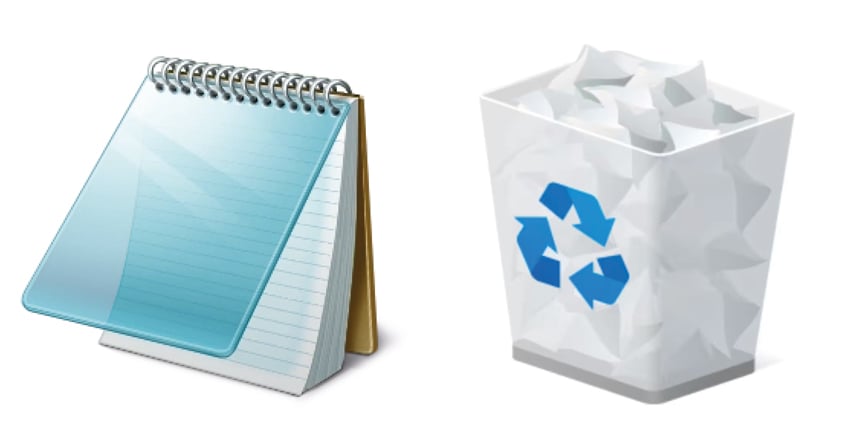
Icon design has undergone significant evolution since the early days of Apple and Microsoft. We started with skeuomorphism, in which icons mimicked real-world objects and textures. Think trash cans and bookshelf icons, detailed with photorealistic materials that gave computer and mobile users a sense of familiarity.

The flat design movement put an end to all that tactility. Instead, simplicity and symbolic graphics were the order of the day. Over time, flat design evolved into increasingly minimalist icon styles, stripping away excess (and arguably, character) to create clean, calming digital layouts. The problem? Some flat icons were becoming too similar, leading users to select the wrong icon by mistake.

By the late 2010s, operating systems started to experiment with more playful icon design. Eye-catching details, quirky illustrations, and bold gradients were introduced to boost differentiation and tempt clicks.
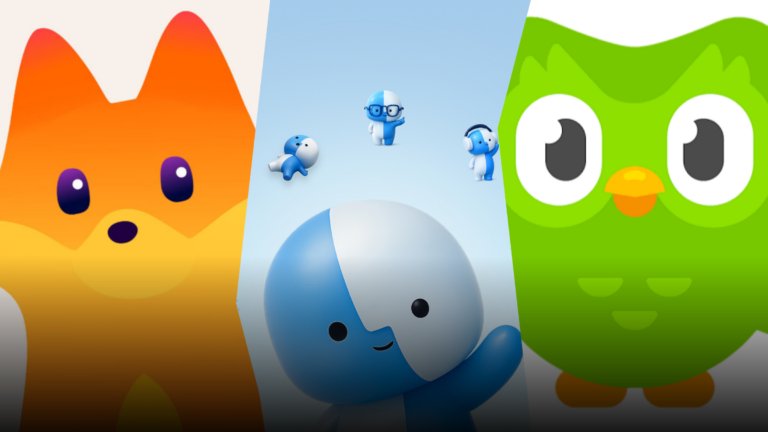
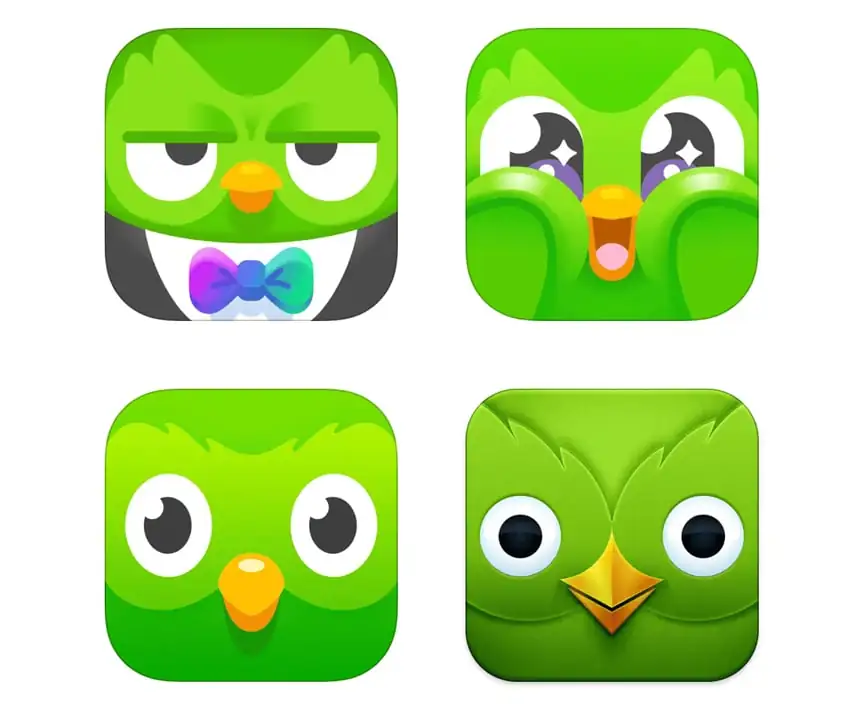
Fast-forward to today, and we’re in a truly experimental era of icon design trends. The 3D resurgence in icon design makes unlocking your phone an eye-popping experience, and we’re starting to see more variable icon design bringing animation and wit to icon design trends (a special shout-out to the Duolingo owl, Duo, for commitment to the cause).

Meanwhile, the rapid acceleration of AI tools means that icons can be created at speed, with all the bells and whistles, and tech giants like Meta, Google, and Apple realise how powerful icon design can be for converting clicks and actions. It’s the icon’s world, we just live in it.

With icons dominating the design world, the diversity of icon design trends continues to expand, exerting influence over interfaces everywhere. Read on to discover the eight icon design trends we predict will make a serious UX stamp in the year ahead.

Use these prompts in ImageGen and ImageEdit to create the results above. For the icon on the left try this prompt in ImageGen:
A liquid glass effect 3D icon rendered in a palette of pastel pink, purple and blue, maintaining the simple white logo design in the centre.
For the alien-inspired design, experiment with this prompt in ImageEdit, using the first image as a starting point:
Change the pastel colors to a black background and the central logo design to a cute smiling alien logo, with the alien rendered in lime green. Make the corners of the icon more square.
Before we dive into the icon design trends, we need to ask: What are icon design trends?
Icon design trends tend to follow overarching patterns, with a balance struck between fitting into an OS icon set and standing out and attracting attention. This can give all icons designed within a certain time period a particular look and feel, based on textures, line weights, illustration styles, and color palette. While we’re riding the wave of 3D design more generally, there’s plenty of space for experimentation, and we’re seeing some really creative icon designs from brands.
These eight icon design trends all tap into the general spirit of creative icon design right now, but each offers its own unique style stamp on the macro-trend.
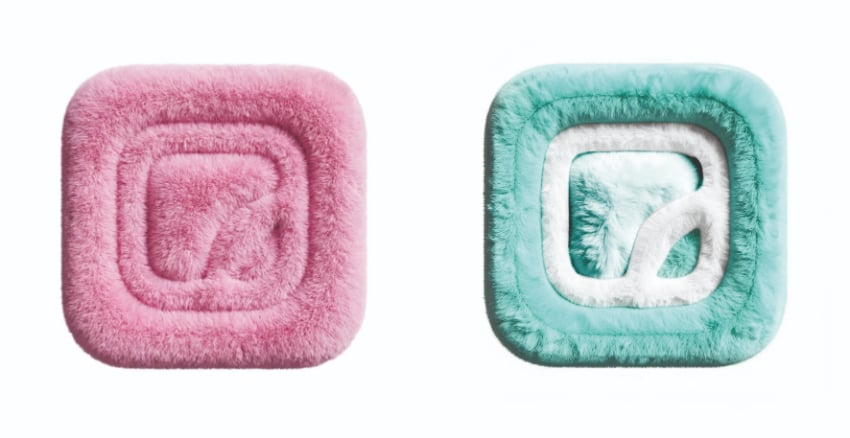
Cuddle up to this cosy icon trend, which champions soft, rounded edges and tactile textures. A pastel palette pairs with smooth gradients and plush textures, keeping this icon design trend aligned with Plushcore and soft 3D character design. Soft 3D icons have a friendly, open personality and lend a calming effect to icon design. Let’s call it the Gen Alpha effect.
Tap into a younger audience with Soft 3D icons for lifestyle brands and gaming apps, or build more trust into conservative industry brands, like fintech and banking, with softly shaped icons in gentle color palettes.

Try these prompts in ImageGen and ImageEdit to create the icon styles above. For the icon on the left try this in ImageGen:
A 3D fluffy textured icon design in pastel pink with touchable 3D fake fur texture.
For the tweaked icon on the right, try this prompt in ImageEdit:
Change the color palette to pastel turquoise, bringing out the central logo design in white, and make the texture slightly more plush.
While flat design may be fast retreating into the past of icon design, this icon trend revisits some of its key advantages. These Hyper-minimal line icons use ultra-thin strokes and precise geometric shapes to create striking, simplified silhouettes that are highly legible at small sizes. They have an ultra-digitised look, driven by the styles favored by AI tools and growing demand for high-scannability interfaces when users are met with a sea of icons to choose from.
Use this icon trend when you mean business. Productivity tools, privacy or cryptocurrency apps, SaaS UI, and functional dashboard designs will all benefit from these ultra-minimal icons.

Try these prompts in ImageGen and ImageEdit to create the icon styles above. For the icon on the left try this in ImageGen:
A super minimal line-drawn icon, in crisp black and white, with the central logo with a pale green color fill.
For the edited icon on the right, try this prompt in ImageEdit:
Adjust the color palette to bright orange, with white outlines.
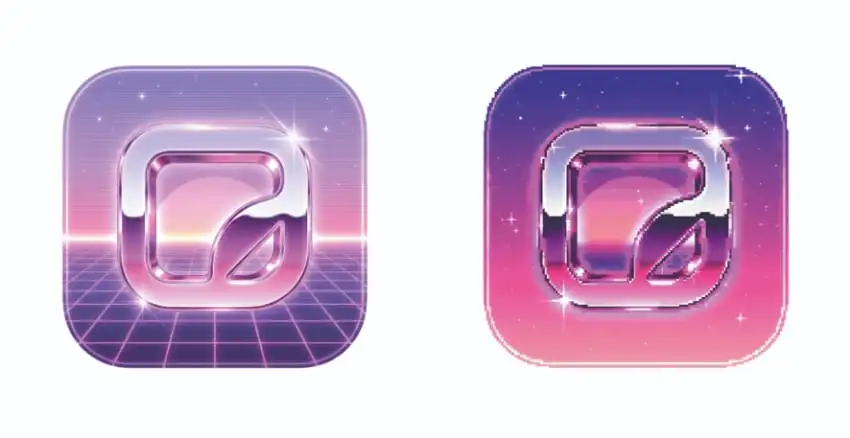
Retrofuturism is a major graphic design trend for 2026, fuelled by the nostalgic sci-fi aesthetic of shows like Stranger Things and the influence of Korean design in Western branding. Retrofuturist icons pay homage to the 1980s and 1990s tech nostalgia, featuring neon glows, pixel-blur edges, and tantalizing hints of blue-highlighted chrome. It’s nostalgia with a contemporary twist, building on the retrofuturist aesthetics pedalled on your TikTok feed.
You’ll see this 2026 icon trend on music apps (see the 2025 Spotify Wrapped nostalgia-infused aesthetic for pointers), creative tools, gaming platforms, and brand drops aimed at Y3K-obsessed Gen Z.

You can use these prompts in ImageGen and ImageEdit to create the icon styles above. For the icon on the left type this prompt into ImageGen:
Create a 3D icon design with a 1980s inspired retrofuturistic aesthetic, using sunset pastel colors ans glossy chrome highlights.
For the icon on the right, ask ImageEdit to create a more analog look:
Make the icon design more analog in style, in a nostalgic Eighties style with pixelation.
Building on the playful icon trend of the last couple of years, these Mascot icons behave like micro-characters on your dashboard. They’re friendly and emotional, and often change as you check in. Some even react based on your level of interactivity. It’s a Tamagotchi for the app era.
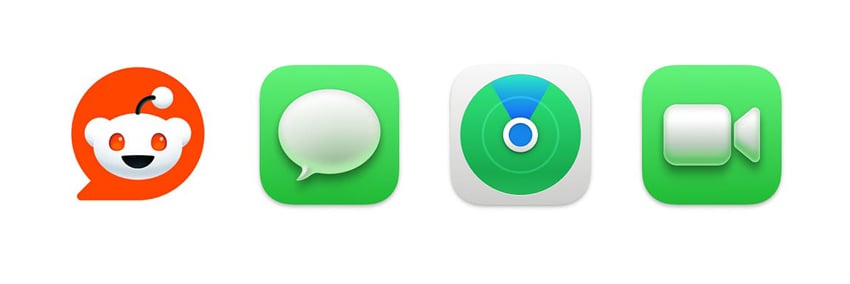
For brands, an icon takes on a whole new level of conversion potential when it becomes a 3D mascot. MailChimp’s Freddie, Duolingo’s Duo, and Reddit’s friendly alien Snoo are all well-known mascots that find their home in the brands’ icon designs. Animation, cartoonish aesthetic, and bright colors bring childlike charm to these characterful icons. Learn how to design a mascot using AI tools and After Effects.
Emoji-style and Mascot icons are fun and informal, so if the mood matches up, they could be a winner. Try them for chat apps, educational tools, and motion graphics, or to humanize more formal apps. However, keep in mind that a mascot may not always be the right fit. If it’s similar to a context where you wouldn’t normally use an actual emoji (e.g., a formal email to your bank manager), then maybe save this icon trend for another time.

The cat icon was created using ImageGen. Try this prompt to achieve similar results:
Create a 3D icon design, with a cute cartoon-inspired cat in the center. Render the design in soft pastel colors, and a matte texture.
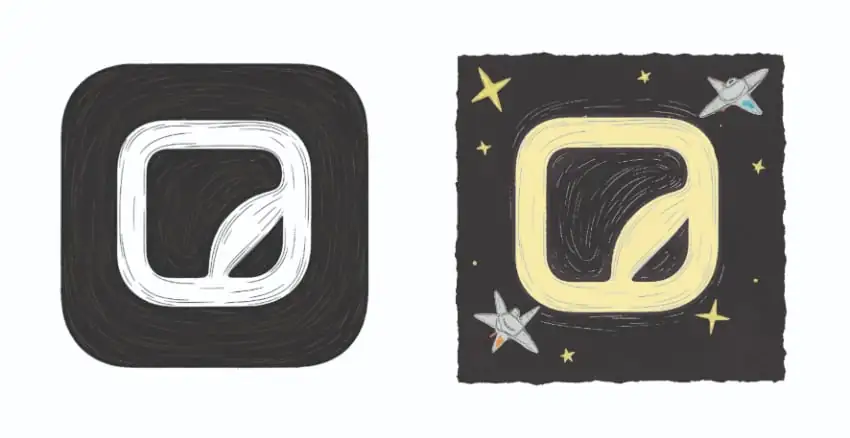
Illustration is back, just within a smaller space, with these Micro-illustrated icons. Hand-crafted and brimming with warm character, they make a welcome replacement for generic flat icons. We’re seeing more craft and storytelling influences emerging in design and advertising, with this icon trend tapping into a broader ‘handcrafted digital’ movement. They’re a great way to offer something unique to your audience within a small space.
Micro-illustrated icons have an editorial feel that wouldn’t look out of place in a magazine, so try them for editorial UX, blogs, Instagram icons, learning platforms, and brand storytelling.

You can use these prompts in ImageGen and ImageEdit to create the icon styles above. For the icon on the left, type this prompt into ImageGen:
Render the icon design in a hand-illustrated style, with a monochrome black and white palette.
For the icon on the right, we can ask ImageEdit to add a few more details:
Add some hand-drawn stars and spaceships around the logo design to create a space effect. Adjust the logo color to pale yellow.
Variable icons represent the next step in icon design trends, responding to nuanced contexts such as nighttime settings or human interaction. They change form depending on the context, such as light mode and dark mode versions of the same icon, or a subtle animation in response to hover or other interactions. Even an attempted app deletion could be an opportunity to win someone back with an interactive variable icon.
Variable icons are more common in OS design systems and advanced dashboards, but any brand can use them with careful development. They’re essential for complex UI flows and adaptive UI, where they often play a fundamental role in advancing the user journey.
If you have a contained system within which to employ variable icons, such as an OS system or website, it’s easier to specify and control how these adaptive icons should behave. AI will be able to assist in developing icons that auto-generate variations. Generally, Variable icons are a great way to show that your brand is futuristic and tech-leading, making them a natural fit for digital agencies, tech start-ups, or engineering businesses.

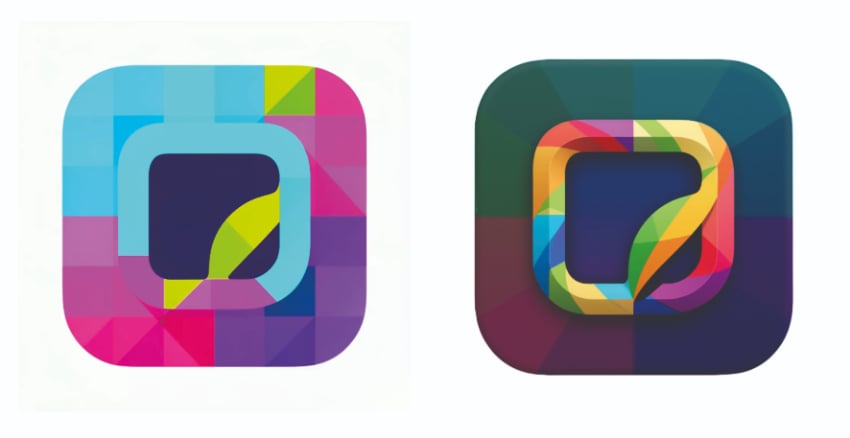
If you’re looking for an icon design trend that feels immediately on-brand, Bold geometric icons are well worth experimenting with. These types of icons employ thick strokes, geometric blocks of color, and punchy shapes. They’re playful but also professional, balancing structured grids with expressive design. Bold colors create strong contrast on the table, making these icons highly visible.
Bold geometric icons are used by some of the world’s most recognisable brands, such as Google, Spotify, and Instagram. Take their lead and use this icon design trend for brand-led digital products, social media icon,s and event branding. They also work well for accessible designs that require high contrast.

Try these prompts in ImageGen and ImageEdit to create similar styles to the icons above. For the icon on the left, this prompt will create similar results in ImageGen:
Create a flat design icon in a bold geometric style, with a multi-colored, tropical color palette.
We can then ask ImageEdit to build more dimensions into the design:
Give the central logo design a more 3D look, highlighting it more prominently against the background, which has darker, more muted colors.
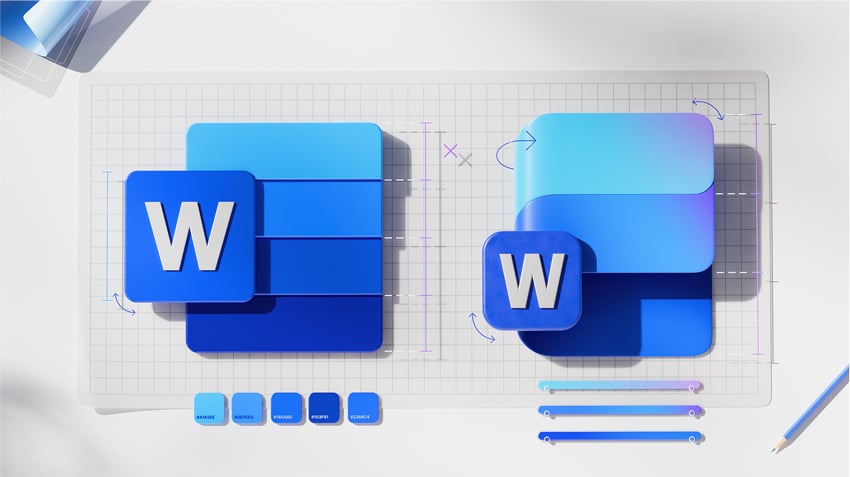
Keep it luxe with Multi-material icons. This 2026 icon design trend is all about subtle material cues that bring a premium feel to websites and apps. Whether it’s high-gloss liquid textures, holographic backdrops, or tactile textiles, a simple icon design is instantly elevated with a subtle material finish. This is definitely an icon trend to watch, spurred on by Apple’s Liquid Glass 2025 update.
This icon trend is subtle and luxurious, giving icons a premium feel that would be a good fit for fintech, fashion, lifestyle, or luxury brands.

Experiment with these prompts in ImageGen and ImageEdit to create the icon styles above. For the icon on the left, type this prompt into ImageGen:
Create a 3D icon design with subtle material texture, with the central logo in plastic-effect glass and the background in matte black plastic.
For the icon on the right, we can ask ImageEdit to apply different textures:
Render the icon design in glossy plastic, in a pink pastel colorway.
Now that you’ve explored some of the leading icon design trends for 2026, we need to consider the growing role of AI in icon design to help inform your own creative process. In short, AI is well-suited for icon design. Here’s why.
AI has radically altered digital design and is exceptionally useful for ideating design styles and variations. It’s easy to learn how to generate icons with AI, allowing designers to quickly prototype multiple versions and experiment with different aesthetics, color options, and material effects. It’s also easy to achieve stylistic consistency across a complete set of icons using AI, with Nano Banana Pro as part of Envato’s AI tools. The ‘Generate similar’ option in ImageGen is particularly useful for creating a sequence of related icon designs.
Using an AI editing tool like ImageEdit allows you to make micro-adjustments to icon designs without compromising the fundamentals, thereby improving clarity and polish in the final design.
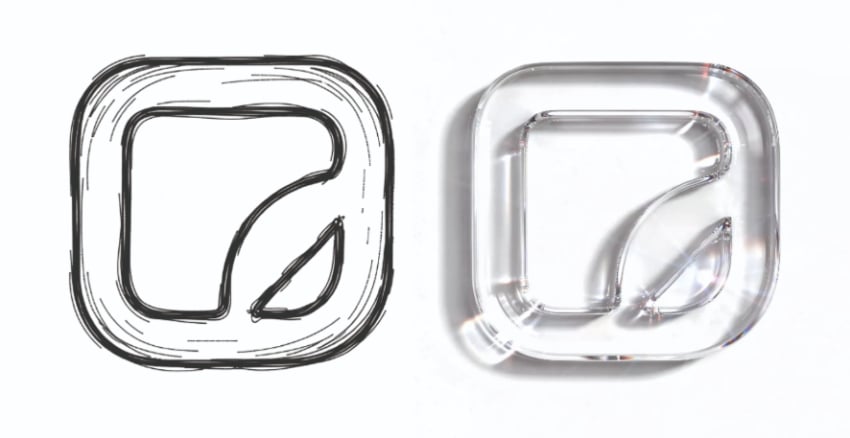
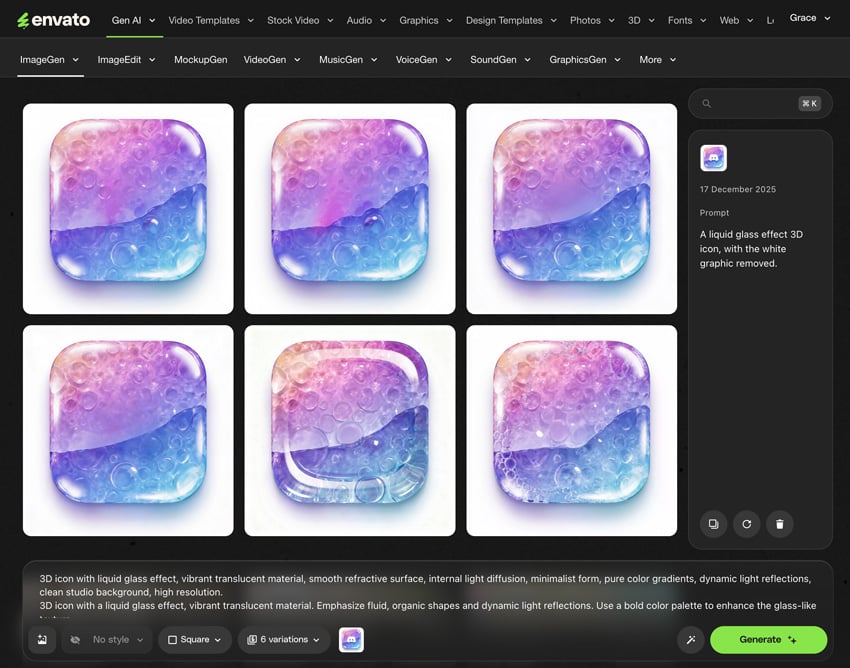
The best way to use AI when designing icons is to start with your own original input. Even a simple sketch can be transformed into a liquid glass icon with AI styles, while retaining the spirit of your own design. This way, you can ensure that your icons align with branding specifications and maintain the ethical originality of your icon design.

For this icon design, I used ImageEdit to transform a sketch into a liquid glass image with this prompt:
Render the logo design in glossy, clear liquid glass, with subtle reflective texture and a 3D effect.
What can something so small say about design culture at large? Icons are teeny aesthetic powerhouses and have become one of the most familiar aspects of design we interact with daily. The 2026 icon design trends outlined above offer several insights that should provide creatives with food for thought.
Firstly, it’s clear we’re ready for a complete departure from the flat, inexpressive aesthetic that has dominated digital design for so long. There is a desire for emotional connection, with icon design trends like Soft 3D icons and Mascot icons indicating that consumers are ready for more fun and humanization when they go online.
The need for clarity, speed, and accessible design is also highlighted by the Hyper-minimal line icons and Bold geometric icons trends. As digital layouts become more crowded, it’s essential that icon designs are legible and eye-catching.
The rise of Variable icons also points to a sophisticated new era in icon design, in which subtle interactivity and adaptive icon systems are becoming more the norm. This also points to a wider adoption of AI within UX and UI design, making it far easier and less time-consuming to create these kinds of sophisticated icon sets.
Stay ahead of the design curve with these 2026 icon design trends, which will instantly update your digital projects. Here are some ways to integrate icon design trends into branding, UI, and more.
Icons have become a staple part of a strong brand identity. Often the first touchpoint between a brand and consumer (more so now than a logo design), icons can be given a branded look by selecting a style that aligns with your brand tone. Premium brand? Try the Multi-materials icons trend. Playful? Mascot icons could be a great choice. As for tech brands, Variable icons or Hyper-minimal line icons will give your branded apps and websites a futuristic look.

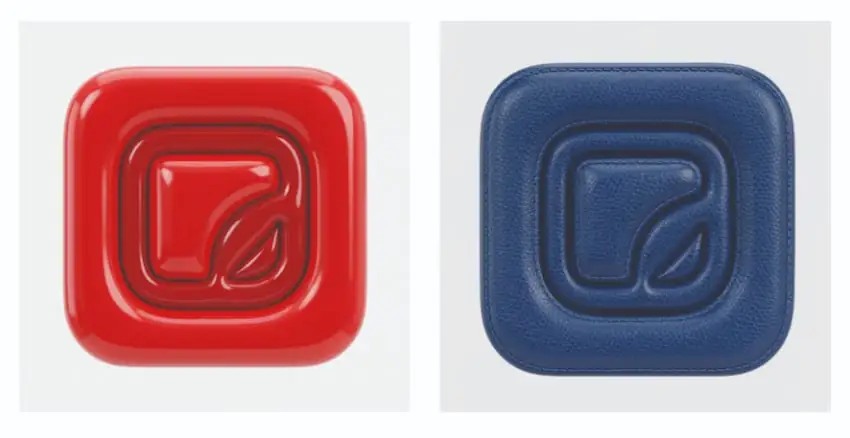
These 3D icon designs were created using first ImageGen, before editing the design in ImageEdit. For the icon on the left, type this prompt into ImageGen:
Create a 3D icon design with a red latex texture, with glossy reflections.
For the icon on the right, we can ask ImageEdit to experiment with the material:
Change the material of the whole icon design to dark blue leather, creating a luxurious aesthetic.
Icon design is all-important for promoting the usability of digital products. UI and UX designers can make the user journey smoother by choosing icon design trends that prioritize clarity and scannability, such as bold geometric icons. You can also use AI tools like ImageEdit to ensure consistency across icons, sizes, and themes, thereby maintaining a stable user journey.

Motion designers can get excited about the potential of Variable icons. Subtly animate your icons with bounces, glows, and micro-movements that respond to touchscreen nuances. Apple’s Liquid Glass responds to even the slightest movement, creating dynamic reflections as someone turns their phone to a different angle. While this may be challenging to achieve on non-OS designs, such as websites, there is still plenty of potential to incorporate more interactivity and expressiveness into your icon designs in 2026.
At Envato, we’ve developed a suite of AI-powered tools that are designed to help creatives build consistent digital designs. Used together, these tools bring different AI capabilities to a creative task.
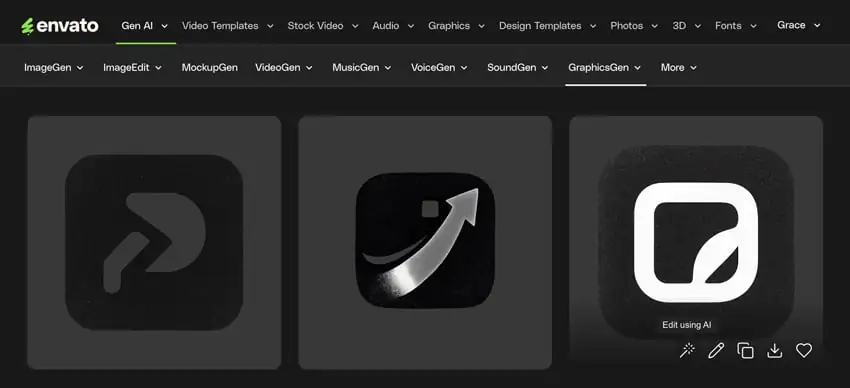
Get started with GraphicsGen to generate icon and logo concepts, providing a strong foundation for further design work.

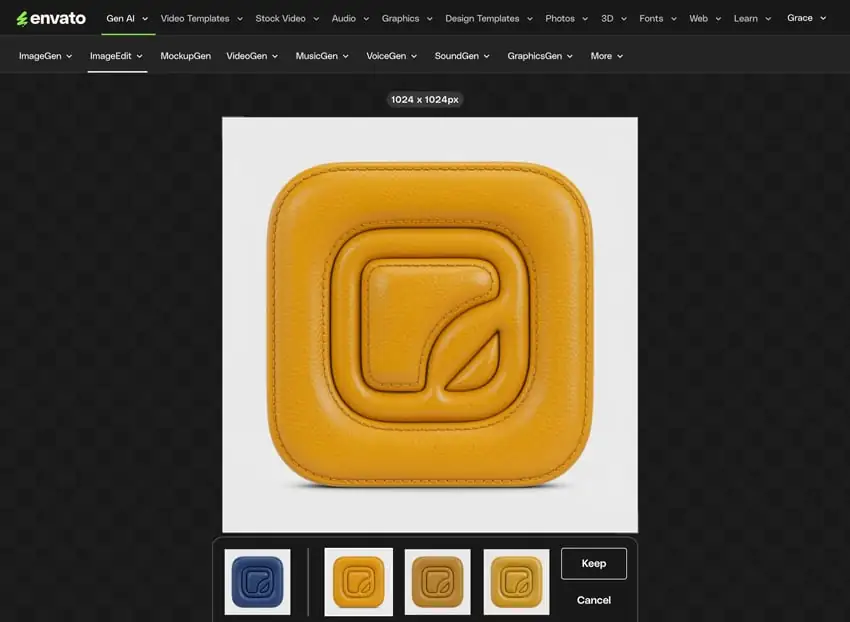
Once you have your basic icon concept established, proceed to ImageGen. Both ImageGen and ImageEdit are now underpinned by Google’s Nano Banana Pro, giving your AI generations pinpoint accuracy when making subtle edits, building consistency into a sequence of icon designs. To kickstart Nano Banana Pro, simply upload an image reference within ImageGen.

Refine your AI generations further in ImageEdit, cleaning edges, adjusting texture effects, or polishing logo refinement. Simply click ‘Generate Similar’ to further refine your design as you go.

When you have a suite of icon designs ready, you can drop them into Envato templates for UI kits, brand guidelines, pitch decks, or website mockups. Client brief done and dusted.
Brand identities used to revolve around a logo design, but today many, if not most, customers interact with brands through apps and digital interfaces. In this context, carefully crafted icon design plays a much bigger role within brand systems, especially as it increasingly overlaps with pattern design trends used across interfaces, packaging, and digital products.
Icon design now reflects an evolving melting pot of clarity, emotional connection, nostalgia, and intelligent automation. There’s so much to it, blending elements of graphic design, AI design, brand design, motion design, and UI, to create icons that make the user journey truly pleasurable. We hope these icon design trends will fuel your digital ideas in the months to come! And for more brand design inspiration, look no further than our annual graphic design trend report, as well as the latest video and motion design trends set to bring cinematic storytelling back to the heart of content creation in 2026.
Icon design trends for 2026 are becoming bolder and more expressive, with Variable icons contributing dynamic interactivity to interfaces, and Mascot icons bringing a cute and fun feel to icon design for the year ahead. We can also see nostalgic styles, such as Retrofuturist icons, becoming more popular, as well as Multi-material icons, which incorporate more 3D tactility through texture.
AI is useful for promoting consistency across an icon set by preserving styles or details while editing key elements, such as the icon design itself. AI also helps reduce the time it takes to create ideations and iterations of icon designs, allowing you to exercise your creativity more fully within a shorter timeframe. Try using GraphicsGen to create icon graphics, then apply a range of AI styles in ImageEdit.
While we are seeing some flat design in icon design in 2026, such as Hyper-minimal line icons, most icon design trends are leaning towards 3D styles, featuring popping highlights, tactile textures, and drop shadowing.
Not every icon trend will be suitable for every project. If your project is for a more formal purpose, such as banking or legal services, Multi-material icons will give icon styles a subtle refresh for 2026. Icons aimed at younger audiences can try playful Mascot icons or Soft 3D icons, while tech projects can use Variable icons to add a futuristic edge to their digital projects.
Uniform texture, color palette, or edging can contribute to a consistent impression across an icon set. Try to preserve stylistic details across a set, such as a glass texture, pastel palette, or rounded edges.
Choose an SVG format for websites and apps, which preserves sharp, scalable detail, or use PNG for general web use when transparency is required. ICO or ICNS are required for desktop and app favicons, while SVG is the common file format for website favicons.
Explore movie typography trends shaping 2026, from bold film fonts to cinematic branding, with inspiring examples and practical tips for creating impactful, screen-ready typography.
Explore the bold botanical design trend shaping 2026, from lush patterns and floral design to branding, interiors, and nature-inspired creative projects rooted in biophilic aesthetics.
Learn what font Disney uses, why it’s not downloadable, and discover Disney-style font alternatives to recreate that iconic, playful branding style in your own designs.
Explore PowerPoint templates with professionally designed layouts to create polished, modern, and visually cohesive presentations.