Envato: Get every type of asset for any type of project, and access to AI tools. Start now

How to use Nano Banana Pro in Envato’s AI Image Tools

Google's Nano Banana Pro now powers ImageGen and ImageEdit. Expect more consistent characters, better control over results, and higher-quality refinements. Here's how to get the best from it.

Grace Fussell 12min read
Robot generated with Envato ImageGen

Google’s Nano Banana Pro has arrived at Envato, bringing more sophisticated AI-powered image generation and editing to your creative process. Now powering parts of AI Image Generator and AI Image Editor behind the scenes, get ready to experience this game-changing AI technology. Learn how to use Nano Banana Pro, plus pick up pro tips for getting the best results in Nano Banana Pro.

Why does Nano Banana Pro matter? We’re talking more consistent characters, improved control over results, subtle changes that won’t lose your work along the way, as well as much higher-quality refinements. If you thought using AI generators was a guessing game, think again. With Nano Banana Pro, the next phase in AI creative evolution is ready to make storyboarding, ideation, and refining designs a breeze. 

how to use nano banana pro in envato imagegen and envato imageedit ai generator creative ai tool

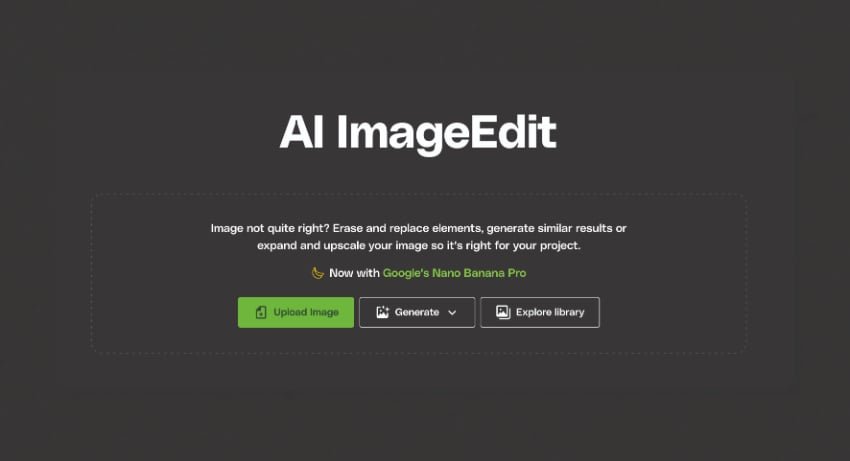
So, how to use Nano Banana Pro at Envato? We’re drawing attention to this new feature so you can start experimenting, but in fact, Nano Banana Pro is working behind the scenes in Envato’s AI Image Generator or AI Image Editor. You don’t need to manually select it or switch it on; Google’s new model will activate automatically when using reference images in the AI Image Generator or the ‘Generate similar’ option in AI Image Editor.

Photo of a statue holding a banana

What is Nano Banana Pro?

Welcome to the new era of AI-powered creativity. Google’s Nano Banana Pro is a next-generation AI model that improves realism, accuracy, and stylistic understanding. 

It works seamlessly within Envato’s AI tools to enable continuity and professional polish across your creative workflows.

Compared to Nano Banana, the Pro model offers more tailored functionality for creative folk. Experience greater detail, improved consistency across a sequence of refined images, and an overall better adherence to prompts. No more wasted time trying to second-guess how the AI model will interpret your request!

And with Envato’s ‘Enhance Prompt’ feature, you don’t even need a Nano Banana Pro prompting guide to hand. Simply jot down the gist, and Envato will work its magic, bringing in trending aesthetics, stylistic details, and more to bring your idea to life.

How Nano Banana Pro works inside Envato’s AI Image Generator

Nano Banana Pro will power into gear when you include a reference image in Envato’s AI Image Generator. This AI model supports several improved features, including:

Consistent subjects across multiple prompts

Keep characters consistent as you refine them, retaining the same facial identity across various poses, expressions, outfits, and scenes. You can stick with the same ‘actor’ throughout a complete sequence of images, making ImageGen and ImageEdit perfect for campaign ideation, storyboarding, character design, and product series development.

how to use nano banana pro in envato imagegen and envato imageedit ai generator creative ai tool

Create a cute robot like this one, and keep him consistent throughout your revisions. Start with a prompt like this:

A sleek, compact robot with rounded edges and a glossy finish, standing confidently. Large, expressive LED eyes display a friendly demeanor. Its arms are slightly bent, hands open as if offering a greeting. A small antenna juts jauntily from its head. The robot’s body features segmented panels with subtle joint articulation, showing off its functionality and design. It has sturdy, wide-set feet that provide stability.

Improved composition and inter-object relationships 

Enhance the spatial arrangement of your AI creations with more accurate object placement, informed by your reference image and prompt. Maintain visual continuity across multiple variations, with the best results from Nano Banana Pro making it impossible to tell what’s AI-generated and what’s simply the next step in your idea.

More stylistic understanding

Aesthetics are everything. With Nano Banana Pro, fine-tune stylistic cues like ‘retro’, ‘cinematic’, ‘minimalist’, ‘futuristic’, plus editorial and trending styles that make social media designs and marketing campaigns feel fresh and relevant. Working within a brand direction? Have confidence that brand traits will be maintained throughout, allowing you to create spot-on designs for branding and mood boards.

how to use nano banana pro in envato imagegen and envato imageedit ai generator creative ai tool

When should I use reference images?

A reference image serves as a starting point for ImageGen or ImageEdit. This image will serve as the ‘blueprint’ for your refined creations, so consider what consistent elements you want to carry forward into AI-refined imagery. For example, you might want to use an image that features common elements of a brand identity to build a complete campaign, or an image that depicts a human subject you want to maintain throughout a sequence, when creating a range of product shots for a clothing website. 

By using reference images, you can exert more control over the refinement process, and it will provide Nano Banana Pro with plenty of food for thought.

reference image how to use nano banana pro in envato imagegen and envato imageedit ai generator creative ai tool

How Nano Banana Pro powers Envato’s AI Image Editor

Now let’s take a look under the bonnet of Nano Banana Pro in Envato’s AI Image Editor. When you use a reference image and select ‘Generate similar’, AI Image Editor uses Nano Banana Pro to build variations of the original image.

generate similar how to use nano banana pro in envato imagegen and envato imageedit ai generator creative ai tool

Some of the unique features you can now explore in ImageEdit include:

Avoid full regeneration by editing specific areas 

Make subtle, sophisticated adjustments to lighting, materials, color, or even tiny details in your image, without the need to create a full regeneration. For production-level editing and retouching, it’s a game-changer.

how to use nano banana pro in envato imagegen and envato imageedit ai generator creative ai tool

The still point of the turning world

Don’t leave important elements behind by maintaining the continuity of your creations. Keep the subject’s facial identity and body type intact as you make natural adjustments to lighting direction, textures, and composition. If you’re working with a batch of images, such as a storyboarding sequence, Nano Banana Pro ensures that core details are consistent across the batch.

Fine-tune the details instantly

There’s no need to keep going back to the drawing board. Refine shadows, soften highlights, correct colors, and adjust textures without needing to restart, making ImageEdit a handy tool for polishing AI-generated images or stock assets.

How to achieve the best results with Nano Banana Pro in Envato

Discover these pro tips for how to use Nano Banana Pro in ImageGen and ImageEdit, and when to combine the two tools for editorial-quality results.

4 top tips for Nano Banana Pro in Envato’s AI Image Generator 

  1. Select a reference image that features a distinct subject and adequate lighting. 
  2. Use a Nano Banana prompting guide or Envato’s ‘Enhance prompt’ to keep your styling cues clear and focused.
  3. To give ImageGen a nudge in the right direction, integrate mood or brand keywords into your prompt, such as ‘ultra-minimalist’, ‘optimistic’, or ‘futuristic’.
  4. Favorite your results as you go, so you can easily find them for future projects.
A wooden sign for a brewery generated in ImageGen

Top tips for Nano Banana Pro in Envato’s AI Image Editor 

  1. Use the ‘Generate similar’ option to work the Nano Banana Magic.
  2. For optimal results with Nano Banana Pro, focus on targeting one area or adjustment at a time.
  3. Try natural, conversational phrasing for refinements (and correct spelling helps!).
  4. Use ImageEdit tools such as EraseUpscaleExpand, or Camera Angles to enhance your workflow. You can also click Generate Video to transform your static image into a motion clip for social media, advertising, or YouTube.
camera angles how to use nano banana pro in envato imagegen and envato imageedit ai generator creative ai tool

Did you know…? 

You can combine ImageGen and ImageEdit to create a seamless workflow for production-ready visuals. ImageGen handles the concept, and ImageEdit applies refinements and polish to achieve super-advanced results. Then take your designs to the next level with video generation in AI Video Generator, and other AI tools for developing comprehensive campaigns, such as SoundGen and GraphicsGen.

Advanced Nano Banana Pro techniques

Once you start rolling with Nano Banana Pro, you can achieve fantastic results tailored to specific purposes and projects. Here are some advanced Nano Banana Pro techniques you can try for branding, fashion imagery, product photography, and concept art.

Branding and packaging

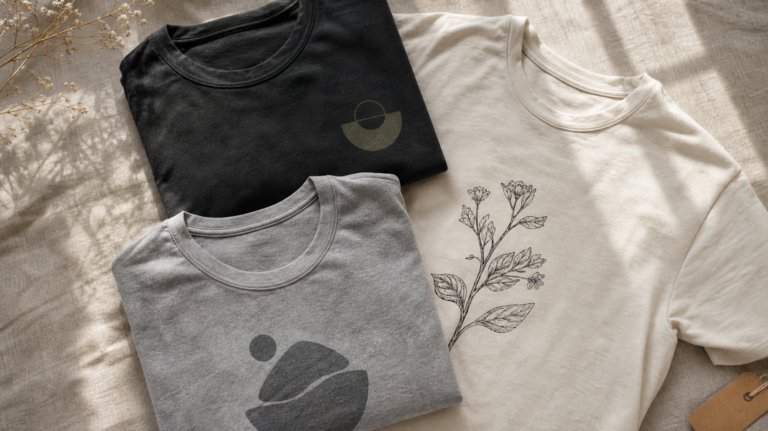
Creating branded visuals that stick to the brief is a breeze with Nano Banana Pro in ImageEdit. Adjust logo details, such as font style or graphic style, switch up brand colors, and apply branded designs instantly to different mock-ups and products with just a few prompts.

With branding, it pays to be consistent, so keep your prompt language similar throughout a sequence, using the same colors and font styles consistently as you work.

branding logo how to use nano banana pro in envato imagegen and envato imageedit ai generator creative ai tool

Use this prompt to create a similar image, and further refine using keywords like ‘sans serif’ and ‘metallic debossing’:

A wooden shop sign with carved edges, displaying a stylized hop cone logo in the center. The brewery’s name, “Evergreen Brews,” is engraved in an elegant serif font above and below the logo. The wood is weathered, showing natural grain and slight imperfections, with small metal accents securing the corners. A subtle, wrought-iron bracket supports the sign, adding a touch of rustic charm.

Fashion and editorial imagery

Fashion is fast-paced, so don’t be left behind with AI-generated visuals that adapt to e-commerce standards and editorial requirements. No studio required. 

how to use nano banana pro in envato imagegen and envato imageedit ai generator creative ai tool

Using ImageEdit, change your model’s pose, angle, and expression, adjust details like fabric and hem length, drop in accessories, and swap studio backdrops without influencing your subject. Use words that express the fashion aesthetic you want to achieve, such as ‘minimalist’, ‘eclectic’, ‘colorblock’, or ‘luxurious’.

fashion photography how to use nano banana pro in envato imagegen and envato imageedit ai generator creative ai tool

With this image of a model as a starting point, created using the prompt below, it’s possible to refine shots to adjust the way clothing is displayed.

Elegant, slender model, head high, shoulders back, hands posed gracefully. Draped in a flowing colorblock gown with sharp geometric patterns. Accessorized with chunky, mismatched earrings and a bold statement necklace. Hair styled in a sleek, gravity-defying updo. Makeup features strong brows, smoky eyes, and nude lips, highlighting her striking features.

Product photography

Perfect for social media product shots or client mockups, you can achieve advanced product photography results by integrating subtle cues into your ImageGen prompts. Try adding product or liquid textures, adjusting packaging material details, incorporating a logo design, or incorporating embossed embellishments to packaging for a polished effect.

Product photography is about close-up detail and tactility, so shape your prompts around material cues like ‘pebbled leather’, ‘holographic’, ‘liquid glass’, or ‘fuzzy wool’.

how to use nano banana pro in envato imagegen and envato imageedit ai generator creative ai tool

Using this prompt, a cosmetics bottle mockup can be refined with material textures and liquid droplet effects:

Elegant glass bottle with a pearlescent finish and beveled edges, topped with a minimalist pump, in minimalist Korean style. A label features delicate, stylized floral patterns in raised, clear gloss. The outer box is constructed from sturdy cardstock, displaying a subtle, repeating geometric pattern. A slender, matching applicator wand with a fine tip is included. The overall form factor is sleek and ergonomic, designed to fit comfortably in the hand.

Cinematic concept art

For conceptual artwork, combining ImageGen and ImageEdit into a single workflow can pull off professional storyboarding, and you can even take your generated visuals into specialist design software for final production. 

Try using prompt keywords that focus on switching camera angles (or use ImageEdit’s built-in Camera Angles tool), crafting new scenes, or editing subject actions to advance the narrative. For really focused results, stick to specific phrasing such as ‘extreme close-up’, ‘wide shot’, or ‘portrait’, or try to think about the cinematic aesthetic you want to achieve, using words like ‘film noir’, ‘3D animation’, or ‘Wes Anderson aesthetic’.

cinematic editing how to use nano banana pro in envato imagegen and envato imageedit ai generator creative ai tool

With this superhero image as a starting point in ImageGen, details like angle, expression, and close-up shots can be refined in ImageEdit.

A muscular male superhero, broad shoulders, powerful chest, clenched fists, determined expression, cape billowing behind him, intricate armor with glowing lines, stylized boots, gauntlets crackling with energy, hair swept back, intense gaze, poised stance.

Nano Banana Pro vs Nano Banana

Nano Banana certainly made a splash when it was released in August 2025. The Google-produced AI model, built on Gemini, marked a new step in generative AI, featuring photorealistic visuals that maintained character consistency. It was great when used for fast, exploratory generations that focused on concepts, but not so much for production-ready results.

However, Nano Banana Pro is a welcome step-up and addresses some of its predecessor’s issues with even more advanced capabilities. A huge advantage is that it automatically powers into gear when using reference images, building more consistency into workflows. Some of the other key differences between Nano Banana Pro vs Nano Banana include:

Improved consistency

While Nano Banana made consistency a key part of the offering, some details could still be lost as refinements progressed. With Nano Banana Pro, a greater level of character consistency can be achieved, allowing you to retain important subjects and details while working.

how to use nano banana pro in envato imagegen and envato imageedit ai generator creative ai tool

Stronger composition

The relationships between objects and elements are more considered and realistic than in the older model, making the subject’s interactions with the world around them feel more believable. No more random floating elements or skewed perspective.

Improved detail and lighting

Nano Banana Pro is ‘pro’ for a reason: it responds accurately to specific prompts, producing more nuanced details and advanced lighting effects. Ambient lighting, spot lighting, task lighting, and candlelight are rendered in more photorealistic detail, and the model will also react to specific angle requests. 

how to use nano banana pro in envato imagegen and envato imageedit ai generator creative ai tool

Reliable adherence to style

Set your style and aesthetics from the outset, and be confident that Nano Banana Pro will stick to the brief. Maintenance of aesthetic elements, such as colors, logos, and graphics, makes branding projects more seamless. Meanwhile, cinematic cues that give your imagery a distinctive atmosphere are reliably adhered to throughout the project. 

More stable outputs for brands and campaigns

The enemy of good AI output is the AI model exercising too much freedom. With Nano Banana Pro, AI’s imagination can’t run completely wild, giving you more creative control over results. Prompting also doesn’t require a degree in English Lit; the new model is more likely to understand what you’re aiming for from a few simple, clear directions.

how to use nano banana pro in envato imagegen and envato imageedit ai generator creative ai tool

Try Nano Banana Pro today!

Nano Banana Pro is now live over at ImageGen and ImageEdit. For time-pressed creatives, this new model is set to transform your creative process, making workflows more consistent, production-ready visuals quick and simple, and content creation more seamless.

But that’s enough from us…now, you’ll just have to try it for yourself.

Nano Banana Pro: FAQs

Related Posts

DesignNew

The return of the brand mascot (and how to create your own)

Football teams have them. Your local diner probably has one. Mascots are ever-present, but have rarely taken center stage in mainstream branding over the past decade. That’s all set to change as major brands launch an army of fresh mascot designs, vying to win over our hearts and wallets. In 2026, your brand isn’t really […]

Grace Fussell 12min read