AI sound generator guide: How to create sound effects with AI
Discover how Envato's AI sound generator creates custom sound effects from text prompts so creators can skip library searches and edit faster.
Envato: Get every type of asset for any type of project, and access to AI tools. Start now
Image edits so good it feels like cheating — and it’s all yours to play with.

What do you get when you cross fruit with freakishly advanced AI? Apparently, the biggest thing to happen to image editing since layers. Meet Nano Banana — the code name for what’s now officially known as Gemini 2.5 Flash Image Preview.
Google’s community-hyped model has just landed inside Envato ImageEdit, available for every Envato subscriber. That means you’ve got access to an image generator many are aptly calling pure magic. It’s fast, powerful, and dangerously fun. The kind of AI that makes other models go, “Wait, you can do that?”
If you’ve been anywhere near the internet over the last few days, you’ll be well aware of the buzz surrounding Nano Banana, so to say we’re stoked to bring it to you is an understatement.
Let’s find out more.
Nano Banana (yes, we’re still not over the name either) is the codename for Google DeepMind’s newest image editing model. It works inside Gemini and does something most models still can’t: context-aware, mask-free, natural language edits — and it’s shockingly good at it.

You can:
It’s not just a top editor — it’s now also ranked #1 in both the Image Edit and Text-to-Image arenas.
So, a big day for AI, essentially. And you’ve got an all-access pass.
We try to avoid the word superpower — but when you see it in action, or even better, play with it yourself, it’s clear this is a big leap forward. So, we’ll allow ourselves this indulgence.
Here’s a sample of what you can do with it:
It’s not just fast, it’s reliable. Creatives are reporting that many of their prompts are accurate on the first try — no fiddling required.
And the best part? You don’t have to go anywhere new — it’s all built into Envato ImageEdit, right where you already work.
Nano Banana is now part of your Envato toolkit. If you’re an Envato subscriber, you’re already set. No new subscription needed, no extra fees, just another new tool for you to go make magic with.
Here’s how to get started:
1. Head to Envato ImageEdit.
This is your launchpad. Once you’re there, look at the top menu — hover over ImageEdit, and you’ll see a dropdown appear with “Banana”. Click that… and voilá! You’re in.

2. Upload an image.
Choose a file you want to tweak, improve, or completely reimagine.
3. Start editing with Nano Banana.
Erase and replace elements, generate similar results, or upscale and expand your image with a few clicks. It’s like Photoshop on autopilot — but still totally in your control.
Pro tips:

At Envato, we’re all about helping creators go further. That’s why this is big. With Nano Banana:
Pair it with Envato templates, stock photography, or our full stack of powerful AI tools, and you’ve got a dream workflow.
As DeepMind put it: “You can now natively produce, edit and refine visuals with new levels of reasoning, control and creativity.”
That’s not just hype — it’s a genuinely new level of image interaction.
What is Nano Banana, and how is it different from Photoshop?
Nano Banana is a text-to-edit AI model inside Gemini that doesn’t need layers, brushes, or selections. Just describe the change you want, and it handles the rest.
Is Nano Banana included in my Envato subscription?
Yes! If you’re an active Envato subscriber, Nano Banana is already part of your toolkit. No extra cost, no extra login — just head to ImageEdit and start creating.
Where do I find Nano Banana in ImageEdit?
Go to Envato ImageEdit, hover over the ImageEdit tab in the top menu, and you’ll see “Banana” in the dropdown. Click that and you’re in.
Do I need to install anything?
Nope. Nano Banana runs entirely in your browser, directly within the ImageEdit tool. No downloads, no setup.
What kinds of edits can I make with Nano Banana?
You can erase and replace objects, change backgrounds, adjust lighting, generate similar image variants, and upscale or expand images — all with text prompts and reference images.
Can I use it on commercial projects?
Yes! Just like other Envato assets, anything you create with Nano Banana is covered under your subscription license.
That’s enough from us. Go have some fun.
Discover how Envato's AI sound generator creates custom sound effects from text prompts so creators can skip library searches and edit faster.

Every update, tool, and feature drop in one place. New AI models, smoother workflows, and creator-requested features — all logged here. Bookmark this page and check back often.
Meet the winners of the Contra × Envato Human by Design competition and discover the ideas, craft and creative decisions behind their standout work.
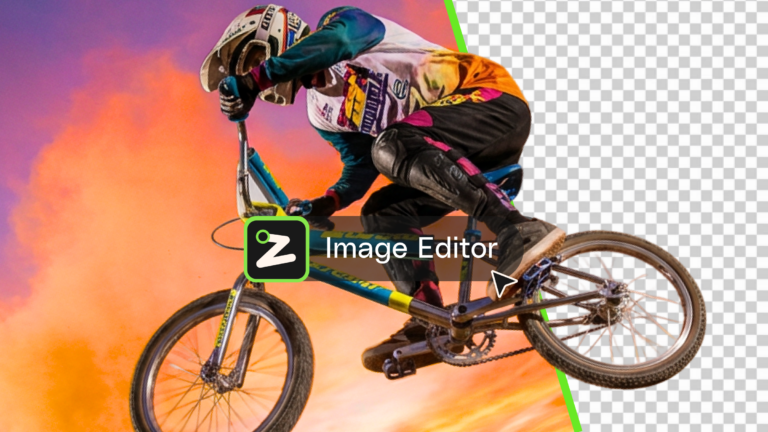
Learn what an AI image editor can do, and how to create polished visuals faster with AI.

