Nano Banana: AI photo editing tool for commercial photography

Swap backgrounds. Change colors. Composite like a pro. Here's how to make Nano Banana work magic on your commercial projects — no reshoots required.

Maria Villanueva 10min read 12 Sep 2025

Have you ever stared at a perfect shot and thought, “If only that background were different?” Or had a client drop the dreaded “Can we see it in purple?” at 4:59 PM on a Friday?

Yeah, we’ve been there.

Here’s the thing about commercial photography: perfection isn’t negotiable, but budgets and deadlines definitely are. You need shots that pop, variations that wow, and the ability to pivot faster than a client’s mood swings.

Enter Nano Banana in ImageEdit — your answer to commercial photo editing prayers. This isn’t another filter that makes everything look like it was shot through a jar of honey. It’s the AI commercial photo editing tool that gets you from “almost there” to “nailed it” without booking another studio day.

What is Nano Banana? Your AI-powered photo editing assistant

Think of Nano Banana as your smartest assistant who actually understands what you mean when you say “make it pop” (but, you know, in a useful way). This is actually Google DeepMind’s Gemini 2.5 Flash Image Preview model — now integrated into ImageEdit. It understands your image’s DNA — subjects, backgrounds, objects — then lets you manipulate them with simple text prompts.

So, what can this AI-powered photo editing assistant actually do for you?

  • Smart Selection & Masking: Forget tedious manual work. It automatically identifies and isolates elements — models, products, that random coffee cup your assistant left in frame
  • Generative Fill & Replacement: Remove distractions, add elements, blend seamlessly. Like having a retoucher who never complains about overtime
  • Background Swapping: This is where things get really fun. Replace an entire background while preserving realistic lighting and shadows on your subject, making it look like you were on location.
  • Commercial Color Correction: Lipstick needs to match the client’s mood board? Done. Product packaging needs updating? Sorted. No reshoots required

For designers and photographers, these features are a direct answer to common headaches like last-minute client requests, location scouting limitations, and the constant need for creative variations.

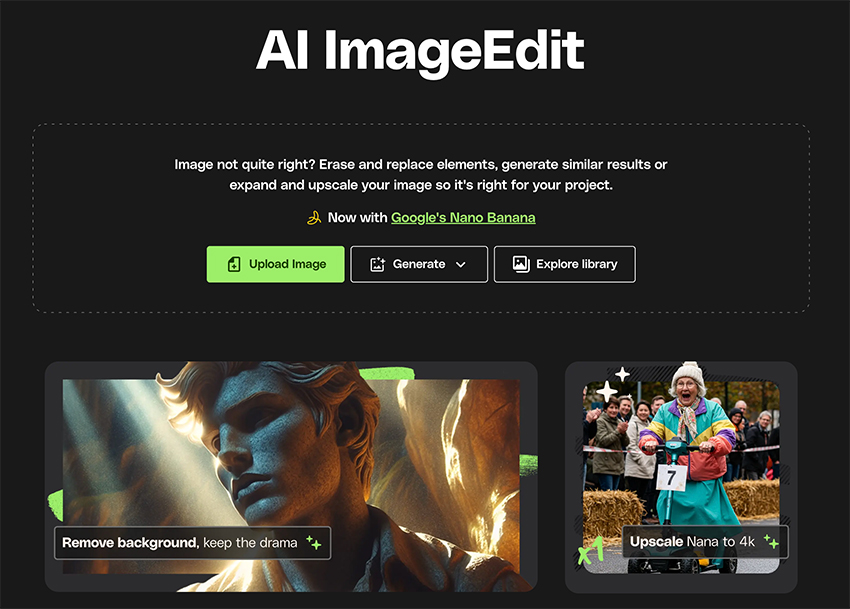
Nano Banana is a smart, context-aware editing assistant living inside ImageEdit.
Nano Banana is a smart, context-aware editing assistant included in ImageEdit.

How to Use Nano Banana: Pro principles for the best results

To get stunning, commercial-grade output, you need to start with the right ingredients. The quality of your input directly impacts the magic Nano Banana can perform — but mastering a few strategic techniques can take your results from good to extraordinary.

Start with high-quality images

The better your source image, the more incredible the result. Start with high-resolution, well-lit photos—think crisp details and dynamic lighting. Nano Banana thrives on clarity, so images with distinct features will yield more impressive, convincing edits.

Aim for clean separation

For the best automatic selections, use images where your subject has clean, defined edges and good contrast with the background. This helps the AI photo editing tool instantly understand what needs to stay and what needs to go. When faced with tricky details like flyaway hair or intricate jewelry, use Nano Banana’s refined selection brushes to gently nudge the mask into perfection — getting granular ensures commercial polish.

Master prompt specificity

A tip for AI image editing for photographers: the magic is in the details you provide. Don’t just say “change background.” Paint a vivid picture: is it a “minimalist concrete studio with soft morning light” or a “lush, tropical jungle with dappled sunlight”? The more descriptive and sensory your prompt, the more creative control you wield. When clients ask for hyper-specific edits — like a lipstick that matches a Pantone swatch — incorporate color codes or reference imagery right into your prompts for ultra-precise results.

Harness advanced layering strategies

Professional workflows often demand edits that evolve through multiple, intentional passes. Think like an artist working on a layered masterpiece: use Nano Banana for the main background swap, then run a separate enhancement for fabric color, and finish with a subtle light leak or shadow overlay. Save each stage as a separate layer or iteration within your workflow, allowing you to tweak or revert edits along the way. This modular approach not only saves time on client revisions but keeps quality locked at every step.

Handle complex selections with finesse

Not all commercial work is straightforward — enter those wild curls, glassware with reflections, or action scenes with motion blur. For these, combine Nano Banana’s auto-select with manual refinements. Zoom in, feather hard edges, and use the edge refinement tools to ensure the transition between subject and new environment is virtually undetectable. Layer gentle mask adjustments and subtle blending for that seamless, high-end finish.

Optimize for fast, flexible client revisions

Commercial clients love creative options and expect quick turnarounds. Nano Banana’s prompt-based workflow makes delivering multiple variations a breeze: save your favorite prompt templates and iteration files. When the client requests a new background color or wants to see “one with a moody, overcast sky,” tweak a few words in your original prompt, and regenerate instantly — no starting over from scratch. This flexibility is your secret weapon for over-delivering on expectations and landing repeat business.

Maintain a sense of realism

To avoid that “pasted-on” look, here’s the key to AI commercial photo editing: guide the AI on lighting and shadows. Use phrases in your prompt like “matching the subject’s warm lighting” or “with realistic soft shadows on the ground.” Take a moment to finesse any visible edges or adjust exposure in post for full believability. The small touches — like aligned reflections or naturally spilling shadows—are the hallmarks of truly professional enhancement.

How to craft the perfect Nano Banana prompt

Ready to become a prompt wizard? A well-crafted prompt is the key to unlocking the best results with Nano Banana. While you can get creative, a simple formula can give you a great starting point.

Try this formula: Action + Subject/Area + Detailed Description + Style & Lighting

Let’s see it in action with a few examples:

  • For an AI Background Replacement:
    • Action: “Replace background with”
    • Detailed Description: “an empty urban rooftop at sunset”
    • Style & Lighting: “cinematic, warm golden hour light, slightly out of focus.”
  • For a Product Swap:
    • Action: “Change the lipstick color to”
    • Detailed Description: “a deep matte crimson red”
    • Style & Lighting: “maintaining the original glossy highlights.”
  • For Compositing:
    • Action: “Add”
    • Subject: “a vintage convertible car”
    • Detailed Description: “driving on the road in the mid-ground”
    • Style & Lighting: “with realistic motion blur and dust kicking up from the tires.”
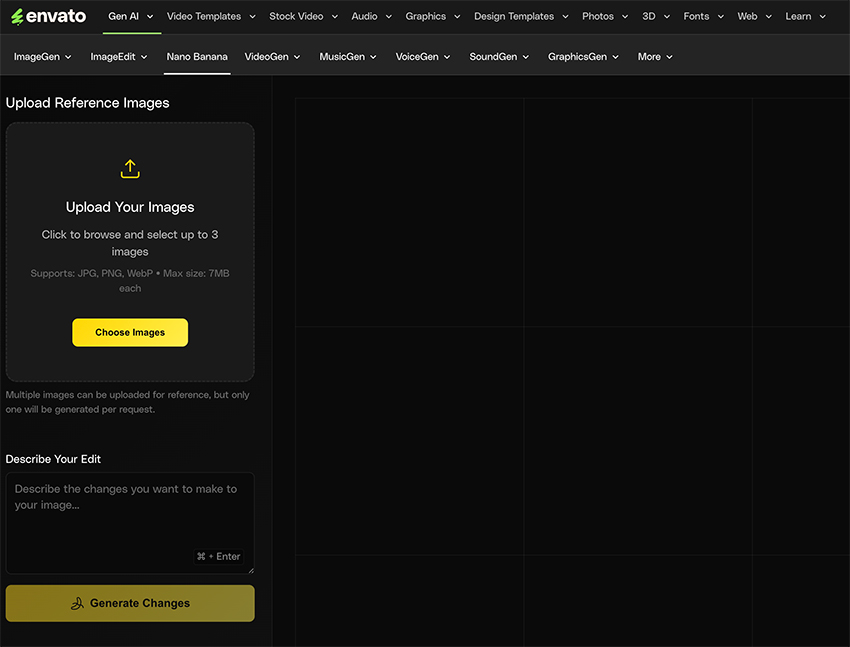
Nano Banana interface inside ImageEdit.
The Nano Banana interface is easy to use.

Real-World Commercial Examples with Nano Banana

Let’s look at how you can apply these AI photo editing techniques to real-world commercial scenarios.

Use case 1: Quick color change for commercial fashion

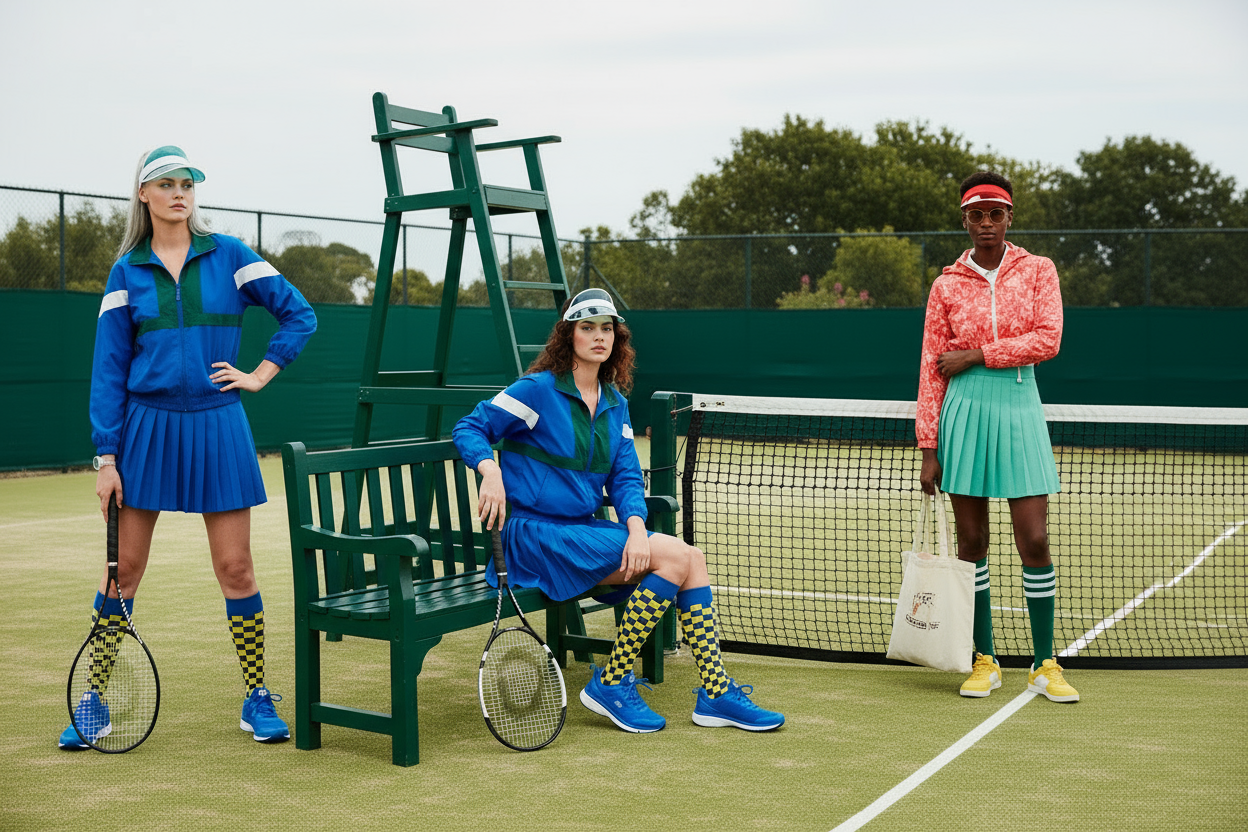
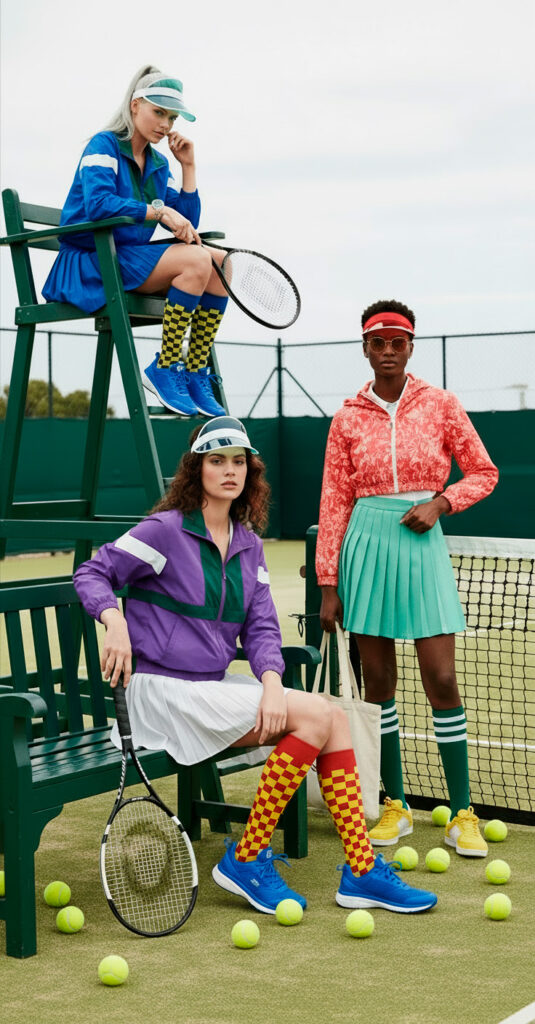
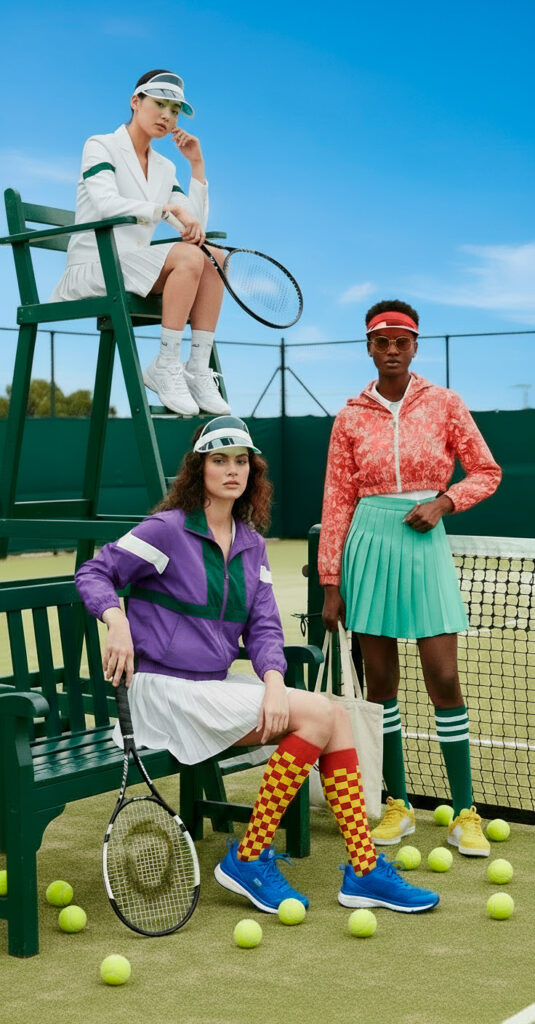
The challenge: Imagine you have a professional picture featuring three models in tennis sportswear. The shot is crisp, the poses are perfect — but now the client wants to see how the campaign looks if one set pops in different colors instead.

Original image featuring three models on a tennis court.

The Nano Banana solution:

  1. Open the image in ImageEdit’s Nano Banana and zoom in to focus on the model’s top, ensuring every fold and shadow is clear.
  2. With Nano Banana’s smart selection, highlight just the top, letting the tool distinguish the garment from skin, hair, and background in a snap.
  3. Enter a prompt like: “Change the top color to purple, keeping the natural fabric texture and preserving the original highlights and shadows for a realistic appearance.”
  4. Repeat the process to change the color of the socks as well.

First, you’ll see the top color instantly transformed into a vibrant purple, with all the subtle lighting and fabric details beautifully intact. The before-and-after images showcase the shift: on the left, the original cool tone sets a calm mood; on the right, the new shade injects energy and grabs attention. This seamless, detailed transformation means you can offer clients rapid colorway options — no reshooting, no painstaking brushwork, just pure commercial flexibility at your fingertips.

Edited image featuring one model wearing clothes in different colors.

Use case 2: The instant swap

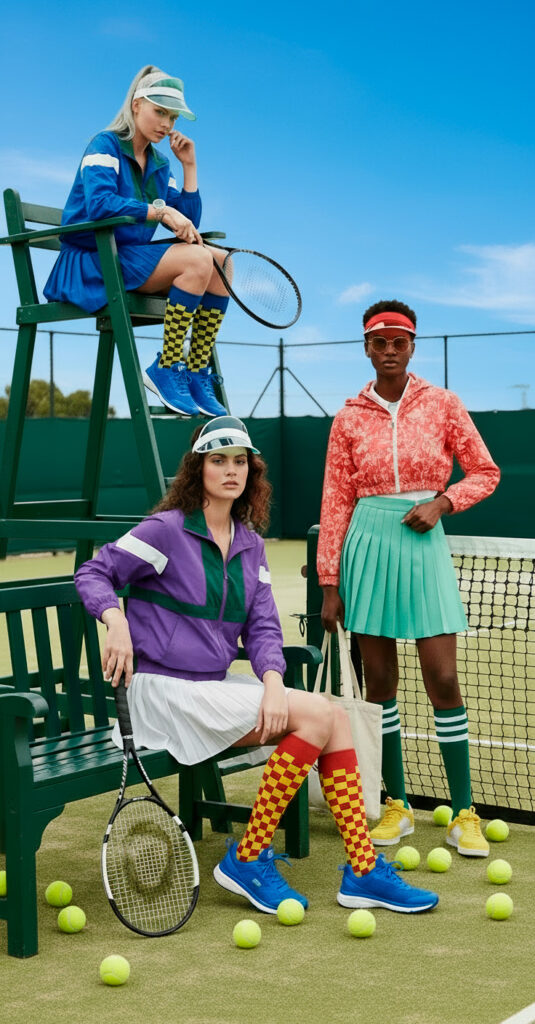
The challenge: Your image with a new, more vibrant clothing set on one model is ready. But now the client is asking if the sky can be replaced to feature a blue sky, almost no clouds — the perfect weather for a tennis match. You can fix it in less than 10 seconds with this AI background swap tool.

The Nano Banana Solution:

  1. Open your studio shot in ImageEdit’s Nano Banana.
  2. Select the area around you wish to replace.
  3. Use a prompt like: “Replace the cloudy sky in the background with a clear, blue sky and few clouds.”

In moments, the weather has improved massively, and your models are ready to play tennis in a sunny courtyard.

Edited image featuring a different, blue sky instead of a cloudy sky.

But what if the client is now asking to see a different model in the picture? Nano Banana can handle the task too:

Edited image featuring a different model on top of the high chair.

Use case 3: the ultimate composite for a sportswear brand

The challenge: The sportswear company is now asking for a new landscape image to promote its clothing, but with the same models.

The Nano Banana Solution (Multi-step):

  1. Start with the original image as your base.
  2. Upload two more images as references
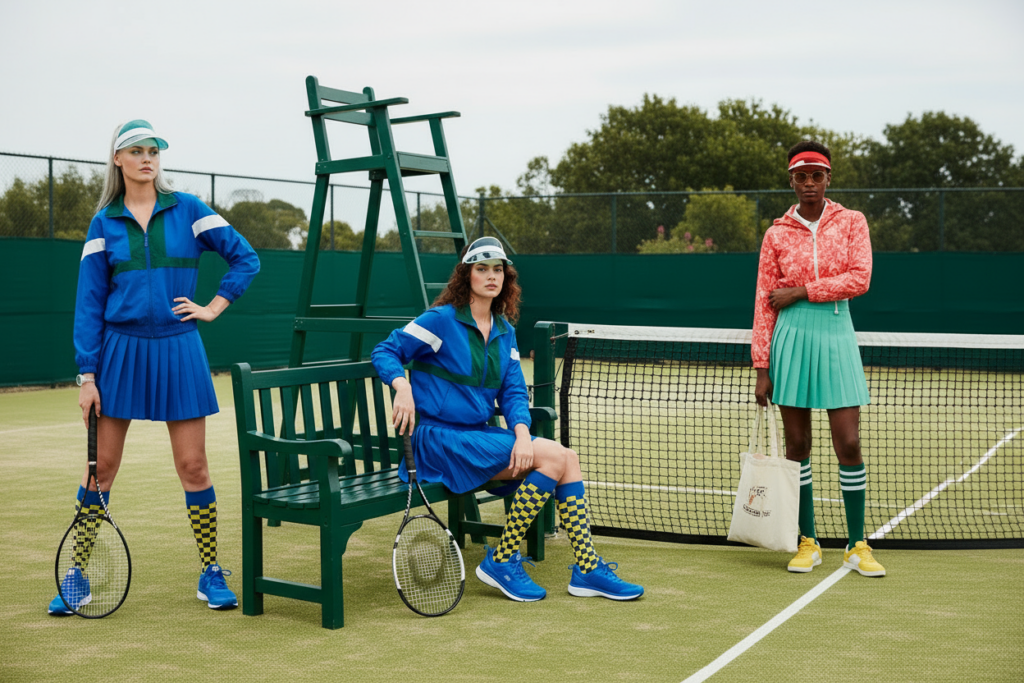
  3. Next, write a prompt like: “Create a landscape image featuring these three models against the tennis court background. Same faces and expressions, they wear the same clothes, but they are posing differently.

By layering generative edits, you can composite multiple elements into one cohesive, aspirational scene that tells a powerful story.

Edited image featuring models wearing sportswear.

Frequently Asked Questions

1. How do I ensure the lighting on my subject matches the new AI background?
Use descriptive lighting cues in your prompt, like “match the subject’s cool-toned side lighting.” You may still need to make minor final adjustments, but a good prompt gets you 90% of the way there. This is a good AI image editing tip for photographers.

2. What’s the best way to select complex objects like hair or fur?
Nano Banana’s selection tool is quite smart. For ultra-fine details, make a slightly looser selection. The AI is often clever enough to interpret the edges correctly and blend them naturally.

3. Can Nano Banana create images from scratch?
Nano Banana is built for editing and enhancing existing photos within ImageEdit. For generating entirely new images from a text prompt, you would use a tool like ImageGen.

4. My results look a little “off.” What am I doing wrong?
This often comes down to two things: vague prompts or low-quality source images. Be more descriptive! Instead of “a city,” try “a rain-slicked Tokyo street at night, filled with neon signs.” And always start with a sharp, well-lit photo.

5. How does this help with client revisions?
This is where Nano Banana truly shines. Save your prompts. When a client asks to change the “sunny beach” to a “moody, overcast beach,” you can simply tweak a few words in your prompt and regenerate the image in seconds.

Your Next Step in Professional Enhancement

Think of Nano Banana as your new creative partner and AI-powered photo editing assistant. Start with simple edits to get a feel for it, then build up to more complex composites. Don’t be afraid to generate multiple variations to discover the perfect look for your project.

Of course, a great image is just one piece of the puzzle. Pair your incredible Nano Banana creations with professional fonts, graphic templates, and mockups from Envato to build out a complete commercial campaign.

Ready to elevate your commercial workflow? Open ImageEdit, choose your best photo, and see what you can create with Nano Banana.

Related Posts