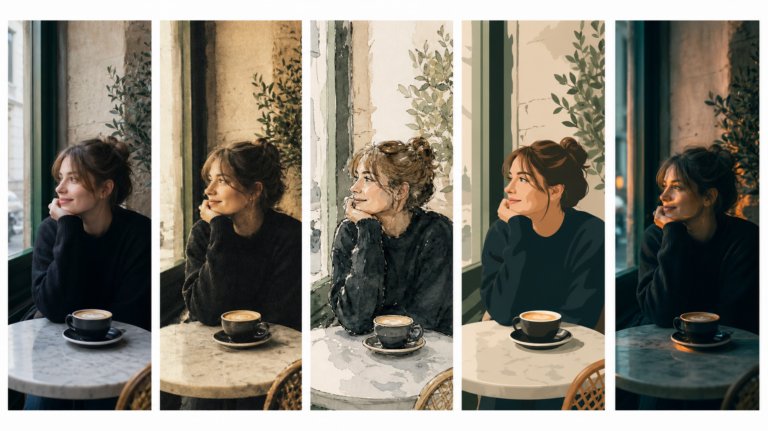
The best AI tools for image recreation
AI image recreation covers style transfer, reference-based generation, variations, and scene recreation. This guide compares the tools that handle each workflow for professional creative work.
Envato: Get every type of asset for any type of project, and access to AI tools. Start now
Learn how to create a short film using AI with the eight-step filmmaking workflow shared by OMNI Film Festival experts. From world-building and scripting to AI video generation and editing, this guide walks through the complete creative process.
Making a short film has always been one of the biggest creative challenges you can take on.
You need compelling characters, a believable world, thoughtful cinematography, editing, sound design, music, and pacing — all working together to tell a story.
AI hasn’t changed that. What has changed is who gets to make films.
Today, an individual creative can generate cinematic visuals, build believable worlds, compose original music, and produce sequences that would have required an entire production team only a few years ago. But there’s an important difference between creating impressive AI-generated clips and creating a film that audiences actually want to watch.
The difference is in the workflow.
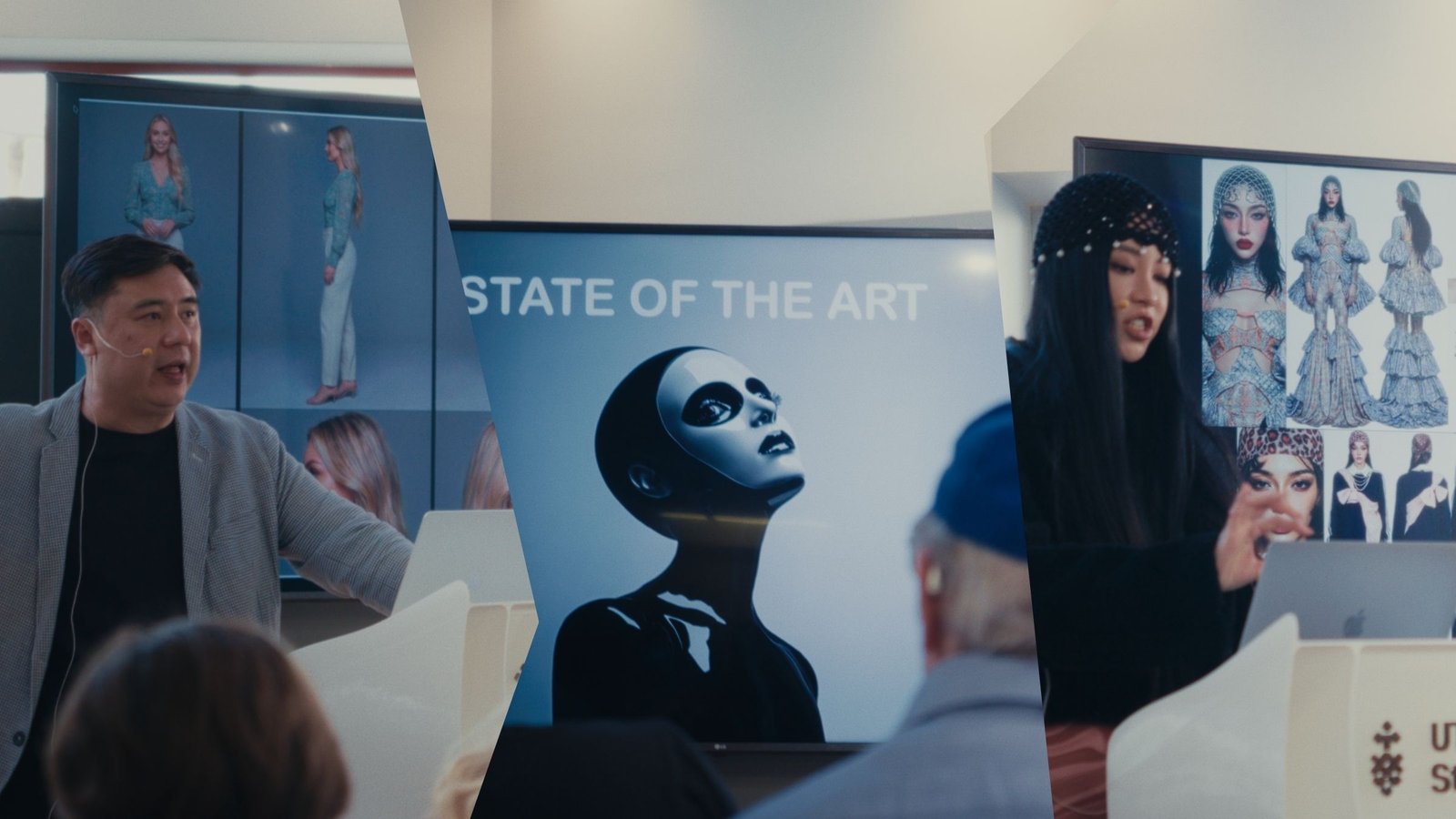
During the OMNI Film Festival, three leading AI filmmakers shared the production process they use to turn individual AI generations into coherent, emotionally engaging short films. Rather than focusing on prompt hacks or one specific AI model, they broke filmmaking down into a repeatable creative workflow built around preparation, consistency, and iteration.
This guide follows the same eight-step process. Along the way, we’ll explain not only what to do, but why each stage matters — and how it helps transform disconnected AI clips into a finished short film.
The best AI films aren’t created with a single perfect prompt — they’re built through a structured creative workflow. The OMNI experts recommend:
Creating a short film is one of the most demanding things you can attempt with generative AI.
Unlike creating a single image or short animation, filmmaking is a genuinely multimodal process. You’re working across images, video, dialogue, music, sound effects, and editing — all while trying to tell a compelling story. Every creative decision influences the next, which is why successful AI filmmaking is less about mastering one tool and more about learning how those tools work together.
It’s also one of the most exciting creative frontiers.
We’re already seeing independent filmmakers produce work that simply wouldn’t have been possible before generative AI. Small teams — and even solo creatives — can now experiment with ideas that once required specialist crews, expensive equipment, and months of production.
Before you begin, there are three ideas worth keeping in mind.
First, expect to iterate. A polished five-minute film may require hundreds of image and video generations before you have every shot exactly where you want it. That’s not a sign something has gone wrong — it’s the process.
Second, don’t rush into prompting. One of the biggest themes throughout the OMNI workflow is preparation. The time you spend organizing references, defining your visual style, and building consistent characters will save countless hours later in production.
Finally, trust the workflow. Every filmmaker develops their own creative style over time, but consistency comes from following a repeatable process. The better your foundations, the easier every later decision becomes.
Before you generate your first frame, build the world your film will live in.
Professional filmmakers rarely start with a blank page. Instead, they collect visual references that establish the atmosphere, locations, characters, and cinematography they’re aiming for. AI filmmaking is no different — in fact, references are arguably even more important because they provide the consistency that prompts alone struggle to achieve.
Start by searching for imagery that captures the look and feel of your story. Think beyond characters and locations. Look for examples of lighting, architecture, color palettes, camera framing, wardrobe, props, and landscapes. Together, these references become the visual language of your film.
In Envato, filters such as location, time of day, and color make it easy to narrow your search to imagery that already matches the atmosphere you’re aiming for. That means you’re making creative decisions before you ever write a prompt.
Organization matters just as much as collecting references.
The OMNI experts recommend creating nested workspaces with folders for characters, world, style, music, and shots. These folders become your creative library throughout production, making it easy to reuse references across multiple scenes without having to search for them again.
Don’t overlook stock models either. A posed model can provide an excellent composition reference for difficult camera angles or action sequences, helping AI understand exactly what you’re trying to achieve.
The goal isn’t to collect hundreds of images — it’s to curate a smaller collection that consistently reflects your film’s visual identity.
You leave this step with: organized reference libraries containing your characters, locations, visual style, and shot inspiration.
With your reference library established, it’s time to create the assets that will hold your film together.
One of the biggest challenges in AI filmmaking is consistency. Characters change appearance between scenes. Locations drift. Lighting shifts unexpectedly. Even subtle differences can break the illusion that every shot belongs in the same story.
This is why the OMNI experts spend so much time creating what they call locks — reusable reference assets that define exactly how a character or environment should look throughout the production.
Start by generating character sheets that show each person from multiple angles, expressions, and poses. Expect to generate dozens of variations before you find a consistent look. Keep the strongest images and discard anything that doesn’t match.
Next, build the world your characters inhabit. Generate environments, key props, and recurring locations until they share a consistent visual treatment. This is also the stage where tools such as Envato AI graphics generator and mockup generator become useful, allowing you to assemble your best generations into reference boards that can be reused throughout production.
By the end of this stage, you should have three core creative assets:
It takes time, but it’s one of the biggest investments you can make. Every future generation becomes faster, more consistent, and easier to refine because you’ve already established the visual rules your film will follow.
You leave this step with: consistent character sheets, world references, and a locked visual style in your workspace that can be reused throughout the rest of the workflow.
One of the most surprising lessons from the OMNI Masters is that they don’t begin with video generation. They begin with music.
For many filmmakers, the soundtrack becomes the emotional backbone of the film. It establishes pacing, creates tension, signals transitions, and often determines where scenes should begin and end. Choosing your music early gives your story a structure long before you start generating individual shots.
Start by searching for licensed stock music that matches the tone you’re aiming for. Think about the mood first rather than the genre. Does your story feel hopeful, mysterious, melancholic, or suspenseful? Listen for tracks that naturally build, pause, and resolve — those moments often become the turning points in your film.
If you can’t find exactly what you need, Envato’s AI music generator allows you to generate original tracks by describing style, instrumentation, production techniques, and emotional feel. Whether you’re working from stock music or AI-generated compositions, the goal remains the same: establish the emotional rhythm before you begin building visuals around it.
Once you’ve chosen your soundtrack, listen to it repeatedly. Mark the moments where the energy rises, where it slows, and where the emotional peaks occur. Those become natural guideposts for your screenplay and, later, your edit.
You leave this step with: a soundtrack that provides the emotional and structural foundation for the rest of your film.
With your visual references complete and your soundtrack setting the emotional pace, it’s time to transform those creative assets into a story.
Rather than starting from a blank page, use an AI writing assistant to help organize everything you’ve created so far. Feed it your character sheets, world references, music structure, and a brief outline of your story, then use that material to develop a screenplay.
Because you’ve already established your visual world, the AI isn’t inventing characters or locations from scratch — it’s building on a creative foundation you’ve already defined.
As you work through the script, think in terms of scenes rather than pages. Every scene should answer four simple questions:
This approach creates a practical production plan rather than just a screenplay. When you move into video generation, every scene already has a clear purpose, visual identity, and emotional direction.
You don’t need a Hollywood-length script either. AI filmmaking often works best when scenes are concise and visually driven, allowing imagery, pacing, and music to carry much of the storytelling.
You leave this step with: a scene-by-scene screenplay that’s ready for production.
This is where most people expect the filmmaking process to begin — but in reality, it’s the result of everything you’ve prepared so far.
Instead of trying to produce an entire film in a single session, the OMNI experts recommend treating each scene as its own creative project. That keeps your workflow manageable while making it much easier to maintain consistency across the finished film.
Before generating a shot, attach the references you’ve already created. A typical setup might include:
The closer your references match the shot you’re trying to create, the better your results are likely to be. If you’re generating a close-up at dusk, use references that already reflect that angle and lighting rather than relying on your prompt to describe everything.
When it comes to prompting, keep things simple. Start with a straightforward description:
A woman walks through a foggy forest at dawn.
Once you’re happy with the basic result, begin layering in filmmaking language:
Wide tracking shot from behind using a 35mm lens. Cold blue-gray light. Mist hanging in the trees. She pauses after four seconds and looks back over her shoulder.
The important part is changing only one or two variables at a time. If you alter lighting, framing, camera movement, and character action all at once, it becomes difficult to understand what improved — or what broke — the generation.
Think like a cinematographer rather than a prompt engineer. Describe camera angles, lenses, composition, lighting, and movement. Those details are often far more useful than vague adjectives like “cinematic” or “epic.”
Don’t forget the soundtrack either. Native environmental audio can add realism to your generated clips, but if you’re planning to add music later, prompt against unwanted background music to keep your edit clean.
Most importantly, expect to regenerate.
The OMNI experts repeatedly emphasized that their advantage doesn’t come from secret prompts — it comes from persistence. If a character drifts, replace the reference image rather than adding another paragraph to your prompt. References almost always provide greater consistency than additional text.
You leave this step with: multiple usable takes for every scene in your film.
By now, you’ve built the visual side of your film. Next, it’s time to create the audio that makes those images feel believable. Music provides emotion, but great sound design creates immersion.
Use Envato’s AI voice generator for narration or dialogue where needed, then fill out your edit with sound effects that support the action on screen. Footsteps, ambiance, weather, doors, wildlife, and environmental sounds all help convince the audience they’re watching a real world rather than a sequence of generated clips.
Our stock sound library remains incredibly valuable here. While AI can generate convincing effects, professionally recorded Foley and ambiance often save time and deliver more natural results.
You can also create titles, graphics, and still images at this stage. Besides becoming part of your final edit, these assets often make excellent references if you need to regenerate scenes later in production.
Think of this step as gathering everything your editor will eventually need, rather than trying to solve audio problems after you’ve already started cutting the film.
You leave this step with: dialogue, sound effects, titles, and supporting assets ready for editing.
Creative work becomes surprisingly administrative once production begins.
By the time you’ve generated dozens — or even hundreds — of clips, it becomes almost impossible to remember which version was the keeper, which prompt created it, or where every file is stored.
That’s why the OMNI workflow includes a surprisingly simple but essential tool: a spreadsheet.
Track every scene, the prompt that produced the final take, the current status of each shot, and where the corresponding files are saved. Download your keeper clips as you work rather than relying on cloud history to find them later.
It isn’t the most exciting part of filmmaking, but it may be one of the most important.
Good organization turns a complicated production into a manageable one, especially if your project stretches across weeks or months. Without a system, you’ll spend more time searching for assets than making creative decisions.
You leave this step with: a well-organized production that’s easy to revisit, revise, and expand.
With every shot generated and your supporting assets prepared, the final stage is where the story truly comes together.
Import your footage into the editing software you’re most comfortable using. Whether that’s DaVinci Resolve, Adobe Premiere Pro, or a simpler editor such as iMovie matters less than understanding the rhythm of your film.
Start by placing your soundtrack on the timeline.
Rather than editing chronologically, block out your rough sequence against the music first. Let the emotional beats of the soundtrack guide pacing, transitions, and scene changes. This often reveals a stronger structure than simply arranging scenes in script order.
As you refine the edit, use J-cuts and L-cuts to blend audio between scenes, creating smoother transitions that make the generated footage feel more connected. Balance dialogue, music, and environmental sound carefully so each element supports the others without competing for attention.
Finally, apply the visual treatment you established earlier. Using the same color grade or LUT across every shot helps unify footage generated across different sessions, making the finished film feel far more cohesive.
Don’t expect this to be your final edit.
One of the biggest insights from the OMNI workflow is that editing isn’t the end of production — it’s part of it. Weak shots become obvious once they’re placed into the timeline, and that’s your cue to return to Step 5, regenerate stronger versions, and continue refining the film.
Your first edit won’t reveal a finished film — it will reveal what still needs improving.
That’s why the OMNI workflow isn’t a straight pipeline. It’s a creative loop. Every edit informs another generation, and every new generation strengthens the final cut.
You leave this step with: a finished cut — and a workflow you can return to whenever the story needs another pass.
By now, you’ve probably noticed something about this workflow. Very little of it revolves around finding the perfect prompt. Instead, it’s built around preparation, consistency, and iteration — the same principles that have always underpinned great filmmaking.
One of the biggest misconceptions about AI filmmaking is that it allows you to skip the creative process. In reality, it simply shifts where your creative energy goes. Rather than spending days setting up lights or building physical sets, you’re investing that time in developing visual references, refining character designs, shaping your story, and making hundreds of small creative decisions that add up to a finished film.
That’s why the OMNI experts repeatedly returned to one idea throughout their presentation: trust the process.
Some scenes will work immediately. Others may take dozens of attempts before everything clicks into place. Every filmmaker experiences that frustration, whether they’re shooting on a cinema camera or generating video with AI.
Persistence isn’t a workaround — it’s part of the craft.
The creatives behind this workflow shared that one 18-minute AI film took around four months of nights and weekends to complete. That’s a useful reminder that AI doesn’t eliminate the work of filmmaking. It simply gives more people the opportunity to do it.
If there’s one lesson to take away from this workflow, it’s that great AI films are built long before you generate your first shot. Here are the principles the OMNI experts kept coming back to.
It’s tempting to solve every problem by writing longer prompts, but experienced AI filmmakers often do the opposite. If a character begins drifting, they replace the reference image rather than adding more text. Visual references usually produce far more reliable consistency than increasingly detailed prompts.
Don’t think of music as something you add during editing. Think of it as the emotional blueprint for your film. A soundtrack gives your story rhythm, helping you decide where scenes begin, end, and transition.
Start with a clear, uncomplicated prompt and build from there. Adjust one or two variables at a time so you understand exactly what’s improving each generation. Simplicity makes iteration faster and far easier to troubleshoot.
Prompting is only one part of the process. Composition, lighting, pacing, color, editing, and sound design all play a much bigger role in creating a film that feels cinematic. The more you think like a director or cinematographer, the stronger your results will become.
The best AI filmmakers don’t produce a single clip — they produce many. Compare versions, keep the strongest takes, and don’t be afraid to revisit scenes after you’ve started editing. Every new iteration is another opportunity to improve your film.
AI filmmaking is changing who gets to tell stories.
For independent creatives, it removes many of the traditional barriers to production, making it possible to build worlds, develop characters, and create cinematic sequences without the budget or crew that filmmaking once demanded. But while the tools have changed, the craft hasn’t.
Great films still rely on compelling stories, thoughtful visual direction, careful editing, and the patience to refine every scene until it serves the narrative. That’s what makes the OMNI workflow so valuable. Rather than chasing the latest model or searching for the perfect prompt, it provides a repeatable creative process built on preparation, consistency, and iteration — principles that will outlast any single AI tool.
If you’re creating your first AI short film, don’t worry about getting everything right on the first attempt. Build strong references, trust your process, and keep iterating. Every finished film starts with a single scene, and every great scene starts with a clear creative vision.
The tools will evolve. New models will arrive. Video quality will continue to improve.
But great filmmaking will always come back to the same fundamentals: story, emotion, rhythm, and craft.
Master those, and AI becomes far more than a shortcut.
It becomes another powerful tool in your creative filmmaking toolkit.
Yes, but it’s rarely a one-click process. Most successful AI films combine image, video, and audio generation with dialogue, sound design, and traditional editing into a structured workflow. AI speeds up production, but storytelling, creative direction, and iteration remain essential.
There isn’t a single best tool. Most creators combine several specialized tools throughout production, using different platforms for scripting, image generation, video generation, music, voice, sound effects, and editing. The workflow matters far more than the individual tools.
Music establishes the emotional rhythm of a film. By selecting your soundtrack first, you can plan scene lengths, transitions, and dramatic moments around the music, creating a more natural edit and stronger pacing.
That depends on the length and complexity of your project, but even short films often involve hundreds of individual generations and multiple rounds of editing. As the OMNI experts noted, one 18-minute project took approximately four months of evenings and weekends to complete.
No. Prompting is important, but consistency comes from preparation. Building strong references, maintaining organized assets, and following a repeatable production workflow will usually have a bigger impact on the finished film than writing increasingly complex prompts.
AI image recreation covers style transfer, reference-based generation, variations, and scene recreation. This guide compares the tools that handle each workflow for professional creative work.
Discover how Envato's AI sound generator creates custom sound effects from text prompts so creators can skip library searches and edit faster.

We tested 9 AI image generators on identical artistic prompts (same style-transfer task, same day) to see which one actually paints like an artist.
AI isn't making full movies yet; it's reshaping VFX, editing, and dubbing. Here's where it helps filmmakers today, and where it doesn't.

