
What’s new at Envato?
Every update, tool, and feature drop in one place. New AI models, smoother workflows, and creator-requested features — all logged here. Bookmark this page and check back often.
Envato: Get every type of asset for any type of project, and access to AI tools. Start now
Nested Workspaces helps creatives organize clients, projects, and assets in a cleaner, more intuitive way without disrupting existing workflows.

Creative work gets messy fast.
One minute, you’re kicking off a new client project. Next, your desktop is stacked with folders called “FINAL”, “FINAL_v2”, and “FINAL_THIS_ONE_USE”. References are buried somewhere inside Downloads. Half your day disappears into trying to remember where you saved that one logo lockup with the approved spacing.
Creative professionals already think in structure. Clients sit at the top. Campaigns live underneath. Assets belong somewhere specific. But most digital workspaces still flatten everything into one long stream of projects, tabs, folders, and visual noise.
Nested Workspaces changes that.
It introduces a cleaner hierarchy that mirrors how creative work actually moves, helping you organize work naturally rather than constantly managing chaos.
Your work already has structure. Now your workspace does too.
Nested Workspaces are part of Envato Workspaces and are built to help creatives organize projects, assets, and collaboration in one place. They let you create workspaces within workspaces — adding structure and hierarchy, instead of forcing everything into a single level.
Think of it like this:
| Workspace level | Example |
| Root workspace | Client or team name |
| Nested workspace | Campaign or project name |
| Nested workspace | Deliverables, asset types or creative territories |
You can nest workspaces up to three levels deep, making it easier to structure projects the same way you already think about them.
Instead of endlessly scrolling through disconnected folders and archived projects, work stays grouped in a way that feels intuitive.
For freelancers, that might look like:
For an in-house creative, it could look more like:
No more naming systems that look like a cry for help:
FINAL_v2_THIS_ONE_USE_REAL.psd
A beautiful day for everyone involved.
New organizational systems can sometimes trigger immediate psychological resistance.
Especially when the words “migration,” “restructure,” or “starting fresh” come up.
Most creative teams do not want to rebuild years of project organization just to try a new workflow feature. Nested Workspaces avoids that problem entirely.
Everything you already have stays exactly where it is, including the same URLs, content, and root-level structure you already use today.
Existing workspaces continue working normally. You can start nesting projects gradually whenever it makes sense for your workflow.
Creative workflows have expanded dramatically over the last few years. Flat workspace systems start struggling under that complexity.
Nested Workspaces introduces a structure that scales more naturally with how creative work actually happens. Instead of forcing every project into a single crowded layer, workspaces can expand organically without turning into visual chaos.
The result is cleaner navigation and faster asset retrieval.
More importantly, it reduces friction.
The best creative systems rarely feel dramatic or disruptive. They quietly remove small frustrations that compound over the course of a working week, such as hunting for files amid clutter.
Nested Workspaces helps simplify that invisible overhead so creative teams can stay focused on the work itself.
And maybe, finally, you can retire the folder called: FINAL_v2_USE_THIS_ONE_FOR_REAL.ai
If you’re setting up Workspaces for the first time, the full Envato Workspaces guide covers everything from saving assets and sharing projects to managing larger creative workflows.
Nested Workspaces support up to three levels of hierarchy. That gives creative teams enough structure to organize clients, campaigns, assets, and deliverables without turning the workspace into an infinite folder maze from 2017.
For most workflows, three levels is the sweet spot between flexibility and usability.
No. Existing workspaces stay exactly where they are with the same URLs, content, and structure you already use today.
You can start nesting projects gradually whenever it makes sense for your workflow, instead of rebuilding everything from scratch in one slightly stressful afternoon.
Nested Workspaces are especially useful for designers, art directors, freelancers, agencies, and creative teams managing multiple clients or campaigns simultaneously.
They work particularly well for workflows involving:
Every update, tool, and feature drop in one place. New AI models, smoother workflows, and creator-requested features — all logged here. Bookmark this page and check back often.

Discover Envato's Edit with AI, a simple way to personalize professional stock with AI, make creative edits, and stay in your workflow.
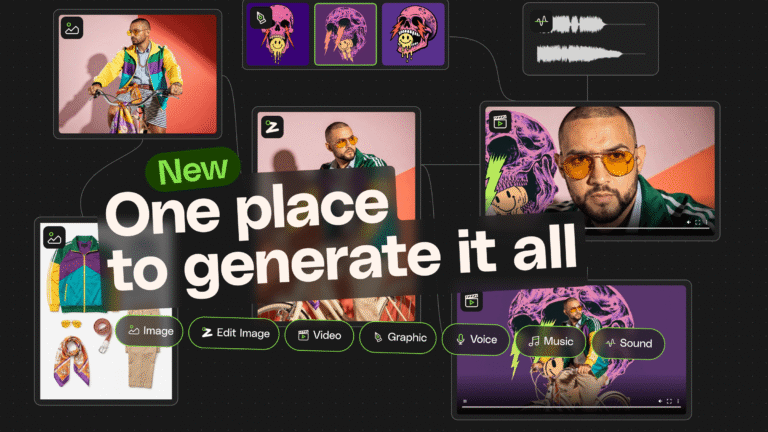
A fresh way to create across image, video, music and sound. Build better AI creative workflows without switching tools or losing context.
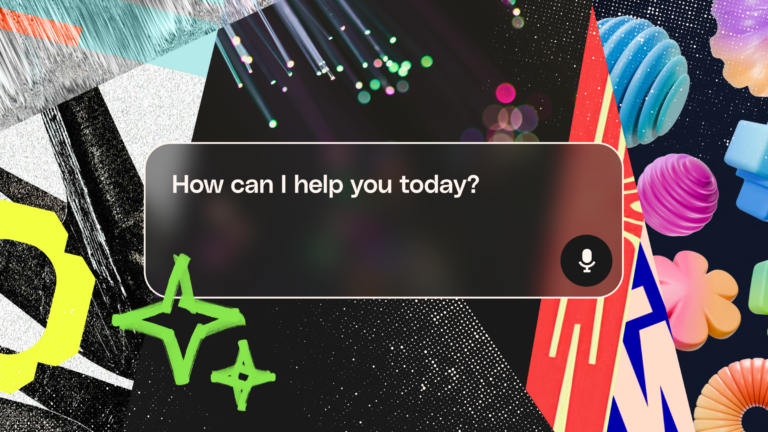
Envato MCP server connects AI assistants to the Envato library, enabling real-time, structured asset search directly inside tools like ChatGPT, Claude, and Gemini.

