
How to edit with AI using Envato stock photos
Learn how to edit with AI on Envato stock photos, customizing images instantly by removing objects, changing backgrounds, and creating polished visuals without leaving the platform.
Envato: Get every type of asset for any type of project, and access to AI tools. Start now

AI image generation continues to accelerate, and Bytedance’s latest release, Seedream 4.5, marks a major leap forward in both realism and control. Seedream 4.5 builds on the SD4 family, offering improved identity preservation, enhanced aesthetics, and significantly more accurate instruction following.
We’ve now upgraded Envato ImageGen to use Seedream 4.5 in workflows that involve a reference image. This means you’ll immediately see better results when enhancing photos, applying stylistic changes, or generating variations.
You don’t need to change your workflow; ImageGen automatically produces better results, alongside other models under the hood in ImageGen, such as Flux.2 and Nano Banana Pro.
Let’s unpack what’s new.
Seedream 4.5 is Bytedance’s newest evolution of the SD4 image model, designed to deliver:
The model’s improved ability to hold onto the details of the original image, while still applying creative direction, makes it one of the most powerful SD4-class upgrades to date.
Seedream 4.5 improves ImageGen in three major ways, especially in reference-image workflows.
Seedream 4.5 is significantly better at maintaining:
This means your enhanced or restyled images no longer drift away from the original person or product.
Seedream 4.5 delivers richer artistic qualities, including:
Images appear polished and intentional, making them especially useful for social visuals, branding, and editorial-style content.
The model follows complex or multi-step prompts far more accurately. This includes:
This means fewer retries and faster iteration, especially for precise creative direction.
Seedream 4.5 upgrades your workflow automatically, eliminating the need for extra switches, menus, or technical settings.
In other words, ImageGen simply improves, allowing your visuals to become more professional with less effort.
Seedream 4.5 is Bytedance’s upgraded SD4 image generation model, offering improved identity preservation, enhanced aesthetics, and more accurate handling of multi-step instructions.
No. The upgrade happens automatically. ImageGen uses Seedream 4.5 behind the scenes in applicable workflows.
Yes. It handles complex, multi-step, and nuanced instructions with far greater precision than SD4.
Yes. Performance remains efficient while delivering noticeably improved output quality.
It enhances reference-image workflows by preserving faces, lighting, color tone, and details more closely to the original image while improving overall visual quality.
Portraits, product shots, lifestyle imagery, and any reference-image-based generation — especially when likeness and detail are important.
Absolutely. Seedream 4.5 produces more cinematic lighting, richer shadows, more refined color grading, and overall more visually appealing results.
Learn how to edit with AI on Envato stock photos, customizing images instantly by removing objects, changing backgrounds, and creating polished visuals without leaving the platform.

Discover how Envato's AI sound generator creates custom sound effects from text prompts so creators can skip library searches and edit faster.
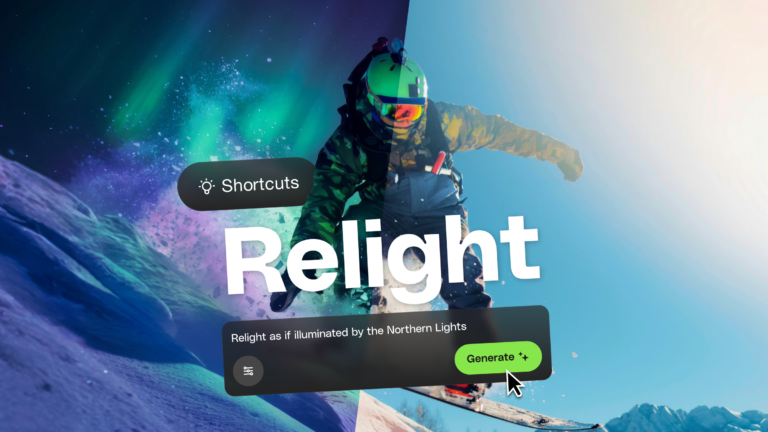
Learn how AI photo relighting works in Envato Shortcuts. Change lighting, mood, and shadows in seconds with guided AI workflows.

Discover how sonic branding AI tools help you create unique brand sounds, from audio logos to UI effects, and build a consistent, memorable sonic identity across platforms.

