
What’s new at Envato?
Every update, tool, and feature drop in one place. New AI models, smoother workflows, and creator-requested features — all logged here. Bookmark this page and check back often.
Envato: Get every type of asset for any type of project, and access to AI tools. Start now
Discover Envato's Edit with AI, a simple way to personalize professional stock with AI, make creative edits, and stay in your workflow.

Every creative project has an “almost right” moment.
You’ve found the perfect stock asset. Well… almost.
The composition is right, but you need a different crop. The image is exactly the right style, but there’s a distracting object in the background. The stock video has the perfect camera movement, but you wish the scene had continued just a little longer or taken the story in a different direction.
For years, solving those small problems meant breaking your creative flow. Download the asset. Open another editing tool. Make the change. Export it. Return to your project.
But most of the time, you didn’t need a different asset. You just needed the right one.
That’s why we built Envato’s Edit with AI.
Instead of treating stock assets as fixed downloads, Edit with AI turns them into creative starting points that you can personalize without leaving Envato. Whether you’re adapting an image for a campaign, building on a stock video, or making quick creative refinements while you’re still browsing, Edit with AI helps you keep moving instead of switching tools.
Edit with AI is an AI-powered editing experience that helps creatives personalize supported stock assets without leaving Envato.
Rather than starting from a blank prompt, Edit with AI begins with professionally created stock assets and offers simple ways to adapt them to your project.
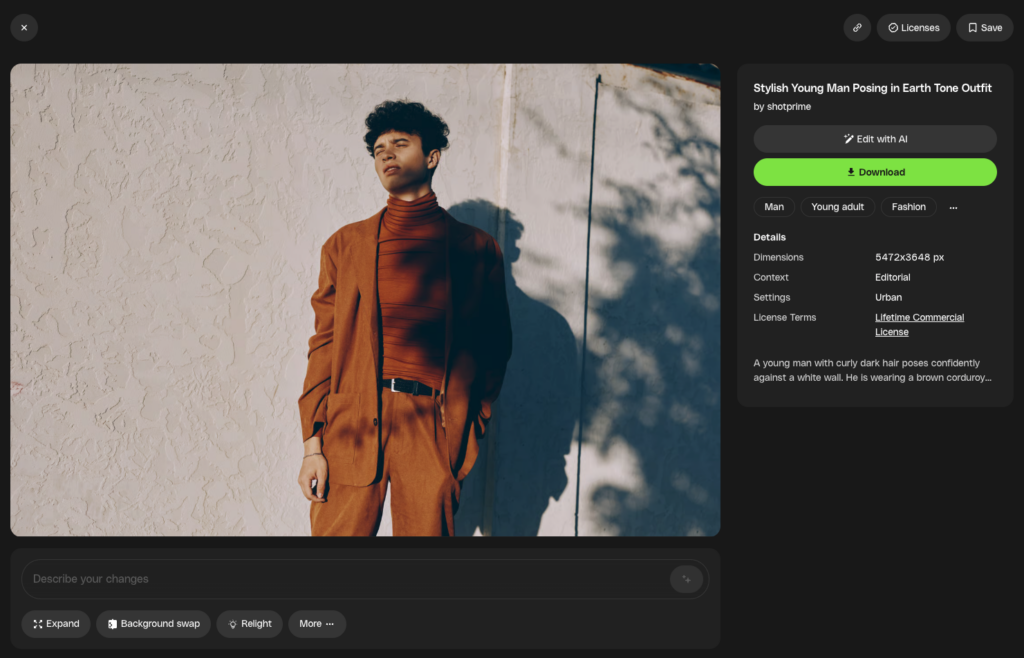
That might mean reframing an image for a different format, removing distractions, replacing text, recoloring artwork, or building on a supported stock video by using it as the creative starting point for something new.
Instead of replacing professional stock with AI, Edit with AI combines the best of both. You start with professionally created assets, personalize them with AI, and continue creating without leaving your workflow.
Every supported asset becomes more flexible, more reusable, and ultimately more valuable.
Edit with AI is designed around the kinds of creative adjustments professionals make every day.
Editing stock images with AI lets you quickly adapt assets without opening another editing application.
Depending on the asset, you can:
These are often the small changes that previously interrupted your workflow, even though the asset was already close to what you needed.
Editing stock video with AI can also become creative starting points.
Instead of generating footage from a blank prompt, you can use a short section of a supported stock clip as a visual reference and build on it with AI. It’s a different way of thinking about stock video—not as a finished asset, but as the beginning of a new creative idea.
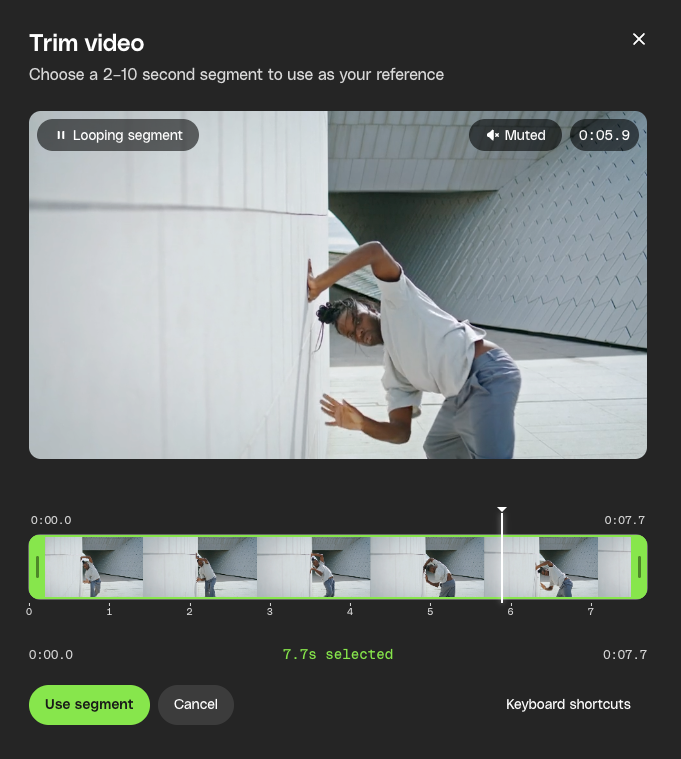
This is particularly useful when you’ve found footage with the right movement, pacing, or emotion but need something that fits your project more closely.
Creatives commonly use this workflow to:
Rather than replacing stock footage, you’re unlocking more creative possibilities from it.
Many AI tools begin with an empty prompt. Envato’s Edit with AI begins with professionally created stock. That difference matters.
Professional stock already gives you thoughtfully composed imagery, production-quality video, and assets created by experienced artists and creators. Instead of asking AI to invent everything from scratch, you’re giving it a strong creative foundation to build on.
That often means faster results, more predictable outputs, and less time refining prompts.
| Starting with professional stock | Starting with a blank prompt |
| Professional composition and quality | AI creates everything from scratch |
| Strong creative starting point | Creative direction depends entirely on prompting |
| Faster for adapting existing ideas | Better for completely new concepts |
| Built around commercial creative workflows | Built around open-ended generation |
Envato’s Edit with AI isn’t about replacing professional stock.
It’s about helping you get even more value from it.
The best creative tools don’t interrupt your workflow.
They remove friction from it.
That’s the idea behind Envato’s Edit with AI.
Instead of treating stock assets as fixed downloads, Edit with AI helps you personalize professional stock while you’re still creating. Whether you’re refining an image, adapting an asset for a new campaign, or building on a stock video to create something new, every supported asset becomes a more flexible creative starting point.
Because sometimes you don’t need a different asset. You just need the right one.
Envato’s Edit with AI is an AI-powered editing experience that helps you personalize supported stock assets without leaving Envato. Instead of downloading assets into another editing application, you can make common creative edits directly within your workflow while maintaining the quality of professional stock.
Edit with AI supports selected stock images and stock videos. Available editing options vary depending on the asset type, allowing you to personalize images or build on supported stock videos without leaving your creative workflow.
Yes. Edit with AI is designed to make common creative edits simple. Whether you want to reframe an image, remove distractions, update text, or build on a supported stock video, the experience is designed for creators who want professional results without becoming AI experts.
No. Edit with AI is designed to complement your existing workflow. It makes common creative edits faster and easier directly inside Envato, while dedicated editing applications remain the best choice for complex production and advanced creative work.
Edit with AI turns professional stock into a creative starting point rather than a fixed final asset. Instead of abandoning a stock image or video that’s almost right, you can personalize it to better suit your project. That means fewer compromises, less time switching tools, and more value from every stock asset.
Edit with AI starts with professional stock instead of a blank prompt. Rather than generating everything from scratch, you begin with a professionally created stock asset and use AI to adapt it to your project. This gives you a reliable creative starting point while keeping your workflow inside Envato.
Starting with professional stock gives AI a stronger creative foundation. Instead of relying entirely on prompts, you’re building on professionally created imagery or video with established composition, lighting, movement, and production quality. This often leads to faster, more predictable results.
Edit with AI helps creative professionals stay in their workflow. Rather than downloading a stock asset into another editing application for small adjustments, you can personalize supported assets while you’re still browsing. The goal is to help you spend less time switching tools and more time creating.
Yes. Assets edited with Edit with AI continue to follow Envato’s licensing terms. The original stock content is licensed when you use it, and the original creator receives attribution where applicable. Always review the relevant license before using edited assets in commercial projects.
Every update, tool, and feature drop in one place. New AI models, smoother workflows, and creator-requested features — all logged here. Bookmark this page and check back often.
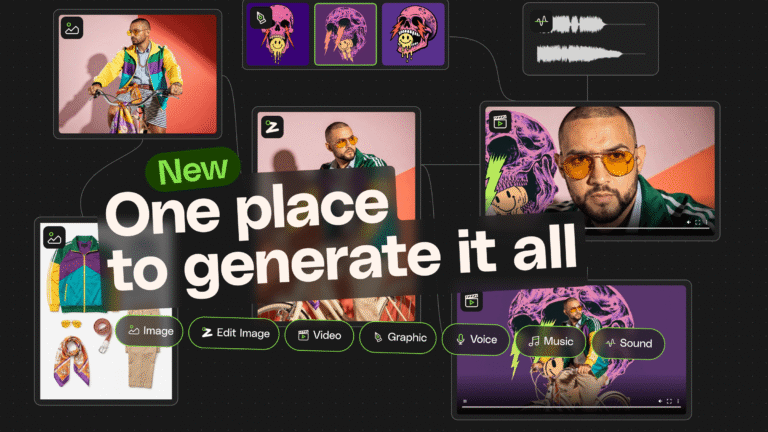
A fresh way to create across image, video, music and sound. Build better AI creative workflows without switching tools or losing context.
Envato MCP server connects AI assistants to the Envato library, enabling real-time, structured asset search directly inside tools like ChatGPT, Claude, and Gemini.
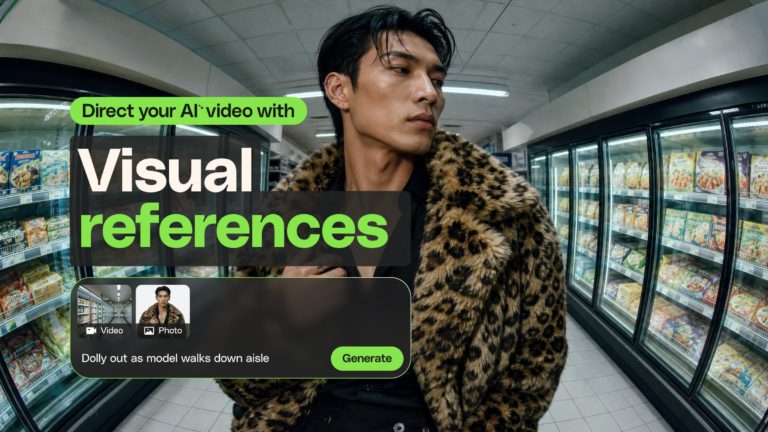
Guide AI video generation with up to five images and one video. Create more consistent characters, styles, and motion with Visual References.

