


How AI is transforming filmmaking today
AI isn't making full movies yet; it's reshaping VFX, editing, and dubbing. Here's where it helps filmmakers today, and where it doesn't.
Envato: Get every type of asset for any type of project, and access to AI tools. Start now
Compare AI video generators vs stock footage on cost, realism, and licensing to choose the right shot.

Text-to-movie searches have overtaken queries for traditional video editing software, and that shift is showing up on live briefs. The question of AI video generators vs stock footage isn’t theoretical anymore. It’s the call you make on a Tuesday afternoon when a client wants a hero shot by Friday, and you have to decide: generate it, license it, or both.
You’re not picking a side. You’re deciding per shot, which clips to generate, which to license, and how to defend either choice when the client asks. This is a decision guide, not a hype piece. With this guide, you’ll have a repeatable framework for choosing between AI and stock on any given shot, cost math that holds up at scale, a quality checklist you can run yourself, the licensing risks most comparisons skip, and a hybrid workflow that blends both in a single edit.
For most professional workflows in 2026, stock footage wins on instant realism, authenticity, and licensing certainty, while AI wins on specificity, brand fit, and cost at scale. The smartest producers blend both rather than picking one. AI shines at concept visualization and atmospheric b-roll creation, but stays unreliable for brand-consistent, broadcast-safe commercial delivery.
That’s the short version. The honest version is that the right answer changes shot by shot, depending on the deliverable, the budget, and how much scrutiny the footage will face. Below is the at-a-glance comparison, then the details behind every line of it.
| Dimension | AI video generators | Stock footage |
| Realism & authenticity | Convincing for atmospheric or abstract shots; tells appear on close human detail | Real cities, real people, real light — verifiable on first watch |
| Speed to usable clip | Fast first draft, slower with retries and rendering | Once found, finding the right clip can burn hours |
| Cost at scale | Strong for high-volume simple content | Strong with unlimited-download plans; pricey per-clip |
| Customization & specificity | Generate scenes that don’t exist as stock | Limited to what’s been shot |
| Licensing certainty | Open legal questions on output and training data | Clear commercial licensing and indemnification |
| Best-fit use case | Concept visualization, brand-specific scenes | Broadcast, OTT, documentary, real events |
AI video has moved from novelty to a mainstream production tool, but what counts as “production-ready” depends entirely on the deliverable. A 15-second atmospheric b-roll clip created for a social ad is a very different ask than a brand-consistent hero shot for a broadcast spot.
This isn’t fringe anymore. Most marketing videos are now AI-generated or AI-assisted in some part of the pipeline, and video marketers have used AI tools to create or edit footage. The economics back the momentum: the global AI video generator market is projected to grow from $847 million in 2026 to $3.35 billion by 2034, an 18.8% compound annual growth rate.
So the tools are real, and the adoption is real. The nuance worth holding on to: AI could be replacing stock footage for simple marketing content and concept visualization, while live events, complex narratives, and documentary work still need traditional footage. However, authenticity is the deciding factor, and it’s the one thing AI can’t manufacture on demand.
Model-wise, the Sora and Veo class of tools have pushed quality forward fast. They handle motion, lighting, and atmosphere better than anything from even two years ago. But “better than before” and “broadcast-safe for a paying client” are different bars, and the gap between them is where most production decisions actually live. Envato’s AI video generator sits squarely in this shift: it runs on multiple top-tier models, including Google Veo 3.1, Runway Gen 4.5, Luma Ray3, Kling 2.6, and Seedance 2.0, and automatically selects the best one for a given prompt rather than making you choose.
The genuine strengths are specificity, brand fit, and the ability to visualize scenes that simply don’t exist as stock. If you need a shot of your specific product in a specific imagined setting — no library has it, and a real shoot would cost thousands — AI is often the only practical route.
Speed is the second pull. Market reporting frames generative AI as producing scalable, cost-effective content in roughly half the time of traditional workflows. That time compression matters most in pre-production, where you can visualize a concept for client sign-off before committing budget to a real shoot.
The cost case can be dramatic at the right scale. One documented enterprise case — worth flagging as a vendor-sourced study — had a company save roughly $100,000 versus outsourcing to voice-over artists and production companies, with a 3-minute training video now produced in under half a working day. That’s not typical of every project, but it shows the ceiling when the content suits AI.
The common thread: AI rewards specificity and volume. The more particular or repeatable the shot, the stronger the case.
Stock delivers instant, verifiable realism — real cities, real people, real light — that AI still struggles to fake convincingly. When a viewer needs to trust what they’re seeing, footage of an actual place shot by an actual camera carries weight that generated frames can’t replicate yet.
That trust isn’t a soft concern. According to video marketing data, 89% of consumers say video quality impacts their trust in a brand. Drop an uncanny AI artifact into customer-facing work and you’re not just risking an awkward frame, you’re risking credibility.
The market reflects that authenticity premium. The stock photo and video market is forecast to reach $12.2 billion by 2035, up from $6.43 billion in 2026, a 7.38% annual growth rate, with the report noting growing demand for authentic and diverse visuals. Stock is growing more slowly than AI, but it’s growing on the back of the exact quality AI can’t guarantee.
For delivery, stock is dependable. Native 4K capture, predictable quality, and footage that’s broadcast- and OTT-safe out of the box. No render queue, no retries, no surprise artifacts in the final grade.
Pros flag the same tells over and over: off hands and fingers, unnatural eye contact, waxy or plastic skin, flickering, and physics that don’t quite obey reality. These artifacts undermine viewer trust precisely where it matters most — on faces, in close-ups, in the moments an audience studies.
Then there’s the practical friction. Clips often cap at a few seconds, rendering is heavy, content-policy filters can block or flag legitimate prompts, and outputs rarely land as usable on the first try. You can burn roughly 1,200 credits over two days to get a single usable result. Budget for iteration, not instant wins.
Continuity is the structural problem. Maintaining character and scene consistency across multiple shots remains genuinely hard, which is a serious limitation for narrative work where the same person or location must appear recognizably throughout a sequence.
Tools are starting to chip away at this. Envato’s AI video generator, for instance, added Visual References (up to five images plus one video) to guide consistent characters and styles, plus edit features like Change Subject and Extend that build on an existing clip instead of regenerating from scratch. It’s mitigation, not a solved problem, so budget for iteration either way.
This is the section most comparisons skip, and it’s where a bad call actually costs you. Footage that looks great is worthless if you can’t prove you’re allowed to use it.
Professional stock libraries provide clear commercial licensing and indemnification. That’s why stock stays the dependable standard for commercial, broadcast, and OTT deliverables — the rights are documented, the chain of ownership is clean, and you have something to point to if anyone asks.
AI output sits in murkier territory. The copyright status of AI-generated video is still an open legal question in many jurisdictions. There’s training-data exposure to consider, and platform content policies can restrict, block, or flag prompts in ways that are hard to predict. None of this means avoid AI — it means know what you’re signing your client up for before you deliver.
Disclosure matters too, especially in regulated or sensitive contexts. Finance, health, and news-adjacent work carry viewer-trust and ethics considerations that make undisclosed AI footage a genuine liability, not just a stylistic choice.
This is where a clean licensing model removes a real source of friction. Stock from Envato carries a lifetime commercial license that covers client work and monetization, and it persists even after you cancel — existing licensed uses stay fully covered. That resolves the licensing anxiety that otherwise slows client delivery, because you’re never wondering whether a clip is truly cleared for the deliverable you’re working on.
That same clarity extends to the AI side. Clips from Envato’s AI video generator are automatically covered for commercial use the moment you download them; no project registration, no separate AI license to track down. You can use the output in client work, campaigns, and monetized content immediately, which removes the exact ambiguity described above for the AI half of a hybrid edit.
The footage is only half the compliance picture. On monetized content, the audio matters as much as the video. Pairing your clips with properly licensed music and sound effects is what keeps you clear of copyright disputes and demonetization claims.
AI and stock footage both work on YouTube, but the platform’s rules reward original, properly licensed material. Whichever route you take for the visuals, lock down the music and SFX licensing with the same care — a single unlicensed track can flag an otherwise clean upload.
Not wholesale. AI is displacing the most generic stock categories — corporate offices, city skylines, nature b-roll — because those are exactly the shots a model can synthesize convincingly. But authentic, documentary, and real-event footage stays safe, because authenticity itself is the product. You can’t generate a real moment that actually happened.
The “death of stock footage” narrative makes for a punchy headline, but it doesn’t survive contact with real briefs. Creative pros hold genuinely mixed views on AI, and the honest read is that it’s reshaping the category rather than erasing it.
So the useful question isn’t replacement. It’s allocation. How much of this project belongs to AI, how much to stock, and where does the line fall on each shot? Get that right, and you stop arguing about the future of the industry and start shipping the edit.
Don’t trust a vendor’s verdict on whether a clip is good enough. Run your own pre-flight check before dropping any footage — AI or stock — into a client edit. Here’s the rubric:
The point is that the same check applies both ways. Stock can be the wrong resolution or a cliché everyone’s seen; AI can be uncanny or unprovable. Run the rubric every time, and the source stops mattering — only the result does.
A hybrid workflow is the default professional approach now: stock for instantly recognizable real-world shots, AI for brand-specific or impossible-to-shoot scenes. The skill is making them sit together so the cut feels like one piece, not a patchwork. Here’s a workflow that holds up.
Done this way, hybrid also solves a stock-only problem: it lets you skip the overused, seen-everywhere clips and generate something brand-specific where it counts, while keeping real footage for the moments that have to feel authentic.
Here’s everything above, distilled into a framework you can run on any brief.
Choose AI when the visual doesn’t exist as stock, you’re visualizing a concept for sign-off, you need brand-tied variations, or cost-per-minute at volume is the binding constraint. AI rewards specificity and repeatability.
Choose stock when you need instant verifiable realism, broadcast- or OTT-safe delivery, documentary authenticity, or airtight commercial licensing. Stock rewards trust and certainty.
Choose hybrid when the project needs both recognizable real-world anchors and custom brand-specific scenes — which describes most commercial work. The producers getting the best results aren’t loyal to either source. They allocate shot by shot and let the deliverable decide.
A hybrid workflow means you want stock footage and AI generation in the same place. Every context-switch between a stock library and a separate AI tool breaks momentum, and momentum is what gets the edit done on deadline.
Envato pairs the world’s broadest stock catalog: stock video, royalty-free music, sound effects, motion graphics, and more, with Envato’s AI video generator, built directly into the same workflow. Generate from a text prompt or animate a reference image, add speech, ambience, or motion-synced sound when you need it, then refine the result with tools like Modify, Change Subject, Reframe, and Extend instead of starting a new generation from scratch. You can source a real-world anchor shot, generate a brand-specific clip to match it, and
Every download carries a lifetime commercial license for client work and monetization, which takes the licensing question off the table for the stock half of any hybrid edit. For multi-disciplinary producers juggling footage, audio, and motion graphics on the same brief, keeping it all under one subscription is the difference between staying in flow and rebuilding momentum five times a day. Start your free Envato trial and build your next hybrid edit in one place.
Neither is universally better because they serve different needs. Stock wins on instant realism and licensing certainty; AI wins on specificity and cost at scale. For most professional work, blending both shot-by-shot beats committing to one.
The tells cluster on human detail: off hands and fingers, unnatural eye contact, waxy skin, flickering, and physics that don’t quite hold. AI also struggles with continuity across shots, so generated sequences can drift in ways real footage never does.
Not wholesale. AI is displacing generic categories like corporate offices and city skylines, but authentic, documentary, and real-event footage stays safe because authenticity is the product. Think allocation, not replacement.
The copyright status of AI output is still legally unsettled in many places, and there’s potential training-data exposure plus platform content-policy restrictions. De-risk it by understanding your tool’s terms and using clearly licensed stock for anything high-stakes or customer-facing.
Use AI when the shot doesn’t exist as stock, when you’re visualizing a concept before a real shoot, or when you need many variations of a brand-specific scene. Stay with stock for documentary realism and broadcast-safe delivery.
It depends on volume and deliverable. AI subscriptions can beat per-clip licensing for high-volume custom content, but retries burn credits. For producers licensing many premium clips a week, an unlimited-download stock subscription usually wins on raw economics.
Cautiously. AI output can struggle to meet native 4K delivery standards and carries open licensing questions. For broadcast and OTT work where quality and rights must be airtight, licensed stock remains the dependable standard.
They tag each shot stock-best or AI-best, source anchor realism shots from stock first, then generate AI clips to match that lighting and palette. Color-matching, continuity checks, and properly licensed audio pull the mixed sources into one cohesive edit.
Use the AI video generators vs stock footage comparison to choose the option that fits the work you actually need to produce, not just the feature list that looks strongest on paper.
AI isn't making full movies yet; it's reshaping VFX, editing, and dubbing. Here's where it helps filmmakers today, and where it doesn't.
A practical, step-by-step guide to making a short AI film — from script and shot lists to character consistency, voice, sound, editing, cost, and legal rules.
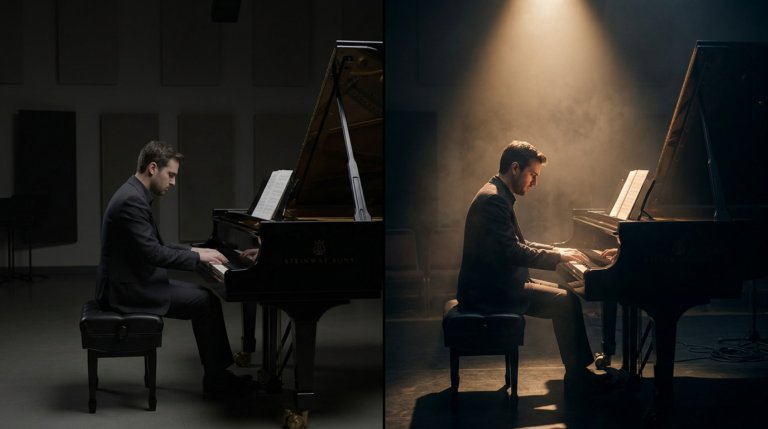
Cinematic lighting is the difference between AI video that looks generated and AI video that looks directed. This guide covers every major setup with prompt examples and techniques.

AI video generators understand cinematographic language with real precision. This guide covers every major camera movement, what each does narratively, and the prompts that produce the best results.

