
50 best PowerPoint templates for 2026: education, business & more
Explore PowerPoint templates with professionally designed layouts to create polished, modern, and visually cohesive presentations.
Envato: Get every type of asset for any type of project, and access to AI tools. Start now
Discover how the Nvidia 5000 series GPUs can improve your creative workflow, from 3D modeling to video editing.

Nvidia has just released its newest graphics cards, and we’re all clamoring to get our hands on them! On release day (January 30, 2025), would-be buyers were disappointed, as all RTX 5000 models from official vendors sold out instantly.
There’ll be plenty more on the way, so let’s review everything you need to know about the Nvidia 5000 series and help you decide which GPU is right for you.
Whether you’re a digital artist, 3D modeler, video editor, or graphic designer, you’ve probably heard of GPUs (graphic processing units). But did you know they’re not just for gamers? A graphics card, like one from Nvidia’s latest RTX 5000 series, is the powerhouse behind demanding visual tasks like rendering 3D models, editing high-resolution video, or applying effects in software like Blender, After Effects, and Photoshop.
The Nvidia RTX 5000 series GPUs are the newest high-performance graphics cards to supercharge your creative projects. Rendering 3D models, editing high-resolution videos, or creating detailed digital art? These cards are designed to make your workflow faster, smoother, and more enjoyable.
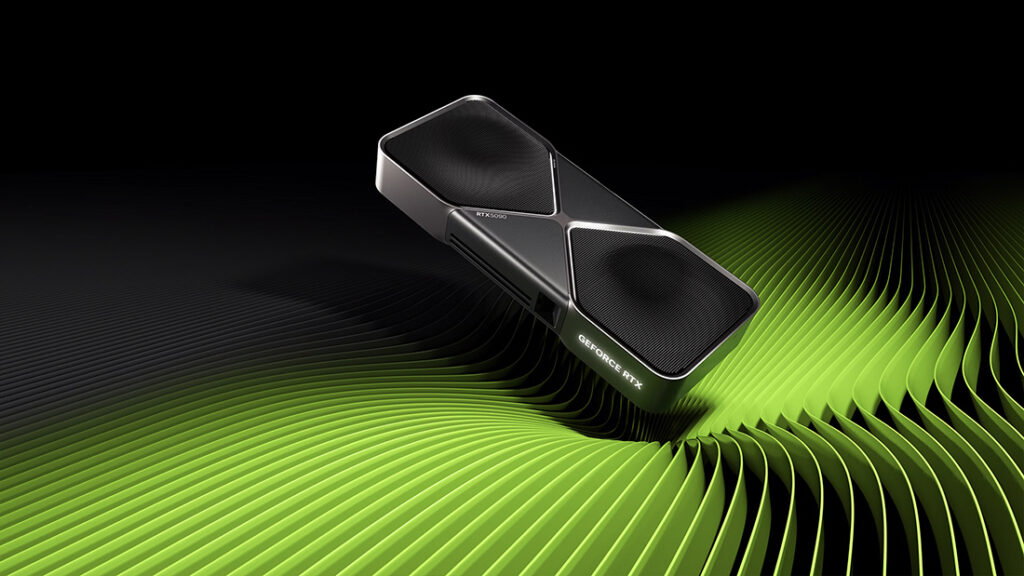
Their release follows months of anticipation, with Nvidia CEO Jensen Huang announcing their launch at CES 2025 in Las Vegas in January.
“The RTX 5090 will unquestionably be the most powerful consumer graphics card on the planet, and it won’t even be close.” — Christian Guyton, TechRadar
The RTX 5000 series is packed with advanced features that set it apart. Here’s a quick overview:

The RTX 5000 series lineup includes several options tailored to different needs and budgets. Here’s a quick overview:
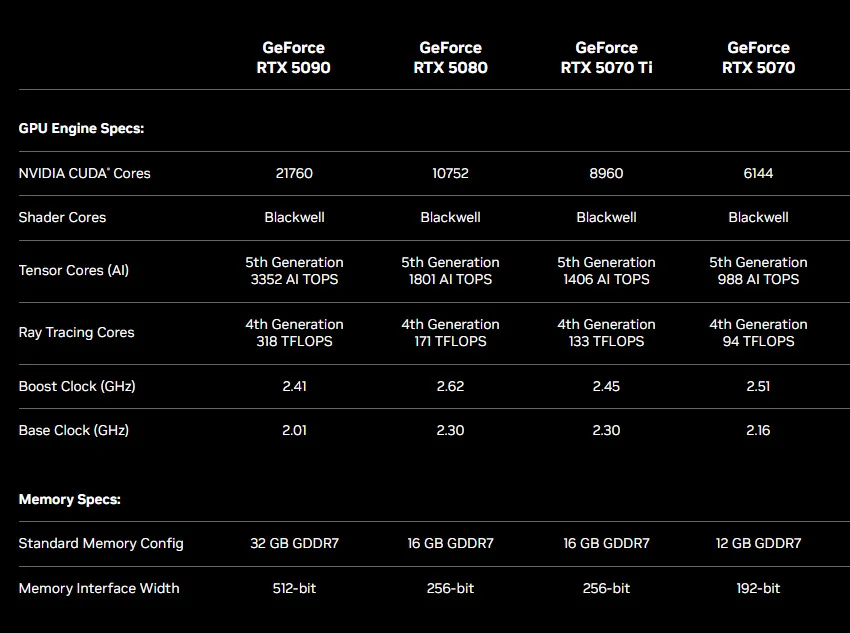
So far, I’ve been referring to this newest generation of GPUs as the “Nvidia 5000 series,” “RTX 50 series,” and “Nvidia’s GeForce.” I’ve also mentioned the “RTX 5090,” the “5070,” and more besides. What am I talking about?
The RTX 5000 series is designed to help you bring your creative visions to life more quickly and with better quality. And if you’re a professional creative, these cards are worth considering.
When looking at GPUs like the Nvidia RTX 50 series, you’ll see many technical terms being thrown around, such as CUDA cores, VRAM, and clock speed. If those sound like a foreign language, you’re not alone! Let’s break the most relevant ones down in simple terms and explain why they’re essential.
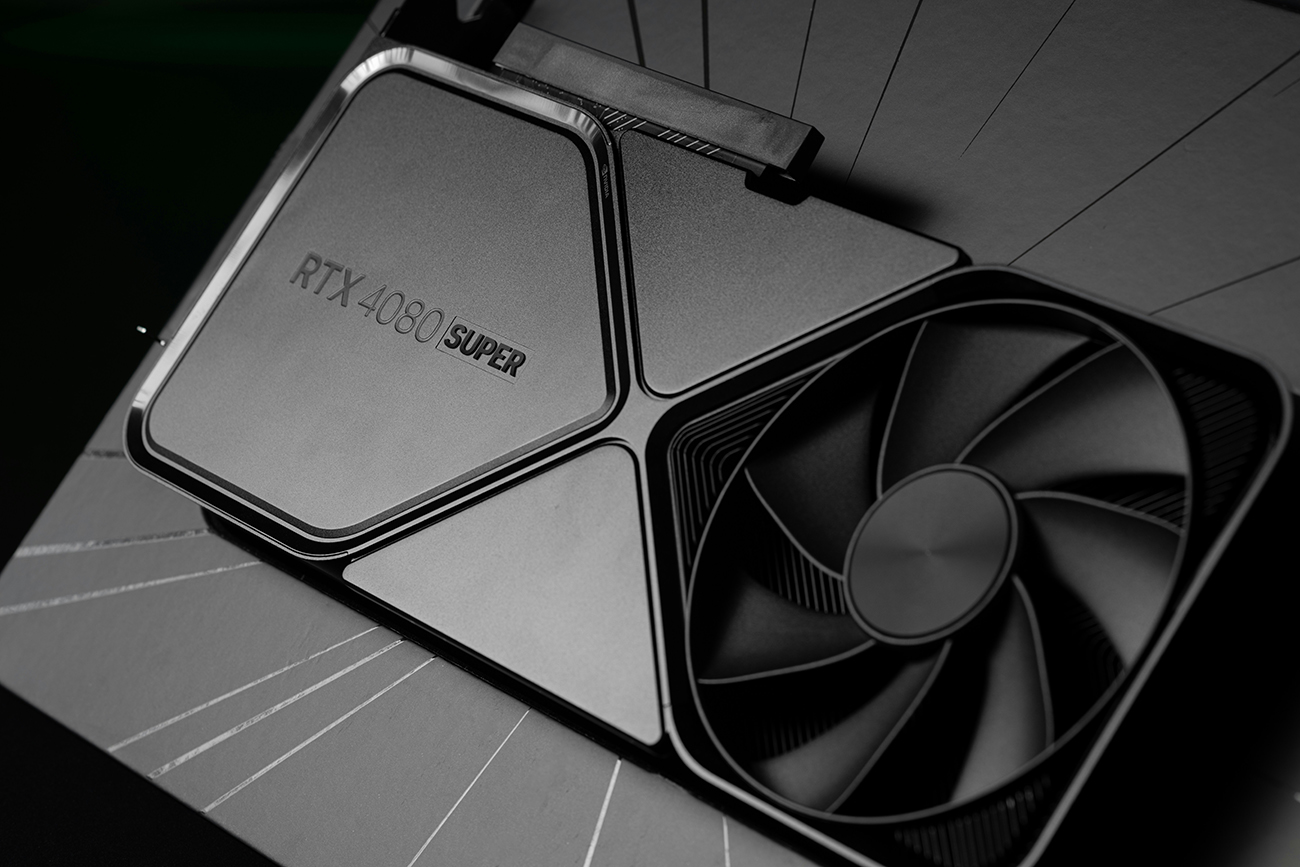
You can think of CUDA cores as the tiny “workers” inside your GPU. The more CUDA cores your card has, the more tasks it can handle simultaneously. For example, if you’re rendering a complex 3D scene in Blender, CUDA cores divide the workload, making the process faster. So the more cores you have, the less time you spend waiting for your render to finish!
VRAM (video random access memory) is where your GPU temporarily stores visual data while you work. This means your graphics card can access the stored data immediately without the slow process of transferring it from other storage. Think of it as your desk space. You don’t need much space if you’re working on a small project. But if you’re editing a massive 8K video or working on a high-poly 3D model, you’ll need a bigger “desk.”
Clock speed measures how quickly your GPU can process information. Think of it like the engine in a car. The higher the horsepower (or clock speed), the faster and more responsive the GPU becomes. This translates to better real-time performance, like smoother playback when editing videos in Premiere Pro, faster updates in 3D viewports in Blender, and snappier interaction with high-resolution files in Photoshop.
Verdict: 3D artists and animators should consider the RTX 5080 or 5090 for handling complex scenes, high-poly models, and advanced simulations in apps like Blender, Maya, or 3DS Max. They provide more VRAM, faster rendering, and smoother real-time previews, which is great for demanding workflows.
Verdict: Video editors should consider the RTX 5080 or 5090 if they work with 4K/8K footage, complex timelines, heavy color grading, and visual effects in tools like Premiere Pro, After Effects, or DaVinci Resolve. Additionally, the improved AI features, such as accelerated object tracking and background removal, streamline tedious tasks. Mid-range Nvidia GPUs like the RTX 4070 or 3070 are often sufficient and more budget-friendly for more straightforward projects.
Verdict: Photographers should consider the RTX 5080 or 5090 if they handle large RAW files, multi-layered edits, or use AI tools in Photoshop or Lightroom. A mid-range Nvidia GPU like the RTX 4070 or 3070 is often sufficient for standard tasks. Upgrade only if your workflow demands high VRAM and advanced AI capabilities.
Verdict: Graphic designers and illustrators who work with large, multi-layered files, high-resolution designs, or 3D elements in tools like Photoshop, Illustrator, Stager, and Dimension should consider the RTX 5080 or 5090. It offers more VRAM for handling complex projects and unlocks advanced AI tools, like generative fill and smart masking. For standard 2D design work, a mid-range Nvidia GPU like the RTX 4070 or 3070 is excellent.
Verdict: Architects and visualization professionals should consider the RTX 5080 or 5090 for handling large models, real-time rendering, and lifelike visuals in tools like Unreal Engine and V-Ray. It allows for faster rendering and smoother navigation of massive 3D scenes.
Picking the right GPU can feel overwhelming, especially with so many options. The Nvidia RTX 5090 and RTX 5080 are undoubtedly powerful, but which fits your creative needs best? Here’s how you can decide.
Think about what you do most. If you’re a 3D artist rendering complex scenes, a video editor working with 8K footage, or an architect handling massive models, the RTX 5090 is ideal. A mid-range card like the upcoming RTX 5070 and 5070 Ti might better fit lighter tasks like basic photo editing or simple graphic design.
Look at what your software needs. Programs like Blender, DaVinci Resolve, and Premiere Pro benefit most from the RTX 5000’s CUDA cores, VRAM, and ray tracing, while Photoshop and Lightroom use its AI tools for faster edits.
If your work is growing in scale or complexity, the RTX 5090 is a great long-term choice. It’s designed to handle future video trends like 8K editing, real-time ray tracing, and AI-driven workflows, keeping your setup relevant for years.
If you own a high-end card like the RTX 4090 or 3090, upgrading depends on your needs. The newer cards offer more VRAM, faster processing, and improved AI features, making them ideal for 8K editing, massive 3D scenes, or advanced ray tracing. However, if your current card handles your workload smoothly, an upgrade may not be necessary unless you want to future-proof AI-driven workflows or increasingly demanding projects.
The RTX 5090 and RTX 5080 are premium cards, and the price reflects the performance. If you’re working on demanding projects, the investment is worth it. However, the previous generation cards like the RTX 3090/3080 or 4090/4080 are still powerful! If your tasks are less intensive, consider the mid-range GPUs or wait for the upcoming RTX 5070 and 5070 Ti for strong performance at a lower cost.
Whether to upgrade to the RTX 5090 or RTX 5080 depends on your current hardware and creative workflow. If you’re using an older GPU, the performance leap could save you hours rendering, exporting, or working with high-resolution files.
Some key questions to ask yourself:
If you answered “yes,” upgrading to the RTX 5090 or 5080 could be a significant boost. Otherwise, consider waiting for more budget-friendly options like the RTX 5070 or 5070 Ti. For those ready to save time and enhance productivity, the RTX 50 series is a smart investment to elevate your workflow and keep you ahead of the curve!
Get the most out of your new graphics card using powerful video templates from Envato. And if you’re interested in more tech news, check out Envato’s new AI VoiceGen feature and our post about generative AI in 3D.
Explore PowerPoint templates with professionally designed layouts to create polished, modern, and visually cohesive presentations.
Learn what font Nike uses, explore its typography evolution, and discover Nike font alternatives to create bold, minimal, high-impact designs for branding and campaigns.

Discover bold music video fonts for 2026, with top picks and bonus styles that help creators match sound, genre, and mood with striking visual identity.

Learn how to create an AI infographic design using GraphicsGen and Illustrator, from idea to reusable systems, with a step-by-step workflow for consistent, scalable visuals.