
AI video Blender: how to turn AI clips into cinematic 3D shots
Learn an AI video Blender workflow to transform AI-generated clips into fully controlled 3D cinematic scenes using camera animation, lighting, fog, and layered overlays.
Envato: Get every type of asset for any type of project, and access to AI tools. Start now
Spline is breaking down barriers, making 3D design accessible to all. Let’s explore its top features and what designers are doing with Spline 3D in the wild.
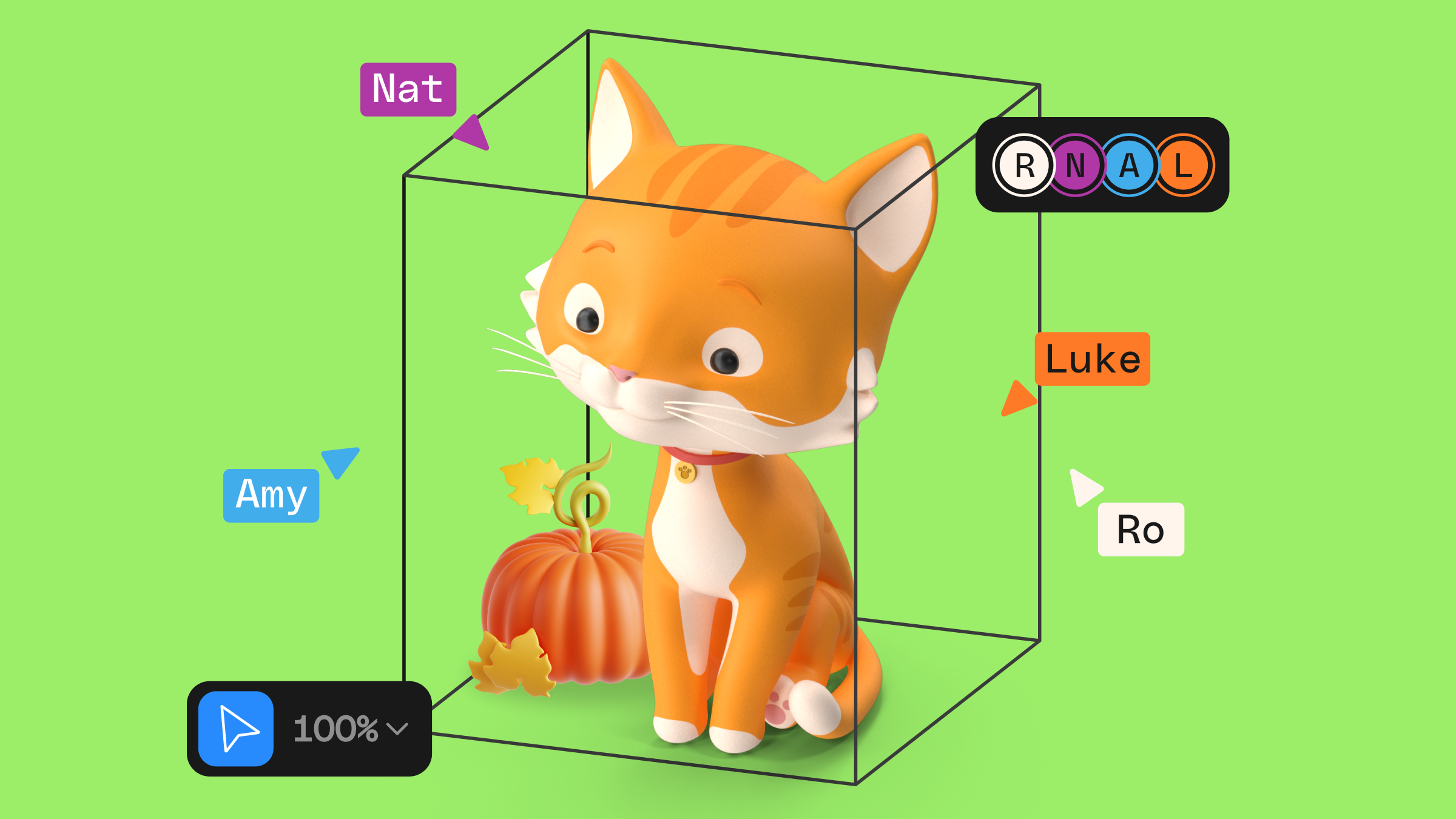
For many, 3D design has always felt intimidating. Traditional programs like Maya or Cinema 4D are powerful but come with complex interfaces that can overwhelm newcomers. Spline is different. It is designed to let you (yes, you) create intricate 3D models and animations quickly—even if you’ve never touched a 3D design tool before.
Its drag-and-drop interface, prebuilt materials, and simple controls make it genuinely approachable. So whether the work in front of you is branding, web design, or animated graphics, Spline helps you get high-quality results fast, turning 3D from a challenge into an opportunity.
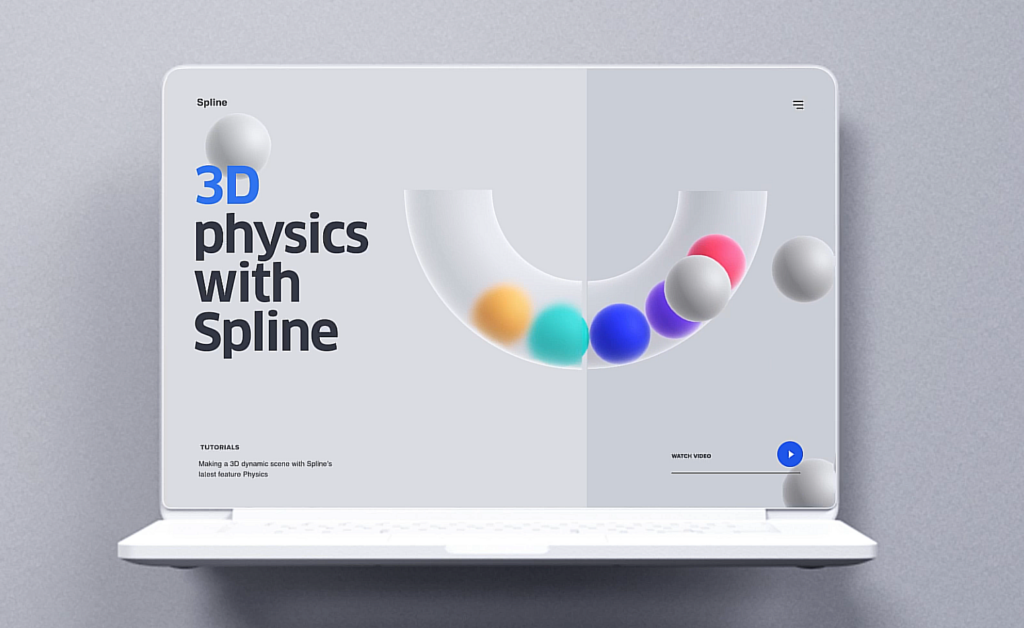
You can build 3D elements in a few clicks, choosing from a library of pre-designed models or making your own. And 3D assets that work in Spline are now available directly on Envato, giving designers more starting points to expand their creative toolkits.
Spline handles minimalist design elements and more complex shapes equally well. But you can go further and create full scenes or detailed animated characters. Take a look at this 3D character designed, textured, and animated entirely in Spline by Lisa Odette.
TL;DR: Spline is a browser-based 3D design tool built for speed and low friction, so designers can model, texture, animate, and export 3D elements without the steep learning curve of Maya or Cinema 4D. Creative pros are using it for interactive websites, product mockups, 3D icons, and branded campaigns. It’s a strong fit for web and UI work where you need polished 3D fast, though heavier film or VFX pipelines still call for traditional tools. You can explore Spline-ready 3D assets on Envato to get moving quicker.
Spline’s real-time collaboration feature is a game-changer for creative teams. Multiple users can work on the same project simultaneously, allowing for seamless collaboration. Whether you’re working in a distributed team across time zones or you’re a solo creator who loves getting feedback, Spline makes it incredibly easy to keep projects moving forward without the back-and-forth of file-sharing.
It’s more than just a productivity booster—imagine being able to brainstorm, tweak, and finalize a design all in one go, in real time! This feature is particularly useful for agencies, freelance teams, and anyone involved in web and UI design.
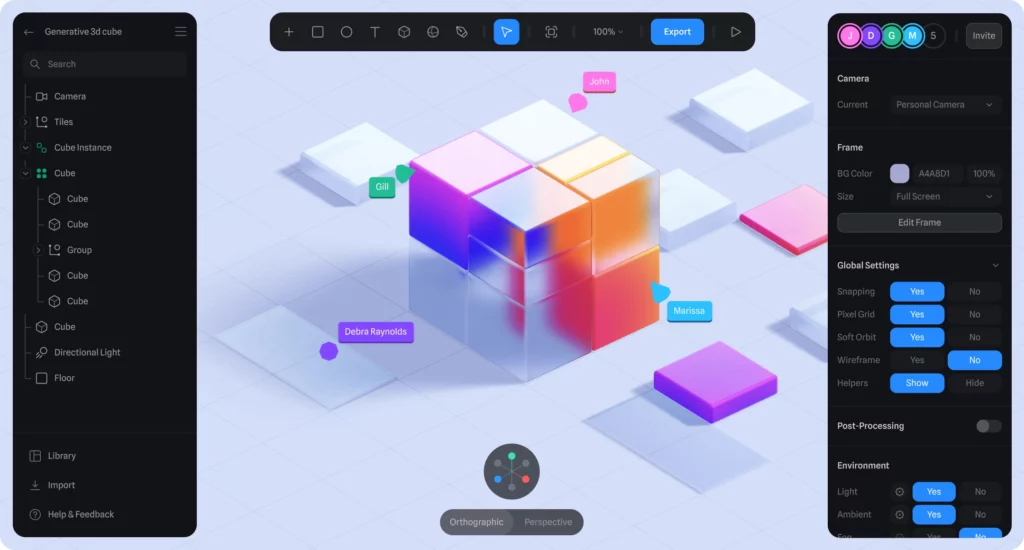
Animating in 3D can be seriously intimidating, but not with Spline. One of its standout features is its built-in animation tools that allow you to animate your 3D models effortlessly. You can create complex animations with simple keyframes—no need for heavy coding or advanced knowledge. Spline handles the difficult part, giving you the flexibility to focus on creativity.
You can build anything from simple transitions to complex, multi-step sequences, then export and embed them directly into websites, apps, presentations, and even games. One honest caveat: intricate character rigs and physics-heavy sequences still take real time and craft to get right, so treat the “easy” as “easy to start,” not “instant.”
Speaking of games, check out this animated 3D game made in Spline by the talented Joren Peters!

Another reason Spline stands out is the high-quality materials and textures that are built right in. Designers can create trendy, polished renders with smooth gradients, realistic shadows, and dynamic lighting—all without the usual headaches of setting up complex environments.

In 2024, visual appeal is everything. Users and brands alike demand design that not only looks good but feels fresh, and Spline delivers that aesthetic. The growing popularity of sleek, colorful, and tactile 3D designs across websites, mobile apps, and digital marketing makes this tool a must-have for any creative looking to stay ahead of the curve.

Spline doesn’t just make creation easy—it makes sharing and exporting just as seamless. Once you’ve finished your design, export your work in multiple formats, embed it directly into your web projects, or share it across social media with just a few clicks. This fast, flexible export capability lets you take your 3D creations from concept to live in no time.
But why is Spline gaining popularity now? The answer lies in the demand for more engaging, interactive content. As websites and apps evolve, flat designs no longer have the same impact. Users want experiences that feel immersive, and 3D icons, animations, and interactive visuals meet that need. Spline is at the heart of this shift, providing a platform that allows designers to easily integrate 3D elements into their work.
The visual quality of the renders and materials available in Spline is not just high-end; it’s also on-trend with what’s dominating the design landscape in 2024. Consumers and brands are gravitating toward bright, colorful designs with smooth gradients, realistic textures, and polished lighting effects.
In a world where attention spans are short, having eye-catching, beautiful visuals is more important than ever, and Spline helps designers stay ahead of the curve.

From glossy product mockups to sleek interface animations, Spline’s materials and rendering engine make it easy to create designs that look like they were made in complex software without the steep learning curve.
If you like to sketch a look before you build it, Envato’s AI image generator is a practical way to spin up quick concept frames or a mood board; say, a few directions for a glossy, iridescent product render, so you walk into Spline with a clear reference instead of a blank canvas. The AI handles the fast ideation; your taste and modeling still drive the final result.
In today’s digital world, engaging visuals are no longer optional—they’re essential! Brands and websites are competing for attention in crowded spaces, and 3D design has become one of the most effective ways to stand out.
One of Spline’s most exciting aspects is its diverse applications. Designers around the world are using Spline for everything from animated logos and product mockups to interactive website elements and 3D illustrations. A quick glance through platforms like Instagram, TikTok, Dribbble, and Spline’s community will give you a sense of how versatile and powerful the tool really is.
Here are some popular ways people are using Spline:
Designers are using Spline to integrate interactive 3D elements into websites. Imagine a product page where you can rotate and inspect a 3D model of an item or animated buttons that respond to user interaction. These small touches can make a website feel more dynamic and engaging, improving user experience. For instance, you can integrate 3D objects into your website, app, or game to add personality and motion to otherwise static design elements.
Spline makes the process of adding animated 3D elements to your website designs super easy! For example, trendy widgets that turn any flat or static design into a fun interactive experience.

Many designers are turning to Spline for product mockups and visualizations. Brands are using 3D renders to showcase their products from every angle, providing customers with a more realistic view of what they’re purchasing. This approach is particularly popular in e-commerce, where 3D product views can make a huge difference in customer engagement and sales.

With the growing demand for more immersive user interfaces, Spline is being used to create interactive 3D icons for web and mobile apps. Imagine a fun animation of some popular apps that you’re using on a daily basis. For example, this Notion icon was made by Michał Sambora entirely in Spline.

Or a “likes counter” 3D icon that pops with a smooth effect, adding hearts with every click. These micro-interactions enhance user engagement and add a fun, dynamic touch to digital designs.

Brands are now leveraging Spline to bring their visual identities to life in three dimensions. Whether it’s 3D logos or full animations for social media campaigns, Spline allows designers to elevate branding in ways that feel modern and engaging. Let’s take a look at creative brand campaigns that have been built entirely in Spline.
Forbes used Spline to create and integrate on their website these shiny Legacy Passes for web and marketing initiatives. Such neat and stylish design makes it really attractive for their new clients.

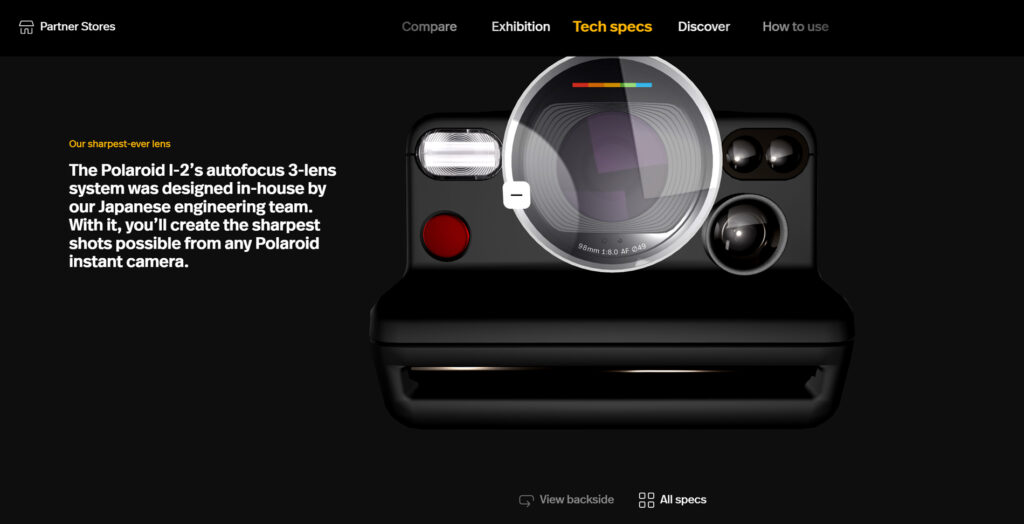
Polaroid created a very detailed 3D model of their Polaroid I-2 Instant Camera fully in Spline, creating an immersive user experience where users can observe it from all angles, making it easy to imagine what the product looks like in real life.
Another great example of creating an interactive and eye-catching UI 3D design for their brand is Luma, a service that helps you plan and host fun Zoom events. Both light and dark versions of their design look great!

The growing popularity of 3D design in marketing, web development, and UI/UX design is one reason why now is the best time to explore Spline. The demand for engaging, interactive visuals is skyrocketing, and brands are looking for designers who can create experiences that stand out. With Spline, you have a chance to break into the 3D space without needing to master complex software.
Another reason to get started with Spline now is its learning curve. The tool is designed for ease of use, making it possible to produce professional-quality 3D designs without an intimidating and exhausting experience.
Watch how Envato instructor Adi Purdila was able to open Spline for the first time and start creating straight away:
Spline runs directly in your browser, meaning you don’t need a high-end computer to get started—anyone with an internet connection can jump right into 3D design.
Prefer a desktop app? Spline offers a downloadable version too. The desktop app runs more smoothly and stays more stable on complex projects, partly because it isn’t competing with a browser full of open tabs. Otherwise, the browser and desktop versions are identical and share the same intuitive interface.
One trade-off worth naming: because Spline is real-time and browser-friendly, it’s optimized for interactive web and UI work rather than film-grade rendering. For heavy VFX, offline photorealistic renders, or dense simulation work, a traditional pipeline like Blender or Cinema 4D still gives you more control. Spline is the faster path when the destination is the web.
If you’re looking to take your designs to the next level, now is the perfect time to explore what Spline has to offer. This makes it even easier to experiment with 3D design and integrate it into your projects, regardless of your level of experience.
Check out its growing collection of assets and projects on Envato and start your 3D design journey today!
Spline offers a free tier that covers a lot of ground for individuals and small projects, with paid plans that add collaboration seats, more files, and advanced export options. Check Spline’s current pricing before committing, since tiers change over time.
No. Spline is built around a visual, drag-and-drop interface, and its keyframe-based animation tools don’t require coding. Developers can go deeper with exports and web integrations, but you can create and publish 3D work without writing a line of code.
Yes. Spline is one of the most beginner-friendly 3D tools available, thanks to prebuilt materials, simple controls, and a browser-based setup that skips heavy installs. That said, “beginner-friendly” means easy to start — polished, complex animations still take practice.
Yes. Spline lets you export or embed interactive 3D directly into websites and apps, and it plays well with tools like Webflow. Keep an eye on file size and performance, since detailed real-time scenes can affect page load on lower-powered devices.
Spline is optimized for fast, interactive 3D aimed at the web and UI, while Blender and Cinema 4D are full production tools built for film-grade rendering, VFX, and complex simulation. Spline wins on speed and accessibility; the traditional tools win on depth and control for heavy pipelines.
Learn an AI video Blender workflow to transform AI-generated clips into fully controlled 3D cinematic scenes using camera animation, lighting, fog, and layered overlays.

3D design is evolving fast in 2026, from Blender-powered films to Plushcore mascots, glossy product renders, lo-fi nostalgia, and AI-assisted workflows. Explore the trends reshaping animation, branding, and motion graphics this year.

There’s something squishy going on out there in the world of 3D and motion design.

To what degree has AI penetrated the workflow of 3D professionals, and what’s actually possible nowadays?

