Movie typography in 2026: why does it suddenly look so good?
Explore movie typography trends shaping 2026, from bold film fonts to cinematic branding, with inspiring examples and practical tips for creating impactful, screen-ready typography.
Envato: Get every type of asset for any type of project, and access to AI tools. Start now
Want to learn how to create magical art in Photoshop? Russian digital artist Farely walks us through how she uses Envato Elements to create her work.
Russian-based digital artist Farely is known among her audience for her whimsical, fantastical creations inspired by her love of Anime, manga and film. Specializing in environmental concept art and captivating photo manipulations, the talented creative – otherwise known as Kate Verb – mainly uses Adobe Photoshop and Blender to create her work. She also enjoys experimenting with programs such as Unreal Engine and Adobe Substance 3D.
In addition to promoting her artwork on her Instagram, Farely publishes helpful how-to videos on her YouTube channel, where she’s amassed more than 56K subscribers. Collaborating with the likes of Adobe – she’s had the honor of moderating Photoshop master classes for the brand’s online education platforms – Farely is an experienced digital artist with plenty of expert advice to share.
Want to learn how to create Anime-inspired digital artworks in Photoshop? We asked Farely to choose one of her favorite artworks made with Envato Elements, and walk us through her creative process so you can try it for yourself. Let’s go!

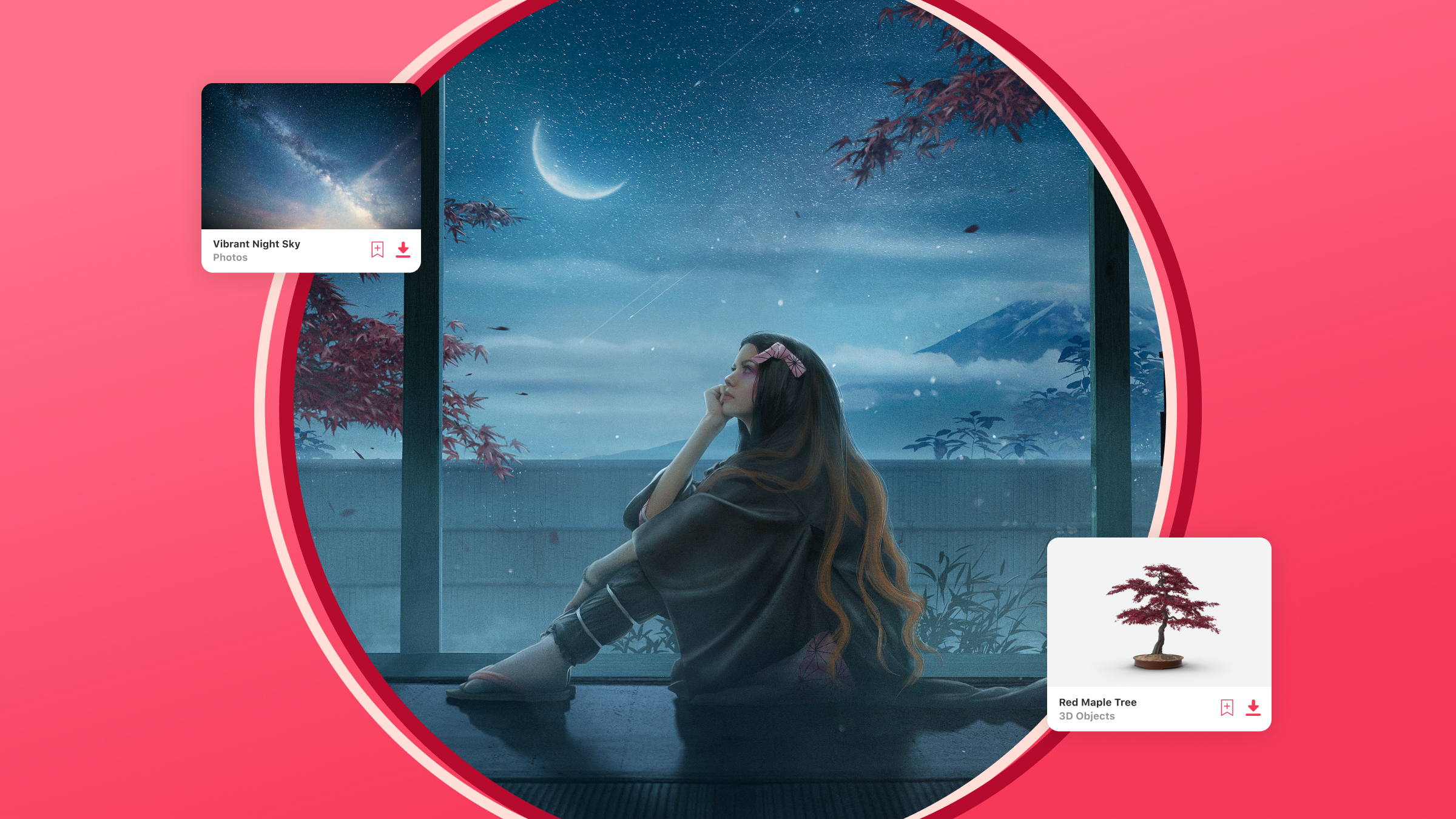
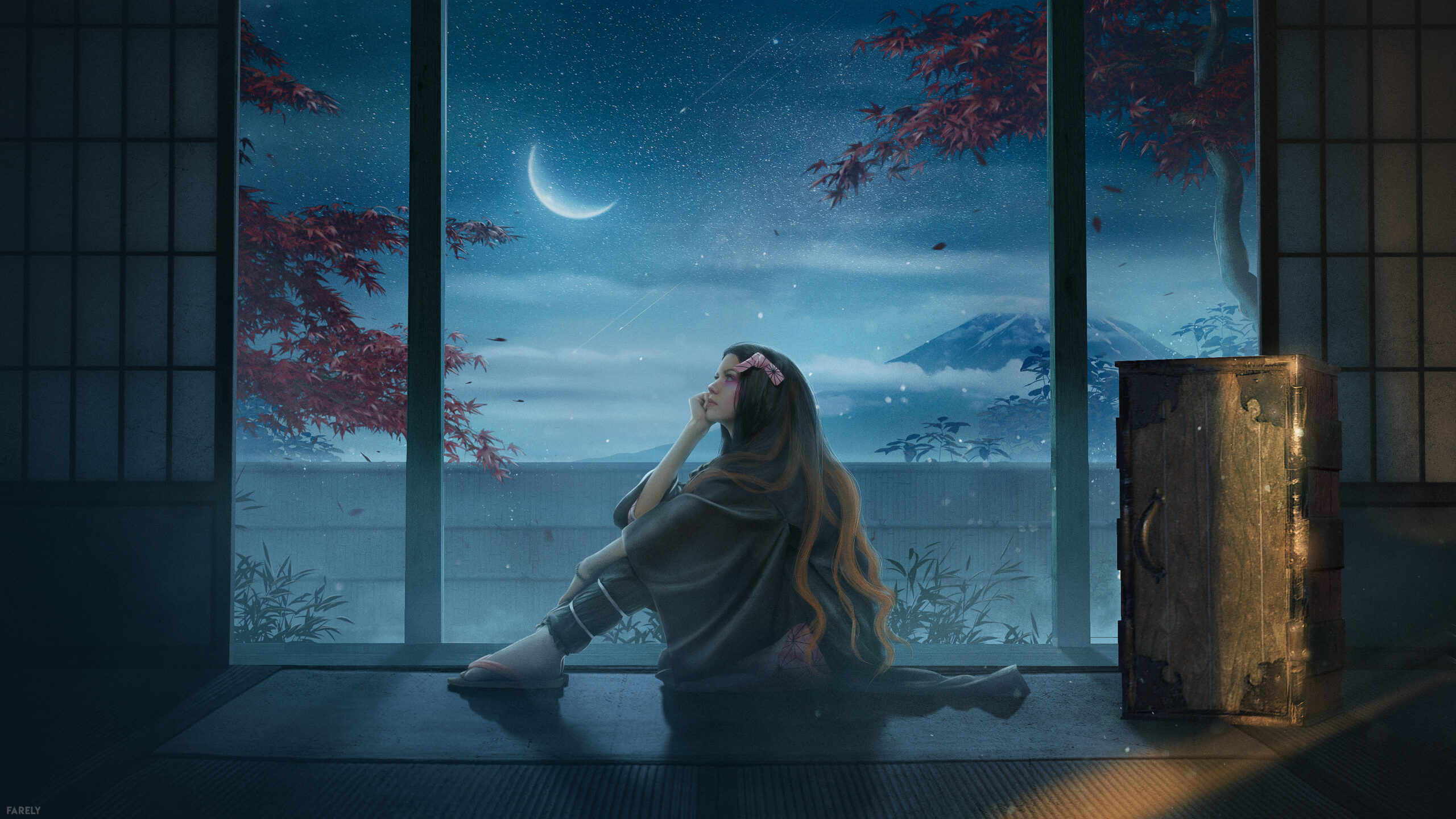
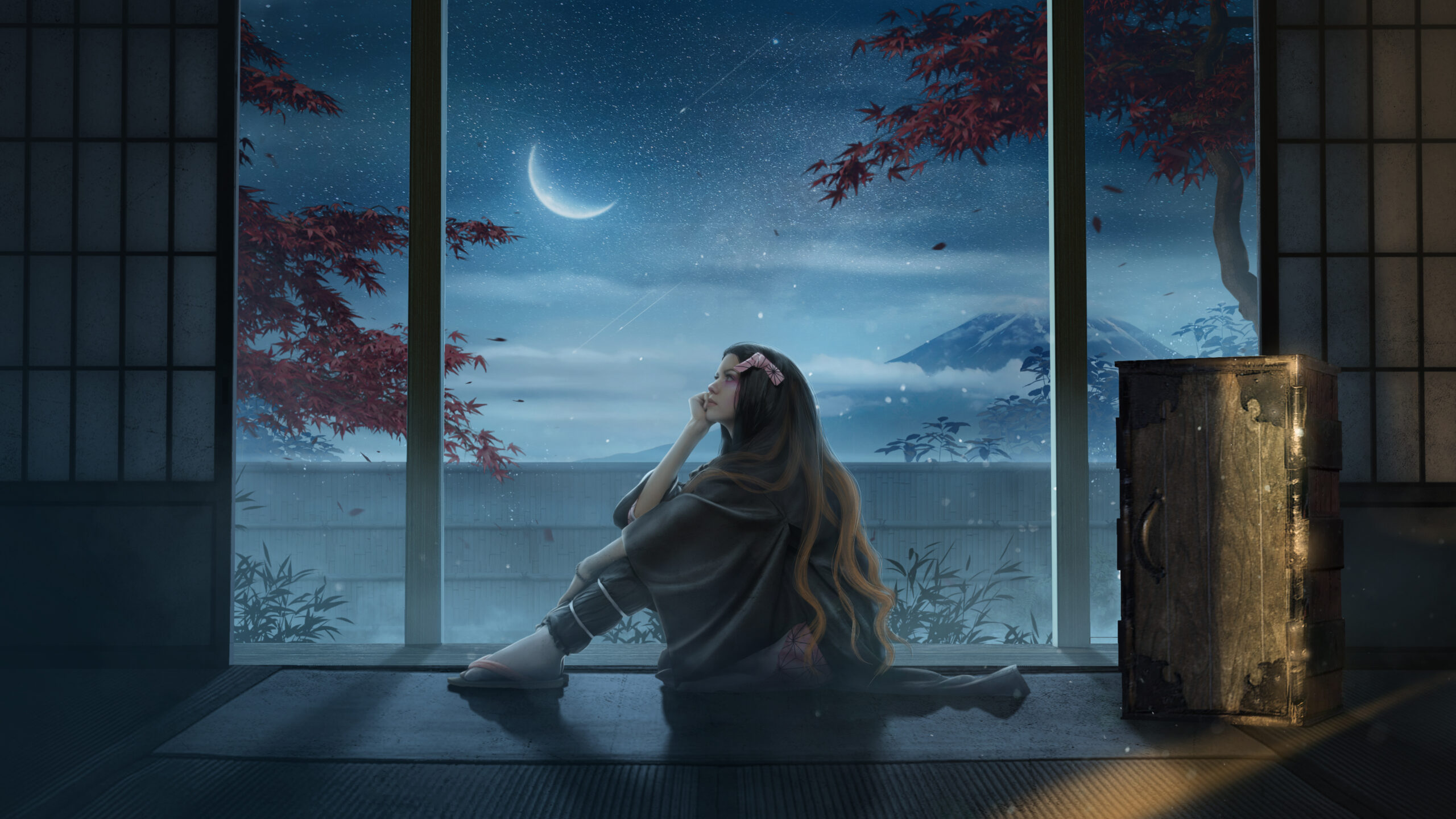
Movies and animated films always inspire me. They’re full of exciting themes and juicy creativity, and I often look to movie characters to get new ideas for my work. For this piece in particular, I drew a lot of inspiration from the anime ‘Demon Slayer’ – based on the manga about Tanjiro Kamado, who becomes a demon slayer after his family is slaughtered and his younger sister Nezuko becomes a demon. Besides the interesting story, the series is full of inspiring landscapes, cute little details and striking moments of peace and quiet. So, right after watching the anime, I was super inspired to create some artwork based on it.
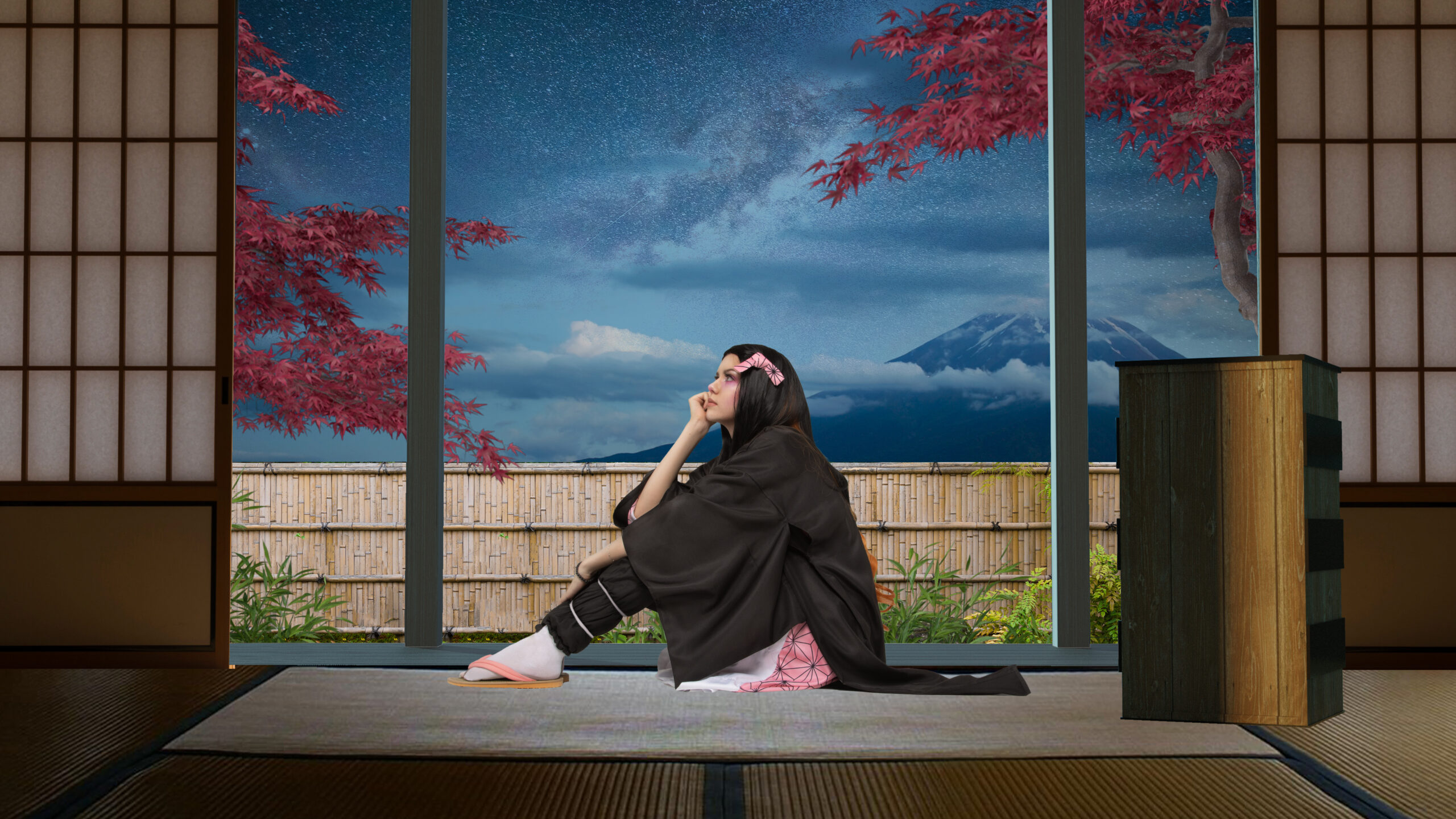
I wanted to include Japanese elements in this artwork, so I began by searching for photos featuring traditional Japanese houses and gardens. I also used pictures of clouds and mountains to create the night sky and background, and used 3D items from Envato for things like plants. 3D assets are helpful as they allow you to choose the exact right angle of the object. At the end of the process, I used a variety of graphic templates to add in extra particles and dust effects, which you can find in most of my artworks.
For creating pieces like this, I always use Adobe Photoshop. It includes all the necessary tools for working with 2D pictures. As for my more complex artworks, sometimes I use Blender to create a 3D basis for my scenes. It helps me to choose the right perspective and draw accurate light and shadows.

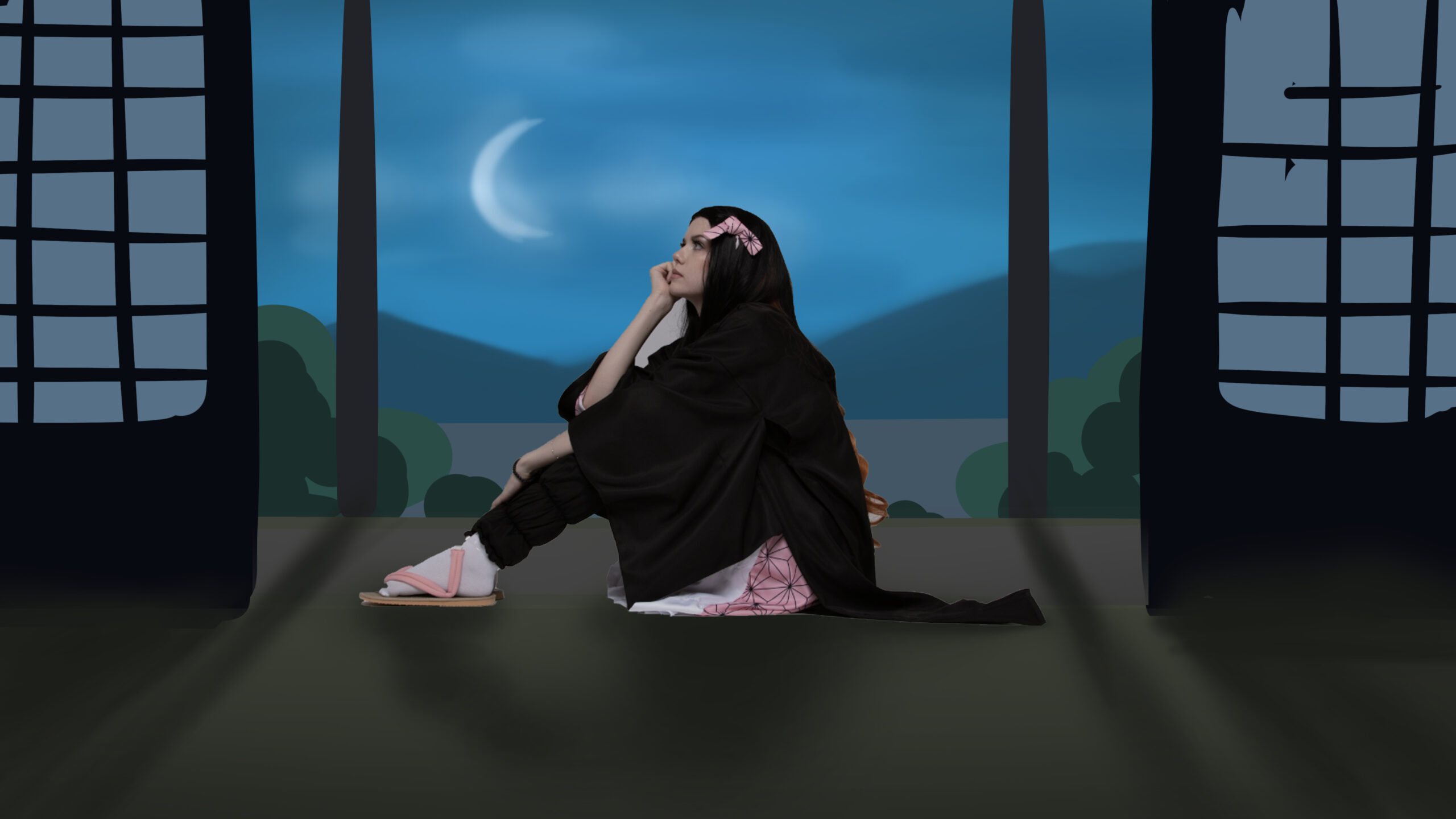
Firstly, I took some photos of me cosplaying the main character – Nezuko. I chose the shot that was most suitable for my idea, then used Blender to make a basic 3D model of the piece. Afterwards I added a couple of simple textures and guide lights, and started searching for photos and images to build out the artwork – which is arguably the most important step.

Finally, I combined the render and my cosplay photo in Photoshop, and – with help of images from Envato – started creating my piece of art and adding the finishing touches. I was totally happy with the result, and most importantly, enjoyed the process too.

Honestly, I didn’t really use many complicated skills or 3D techniques. I made basic constructions and transformations that don’t actually take very long to learn.
The main practical skill I have is a lot of experience working in Photoshop. It’s important to learn to transform images correctly to ensure you combine images properly. It’s also really important to know how to work with the color of the picture, so I pay a lot of attention to color correction.
I learned all of this by myself. I just opened Photoshop, searched for new features and figured out how I could use them creatively. I think if you have enough desire and motivation, you can learn any skill you put your mind to.
My top tip is to stop looking at photos as concrete images. Stop seeing the train in the photograph as a train, and instead, look at its details and think about how you can use them creatively in Photoshop. When creating art in this style, you’ll often be using several photos in one artwork, so the skill of seeing individual objects instead of a whole image is necessary. This will help you create cool photo manipulations and make your work more unique.
I think the one program every artist should have in their toolkit is Photoshop. However, if you’re into creating 3D art, programs like Blender can also be really useful.
Here are three of my tips for making cool digital art:
At first, I just posted my work and participated in competitions run by other popular artists. In my experience, participation in competitions is very useful for advancing on social media – and you don’t even have to win. As time passed and my skills developed, my audience began to expand.
Learn to distinguish constructive criticism from hate. When posting your work online, there will unfortunately be a lot of people who are jealous of you or want to bring you down. Learn to ignore such people and focus on your creativity. To build a following on Instagram, try to incorporate popular themes into your work and participate in competitions organized by other artists. Don’t compare yourself to anyone and focus on creating your own art.
Feeling inspired? There’s more where that came from! Whether you want to learn How to Create a Composite in Photoshop, or read up on the digital trend of Photo Manipulation, you can find tons of creative content here on the Elements Blog. Or, for more interviews, check out How to Become a Self-Taught Photoshop Artist with sb. editing__, explore imagination with Emilio Rios or learn more about Creating Photo Manipulation with Jose Francese.
Explore movie typography trends shaping 2026, from bold film fonts to cinematic branding, with inspiring examples and practical tips for creating impactful, screen-ready typography.
Explore the bold botanical design trend shaping 2026, from lush patterns and floral design to branding, interiors, and nature-inspired creative projects rooted in biophilic aesthetics.
Learn what font Disney uses, why it’s not downloadable, and discover Disney-style font alternatives to recreate that iconic, playful branding style in your own designs.
Explore PowerPoint templates with professionally designed layouts to create polished, modern, and visually cohesive presentations.