
How to Import LUTs in CapCut
Learn how to import LUTs in CapCut on mobile and desktop, from loading a .cube file to adjusting LUT strength and troubleshooting results that look too extreme.
Envato: Get every type of asset for any type of project, and access to AI tools. Start now
Creative pros move fast, and CapCut helps keep pace.
At Envato, we’ve gathered CapCut tutorials designed for designers, editors, and motion creators who want to add a professional polish to short-form and branded content. Here you’ll find CapCut tips, practical guides, and creative techniques that connect high-end design principles with the speed modern editing demands.
Explore video editing in CapCut through the eyes of a designer. Learn how to manage complex cuts, sync graphics and audio, balance transitions, and use AI-powered features that make editing faster without losing control. You’ll also uncover expert takes on color styling, aspect ratios, and workflow automation to help you stay ahead in every project.
Discover Envato-curated CapCut templates and motion assets chosen to enhance your process, not replace it. Each collection is tested by professionals and made to fit seamlessly into commercial projects, campaign videos, and cross-platform storytelling.
Welcome to a space to experiment with CapCut, refine your process, and find inspiration from creatives shaping today’s motion trends. Here, editing isn’t just post-production; it’s part of your design story.
Learn how to import LUTs in CapCut on mobile and desktop, from loading a .cube file to adjusting LUT strength and troubleshooting results that look too extreme.
Top-tier gen AI models. Commercial use. Ever-evolving tools.

Create unique visuals in diverse styles with simple text prompts.

Make your own music with text prompts and presets.

Remove backgrounds, erase objects & upscale effortlessly.

Generate videos from static images and text prompts.
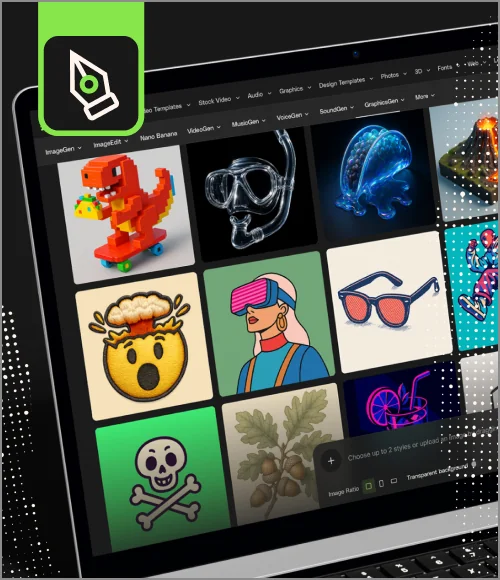
VoiceGen, GraphicsGen, SoundGen and more coming soon.
CapCut is used for fast, polished video editing across short-form and branded content. It helps creative professionals shape clean cuts, sync visuals with sound, and keep ideas moving quickly. In this category, you’ll see how CapCut fits naturally into a design-led workflow.
It is. CapCut supports thoughtful pacing, motion details, transitions, color styling, and AI tools that help speed up the busywork. You still stay in control of the look and feel while moving through edits with intent.
Yes. CapCut integrates seamlessly with high-quality templates and motion graphics, including curated collections from Envato. They drop easily into your timeline and help elevate your visuals without slowing your flow.
Yes. Many designers and motion creators use CapCut for social media videos, campaign clips, branded reels, and cross-platform stories. It keeps editing flexible and focused on style, even when timelines get tight.
Designers use CapCut to match rhythm, layer motion graphics, refine transitions, and give even quick edits a clear visual voice. It’s built for shaping stories that are fast, clean, and on-brand.
Discover ideas faster with ‘Browse by category’ on the Envato blog. Jump straight into the topics that matter most to your work: Design, Video & Filmmaking, Music & Audio, What’s New on Envato, or AI & Creativity. Explore curated articles, tutorials, and trend insights tailored to each discipline. Whether you’re sharpening your skills, testing new tools, or streamlining your process, each category is designed to help you optimize your creative workflow with Envato and move from idea to execution more efficiently.

